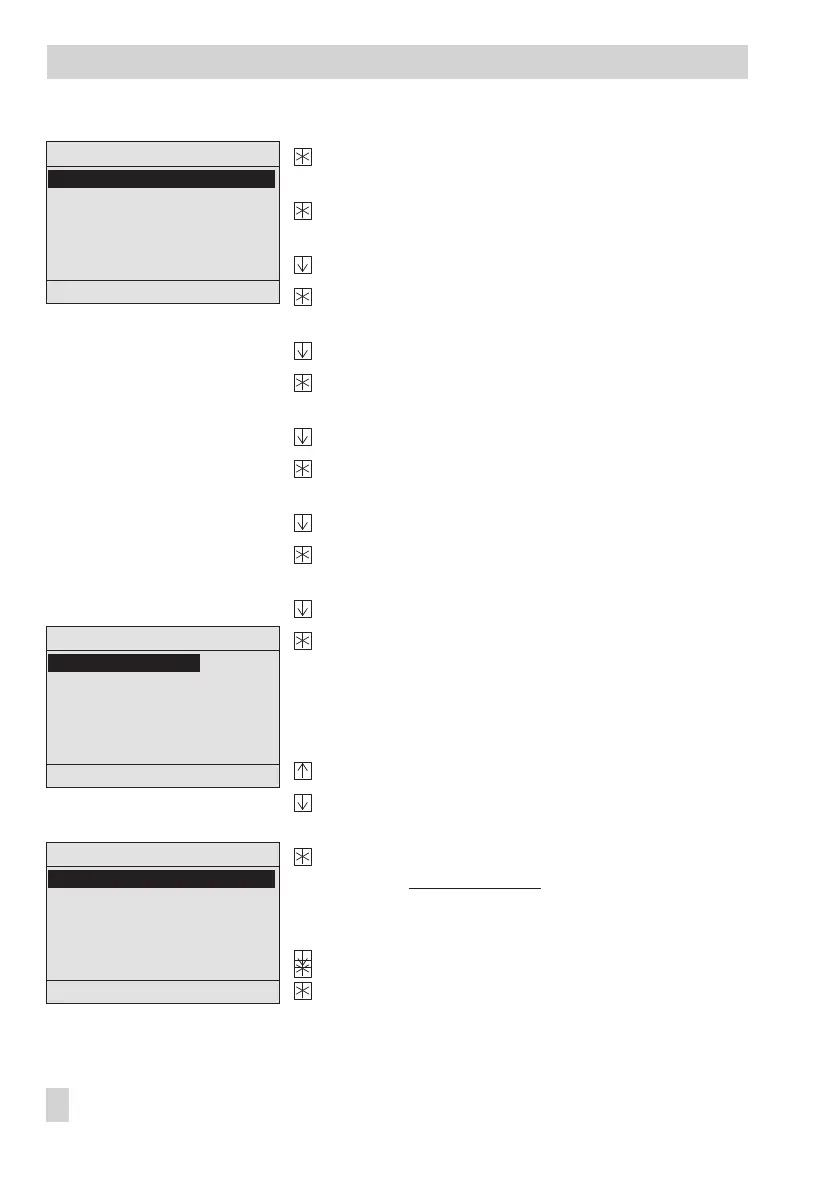
Activate the 'Datum/Uhrzeit' (Date/Time) menu item.
Display: System time (DD.MM.YYYY HH:MM)
Activate the editing mode for the system time.
Display: Date (DD) blinks.
Enter date.
Confirm date entered.
Display: Month (MM) blinks.
Enter month.
Confirm month entered.
Display: Year (
YYYY) blinks.
Enter year.
Confirm year entered.
Display: Time (HH) blinks.
Enter hour.
Confirm hour entered.
Display: Minutes (
MM) blink.
Enter minutes.
Confirm minutes entered.
Display: "Autom. Sommerzeit ? __"
(Automatic summer time? __) blinks
If required, change the current setting (on/off) of the
Automatic summer time function.
Activate function: Automatic summer time? Ein (On)
Deactivate function: Automatic summer time? Aus
(Off)
Exit the 'Datum/Uhrzeit' (Date/Time) menu item.
Display: Einstellungsebene
(Settings level)
Exit the settings level
Select 'Zurück' (Back).
Exit overview menu.
Display: Start screen
12 EB 5571-2 EN
Operation
Einstellungsebene
Autom. Sommerzeit ? Ein
RS232/Slave
RS485/Master
RS232/Prog
Zählerbus
Universaleingangstyp
Zurück
Einstellungsebene
21.7.2010 10:00
RS232/Slave
RS485/Master
RS232/Prog
Zählerbus
Universaleingangstyp
Zurück
Einstellungsebene
21.7.2010 10:00
RS232/Slave
RS485/Master
RS232/Prog
Zählerbus
Universaleingangstyp
Zurück



 To Next Page