Note: If no key is pressed for two minutes, the PLC automatically returns to the start screen.
1.7 Entering time schedules
Two time schedules can be programmed for each day of the week. If only one time schedule is
required, the start and stop times of the second schedule must be programmed to identical ti
-
mes.
The controller is delivered with the default time schedule starting at 7:00 h and ending at
22:00 h.
The setting is performed in the menu [Übersicht > Parameter > Allgemein > Zeitprogramme]
when just heat exchangers are to be controlled in a system (Anl x.0).
If a consumer on the secondary side exists, the setting is performed in the menu [Übersicht > Pa
-
rameter > Heizkreis 1…3].
The time schedules of DHW heating is programmed separately for the DHW and thermal disin
-
fection in the menu [Übersicht > Parameter > Warmwasserbereitung].
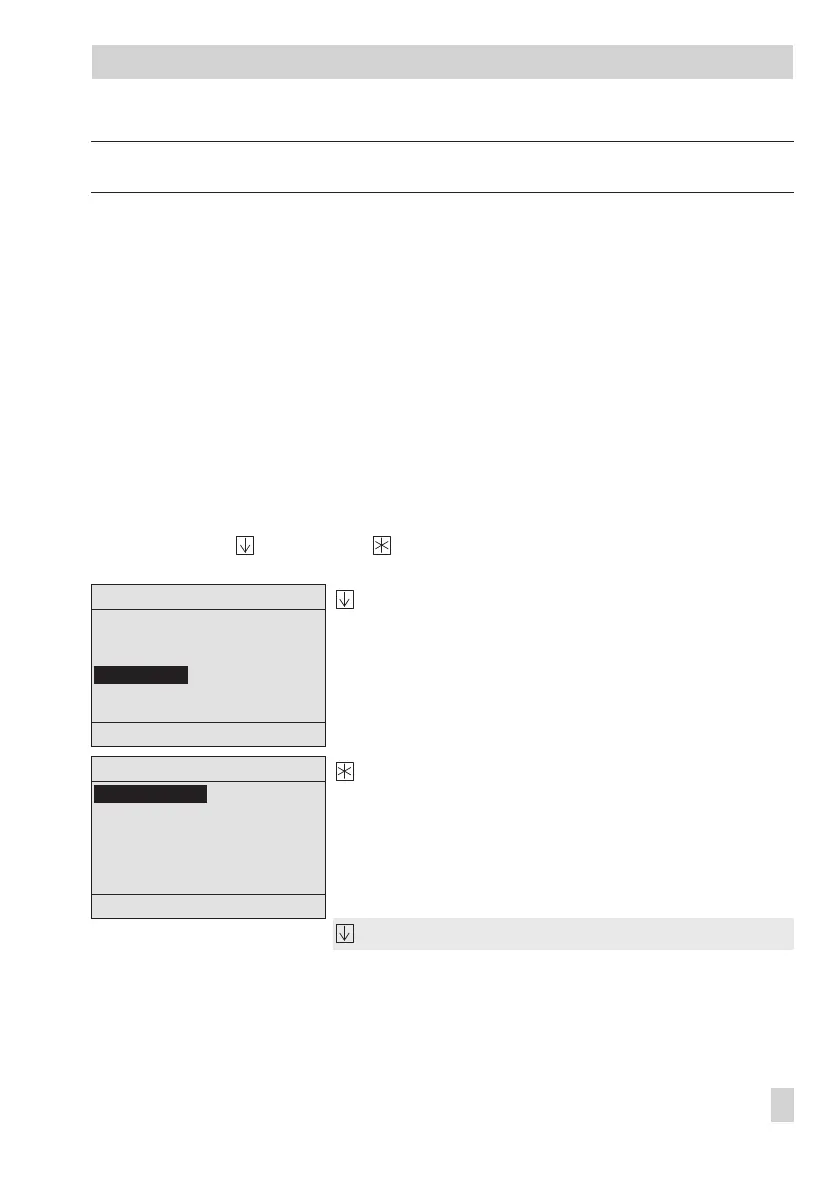
Use the arrow key and enter key to activate the editing mode for the 'Nutzungszeiten'
(Time schedule) menu item.
Select 'Nutzungszeiten' (Time schedule) menu item.
Activate the editing mode for the time schedule.
'Montag – Sonntag' (Monday – Sunday) is high
-
lighted.
Select time period/day.
EB 5571-2 EN 13
Operation
Heizkreis 1
Montag – Sonntag
Montag
Dienstag
Mittwoch
Donnerstag
Freitag
↓
Zurück
Heizkreis 1
Vorlauftemp.-Sollwert 70°C
Absenkdifferenz 15°C
Regelparameter
Nutzungszeiten
Zurück



 To Next Page