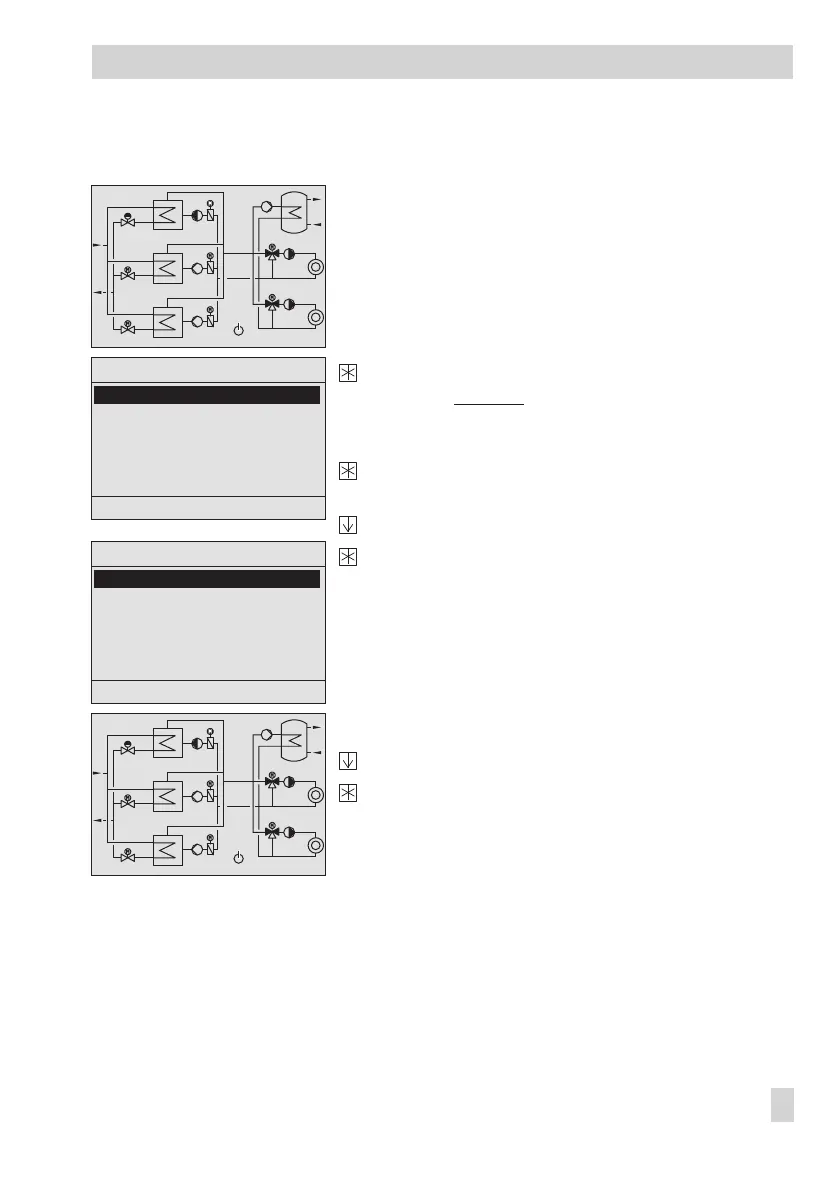
1.3.1 Setting the operating mode
The controller with start screen
Exit the start screen.
Display: Übersicht
(Overview)
The 'Betriebsart' (Operating mode) menu item is
highlighted.
Activate the editing mode for the operating mode.
Display: The currently valid operating mode blinks.
Select operating mode.
Confirm selected operating mode.
Exit setup menu
Select 'Zurück' (Back).
Exit overview menu.
Display: Start screen
EB 5571-2 EN 7
Operation
Übersicht Anl x.x
Betriebsart Tag
Freigabe 1
Führungstauscher Auto
Istwerte
Parameter
Service
Zurück
Übersicht Anl x.x
Betriebsart Standby
Freigabe 1
Führungstauscher Auto
Istwerte
Parameter
Service
Zurück
60˚C
47˚C
100%
60˚C
48˚C
0%
60˚C
55˚C
59˚C
53˚C
86%
100%
11˚C
60˚C
47˚C
100%
60˚C
48˚C
0%
60˚C
55˚C
59˚C
53˚C
86%
100%
11˚C



 To Next Page