1.6 Setting the system time
The current time and date need to be set immediately after start-up and after a power failure la
-
sting more than 24 hours.
Set the system time in the Settings level under the menu item 'Date/Time' after pressing the
changeover key and entering the system key number (see page 85). The Automatic summer
time function can also be activated (on) or deactivated (off) in this menu item.
4
System time: Time-dependent functions of the saved application are based on the system
time set in the PLC.
4
Automatic summer time: The summer time is automatically set on the last Sunday in
March at 02:00 h and the winter time on the last Sunday in October at 03:00 h.
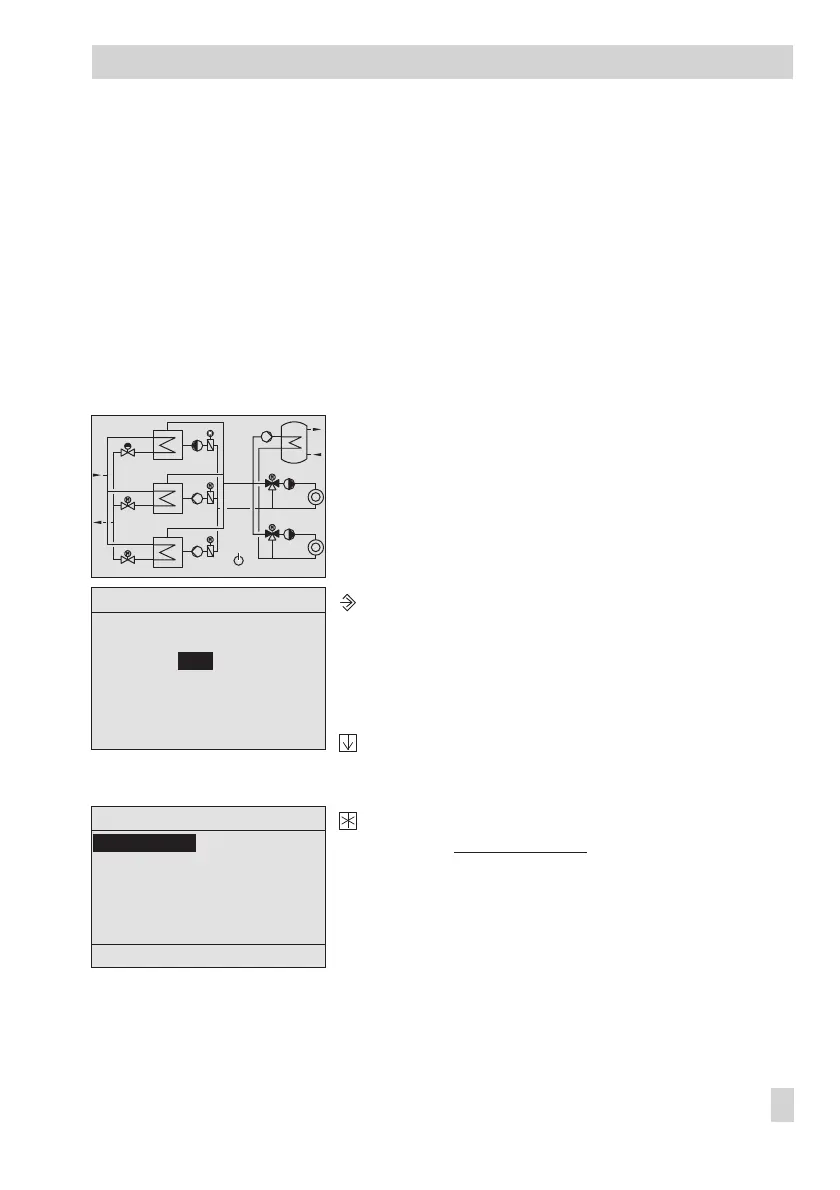
The controller with start screen
Activate the controller editing mode.
Display: 'Schlüsselzahleingabe' (Key number entry).
0000 blinks.
Enter the key number .
Confirm the entered key number.
Display: Einstellungsebene
(Settings level)
The 'Datum/Uhrzeit' (Date/Time) menu item is high
-
lighted.
EB 5571-2 EN 11
Operation
60˚C
47˚C
100%
60˚C
48˚C
0%
60˚C
55˚C
59˚C
53˚C
86%
100%
11˚C
Schlüsselzahleingabe
0000
Einstellungsebene
Datum / Uhrzeit
RS232/Slave
RS485/Master
RS232/Prog
Zählerbus
Universaleingangstyp
Zurück



 To Next Page