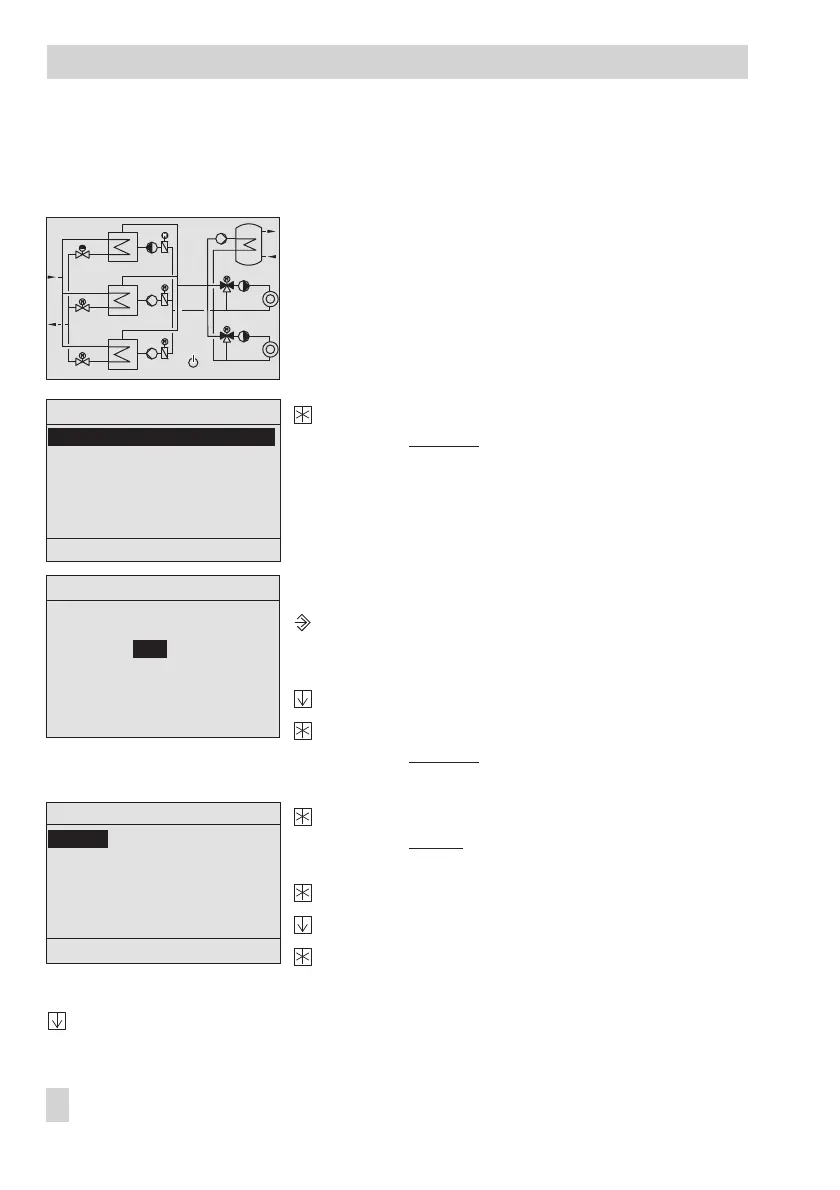
1.4 Selecting the language
The standard application WT71 is available in German and Polish.
The controller with start screen
Exit the start screen.
Display: Übersicht
(Overview)
The 'Betriebsart' (Operating mode) menu item is
highlighted.
Opening the service menu
Activate the controller editing mode.
Display: 'Schlüsselzahleingabe' (Key number entry)
0000 blinks.
Enter application key number .
Confirm application key number .
Display: Übersicht (Overview)
Select Service.
Open the service menu.
Display: Service
The 'Language' menu item is highlighted.
Select 'Language' menu item.
Select language.
Confirm language selected.
After selecting the language, exit the menu step-by-step and return to the start screen:
Select 'Zurück' (Back)
8 EB 5571-2 EN
Operation
60˚C
47˚C
100%
60˚C
48˚C
0%
60˚C
55˚C
59˚C
53˚C
86%
100%
11˚C
Übersicht Anl x.x
Betriebsart Tag
Freigabe 1
Führungstauscher Auto
Istwerte
Parameter
Service
Zurück
Schlüsselzahleingabe
0000
Service
Language
Anlage konfigurieren
Wärmetauscher 1
Wärmetauscher 2
Wärmetauscher 3
Heizkreis 1
Zurück



 To Next Page