27
INSTALLATION
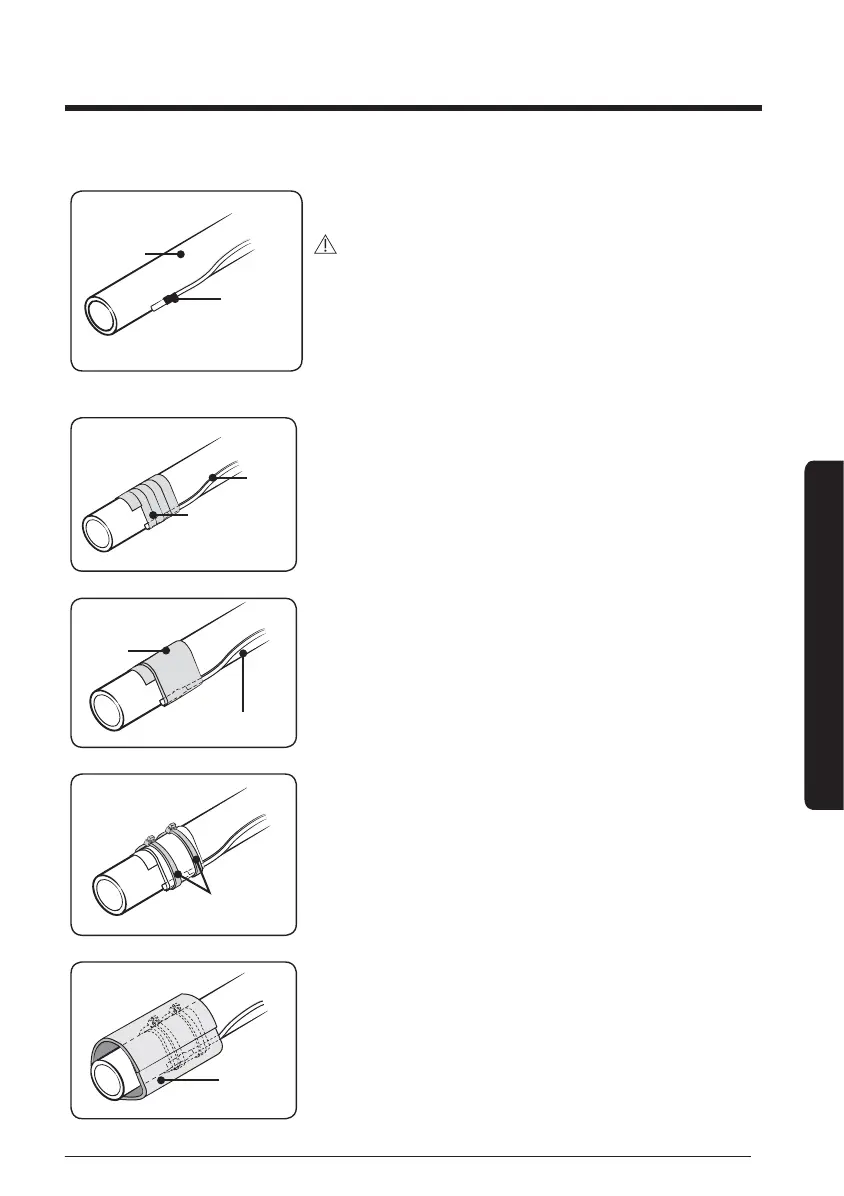
Sensor
Pipe
2 Stick the sensor to the pipe.
CAUTION
Attaching sensor
• Attach the sensor where temperature sensing is
performed best.
• Stick the sensor as close as possible to attaching area.
• Do not use sensor holder.
Sensor
Aluminum tape
3 After xing the sensor, stick the sensor to the pipe by
using aluminum tape.
Rubber
tape
Sensor
4 Cover the sensor by rubber tape.
Cable tie
5 Fix the sensor by cable tie.
Insulator
6 Attach insulator around sensor attached area.





 To Next Page