28
SETTING
Procedure of option setting
y
Setting address of FCU KIT and installation option is set by remote controller option. It is
also possible by wired remote controller and S-NET pro2.
y
Remote controller receiver of wireless remote controller is included in FCU KIT PBA.
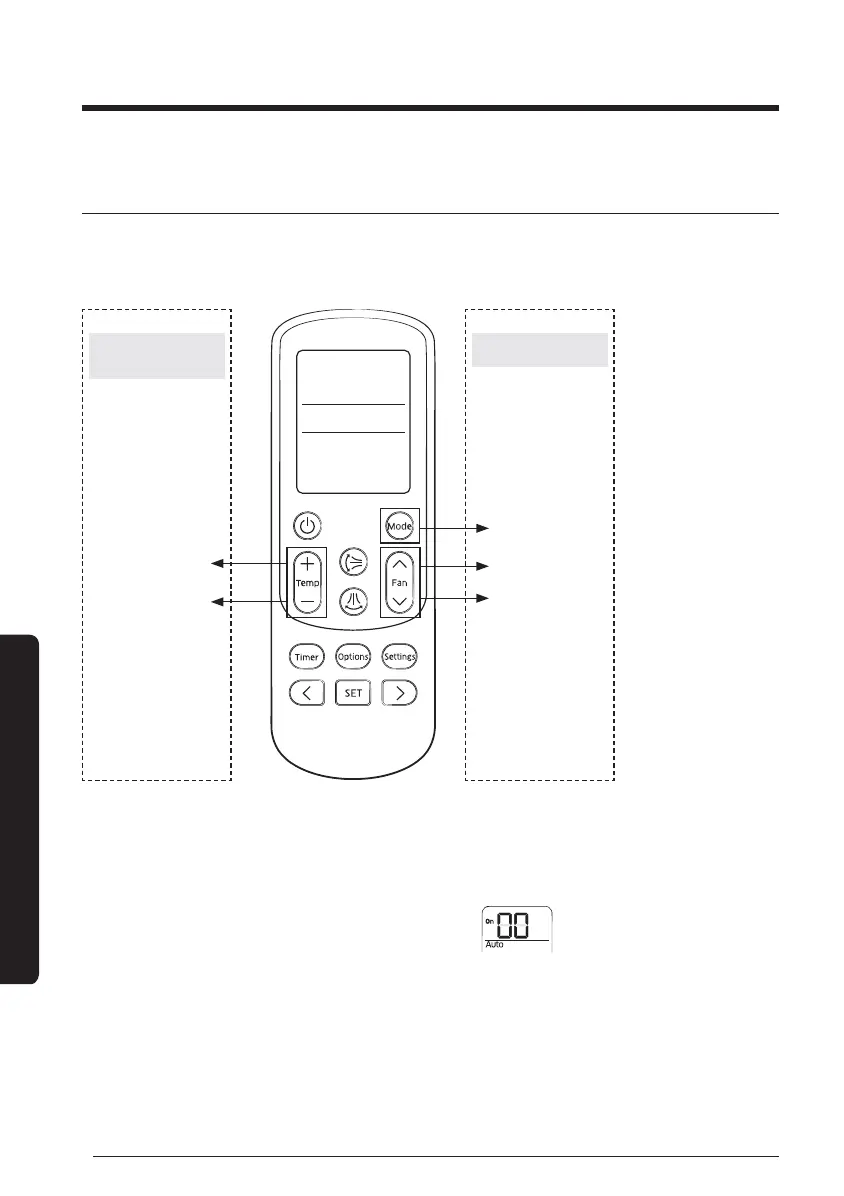
[Temp.+] button
[Fan
∧
] button
[Mode] button
[Temp.-] button
[Fan
∨
] button
Entering mode for
option setting
Option setting mode
Step 1. Entering setting mode
1 Remove batteries from the remote controller.
2 While pressing and holding the [Temp +] and [Temp -] buttons, insert the batteries.
3 Check whether you enter the option setting stage
.
Setting address of FCU KIT and installation option





 To Next Page