107
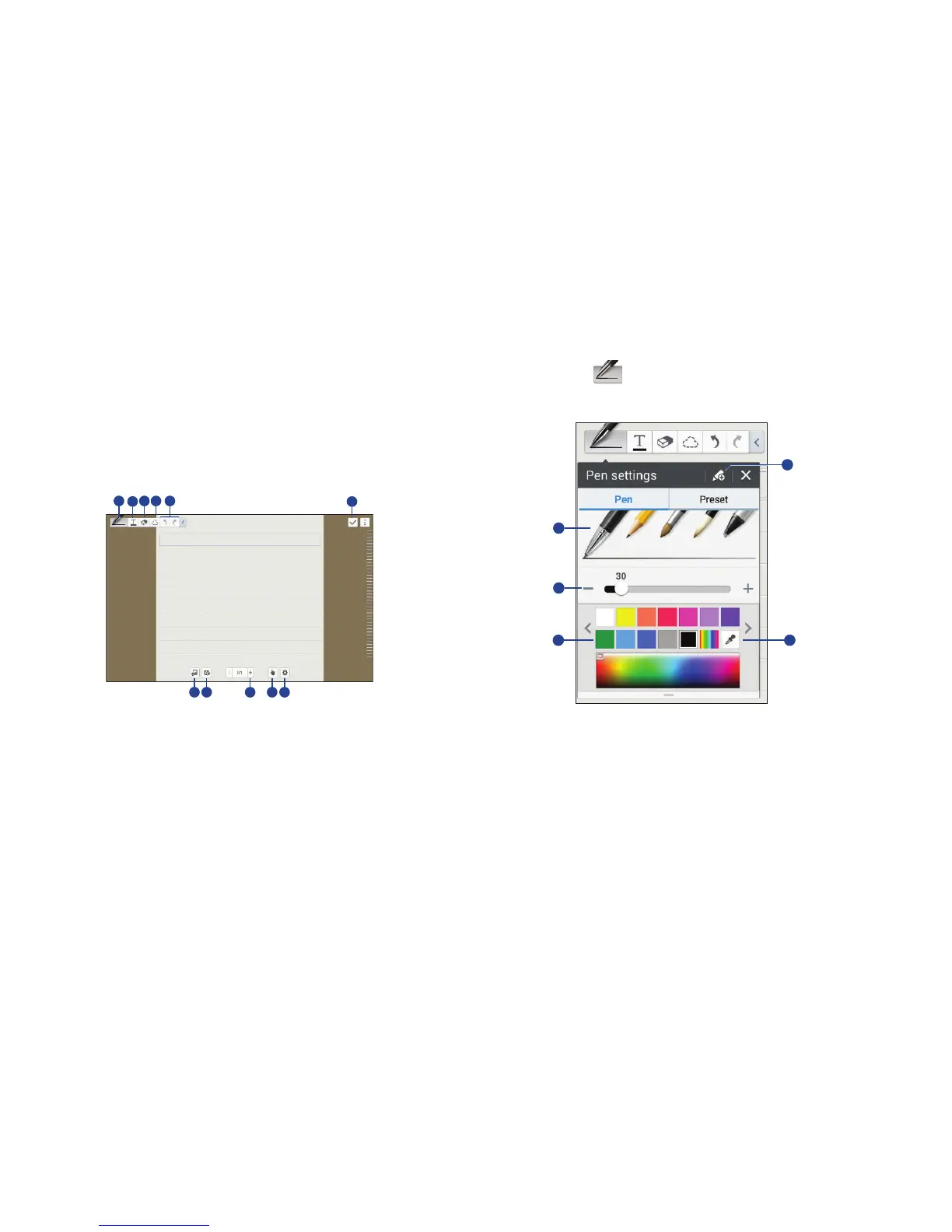
10. Switch to S Pen only mode or S Pen and finger mode.
11. Change page options:
•Edit tags: Edit the tags for the note.
•Edit index: Edit the index for the note.
• Change background: Change the background image.
• Show/hide gridlines: Display gridlines.
When using the templates that have image frames:
Touch and hold an image frame, and then touch
Take picture or Images to add an image.
To delete a frame:
Touch and hold the frame, and then touch Delete.
When jotting down a note:
Touch once more to change the pen type, line
thickness, or pen color.
.
1. Save the current setting as a pen profile.
2. Change the pen type.
3. Change the line thickness.
4. Change the pen color.
5. Add a new color based on the color picker.
1
3
4
2
5
6
7 8 9 1110













 To Next Page