13
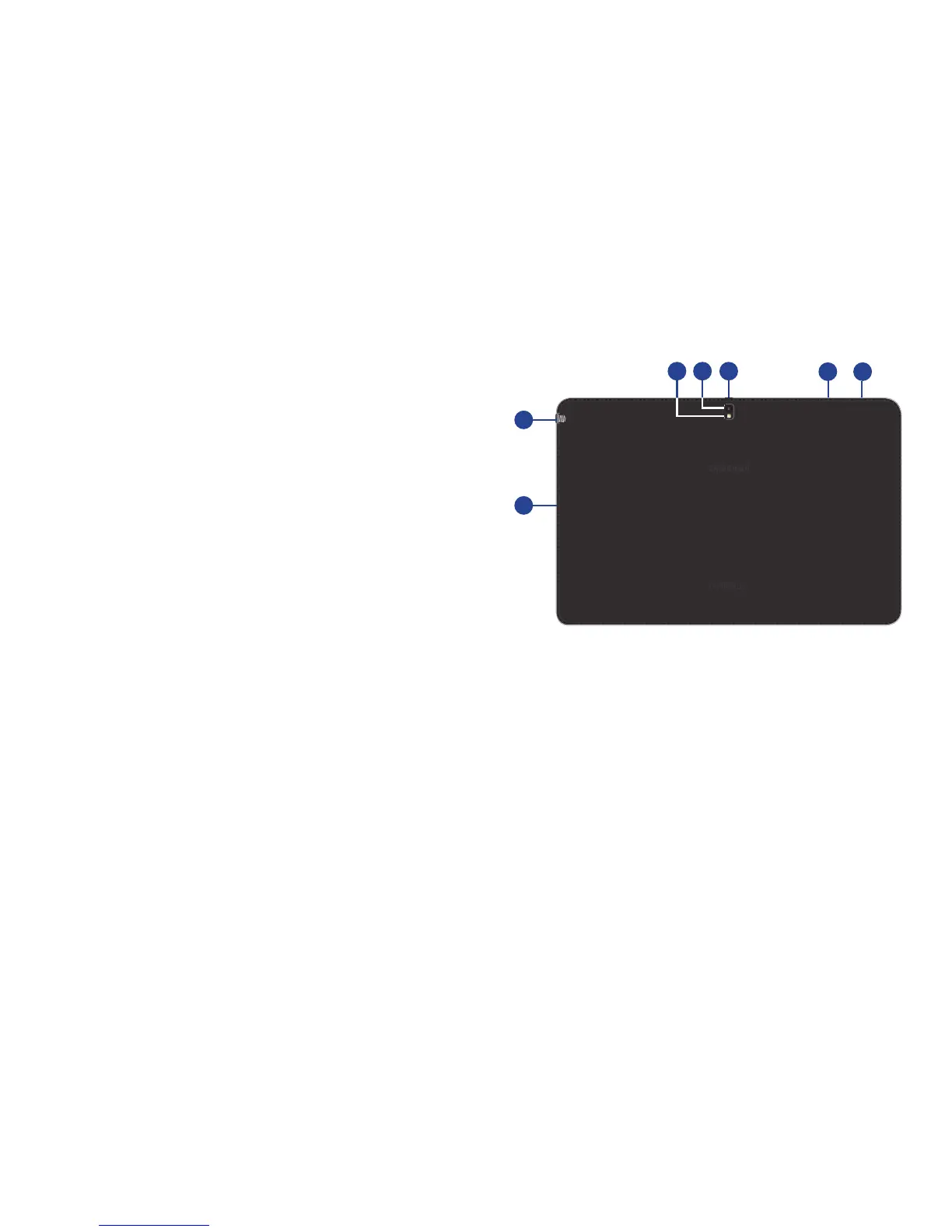
Back, Top, and Bottom
The following items can be found on the back, top, and
bottom of your device as illustrated.
1. Flash: Provides adequate light when taking pictures in
dark places.
2. Camera Lens: Used when taking photos or recording
videos.
3. Infrared Blaster: Emits infrared signals used for
controlling external devices.
4. Volume Key: From a Home screen, press to adjust
Master Volume. During music playback, press to adjust
volume.
5. Power/Lock Key: Press and hold to turn the device on
or off. Press to lock the device or to wake the screen
for unlocking.
6. S Pen: A built-in stylus that allows you to perform
various functions. For more information, refer to
“S Pen” on page 23.
7. Charger/Accessory Port: Plug in a USB cable for
charging or to sync music and files.
4
5
3
1 2
6
7













 To Next Page