25
Remote control
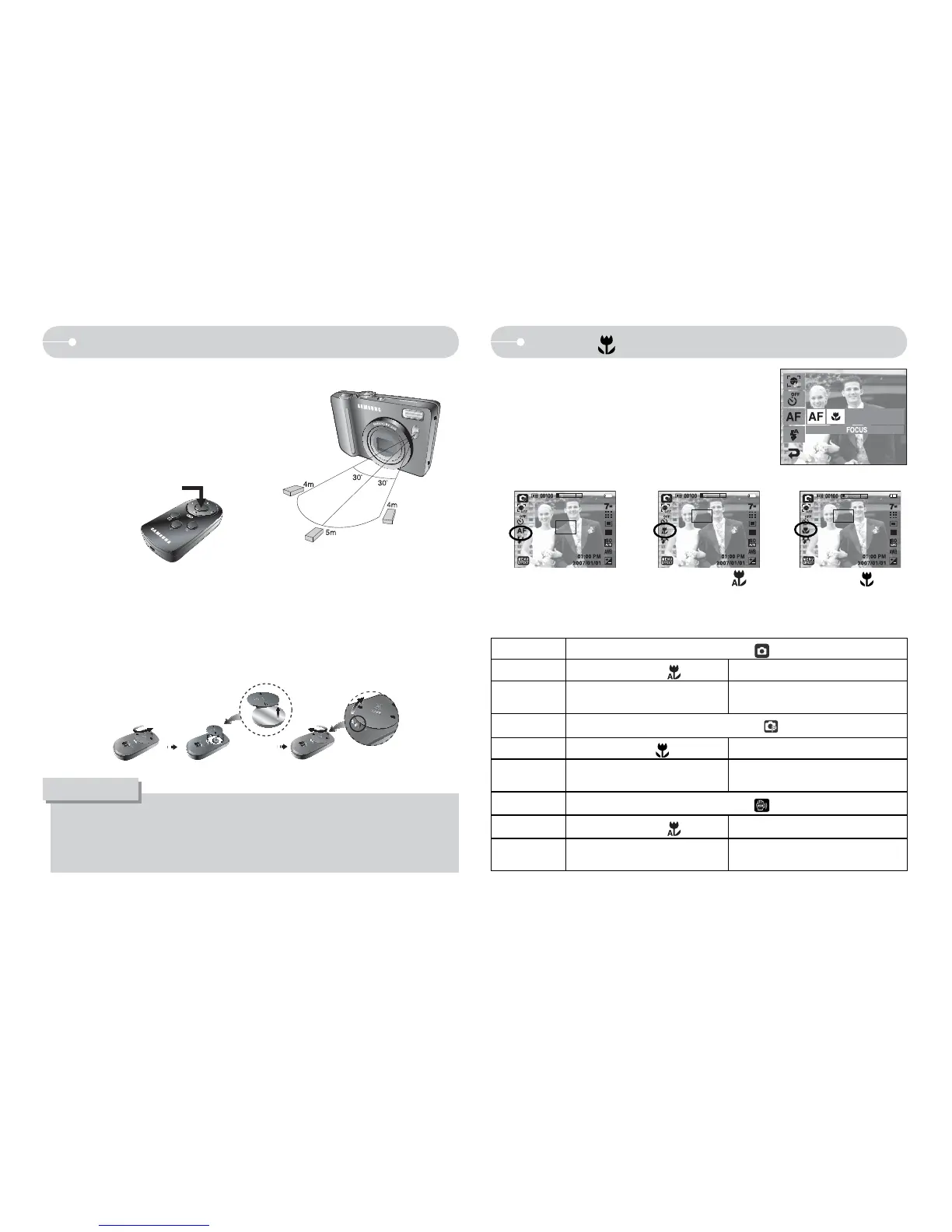
O Remote control (option) range
When you take a picture by using the
remote control, refer to the illustrations
shown alongside about the remote control
range.
[Shutter button on
the remote control]
O Replacing battery for the remote control
Make sure the + (positive) polarity is toward the top and the - (negative)
polarity is toward the bottom while installing battery for the remote control.
Replace battery for the remote control in the local service centre. Use the CR
2025 3V battery.
O If you operate the Play mode button during the self-timer operation, the
selftimer function is canceled.
O Use a tripod to prevent camera shake.
INFORMATION
Q You can take macro pictures. Select a
desired macro icon on the LCD monitor.
Macro(
)
Q Types of focus modes and focus ranges (W: Wide, T: Tele) (Unit : cm)
[Auto macro (
)]
[Macro (
)]
Camera Mode
Auto Mode (
)
Focus Type
Auto Macro (
)
Normal
Focus Range
W : 5~Infinity
T : 30~Infinity
W : 80~Infinity
T : 80~Infinity
Camera Mode
Program Mode (
)
Focus Type
Macro ( )
Normal
Focus Range
W : 5~80
T : 30~80
W : 80~Infinity
T : 80~Infinity
Camera Mode
ASR Mode (
)
Focus Type
Auto Macro (
)
Normal
Focus Range
W : 5~Infinity
T : 30~Infinity
W : 80~Infinity
T : 80~Infinity
[Auto Focus-AF icon]



 To Next Page