40
Photo Frame
Effect : Fun
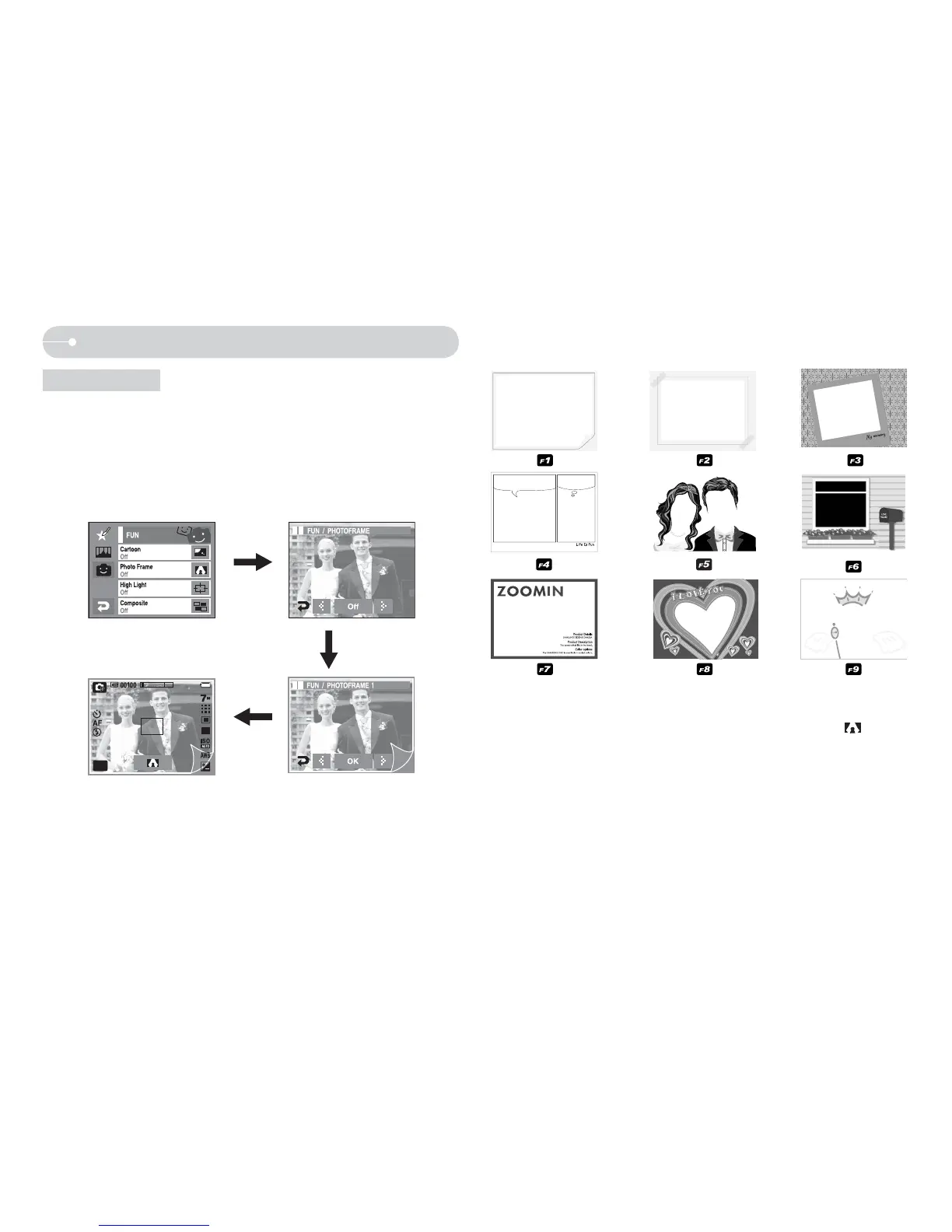
Q You can add any one of 9 types of frame-like borders to a still image you
want to capture.
Q Date & Time information will not be printed on the stored image taken with
Photo Frame menu.
O Select the [EFFECT] menu in the available recording mode. (p.36)
MENU
EFFECT
OFF
WX icon :
Selecting a frame
Pressing the
OK icon
- Picture frame appears. Press the Shutter button to take a picture.
- Press the frame icon when you want to change the frame (
).
- [OFF] : Cancels the frame effect



 To Next Page