39
Cartoon
Effect : Fun
Q Press the [EFFECT] menu in an available recording mode. If the image size 6M P (3072X2048), 5M W (3072X1728) are selected, the FUN menu cannot be
selected. The size of Cartoon image is fixed to 1M.
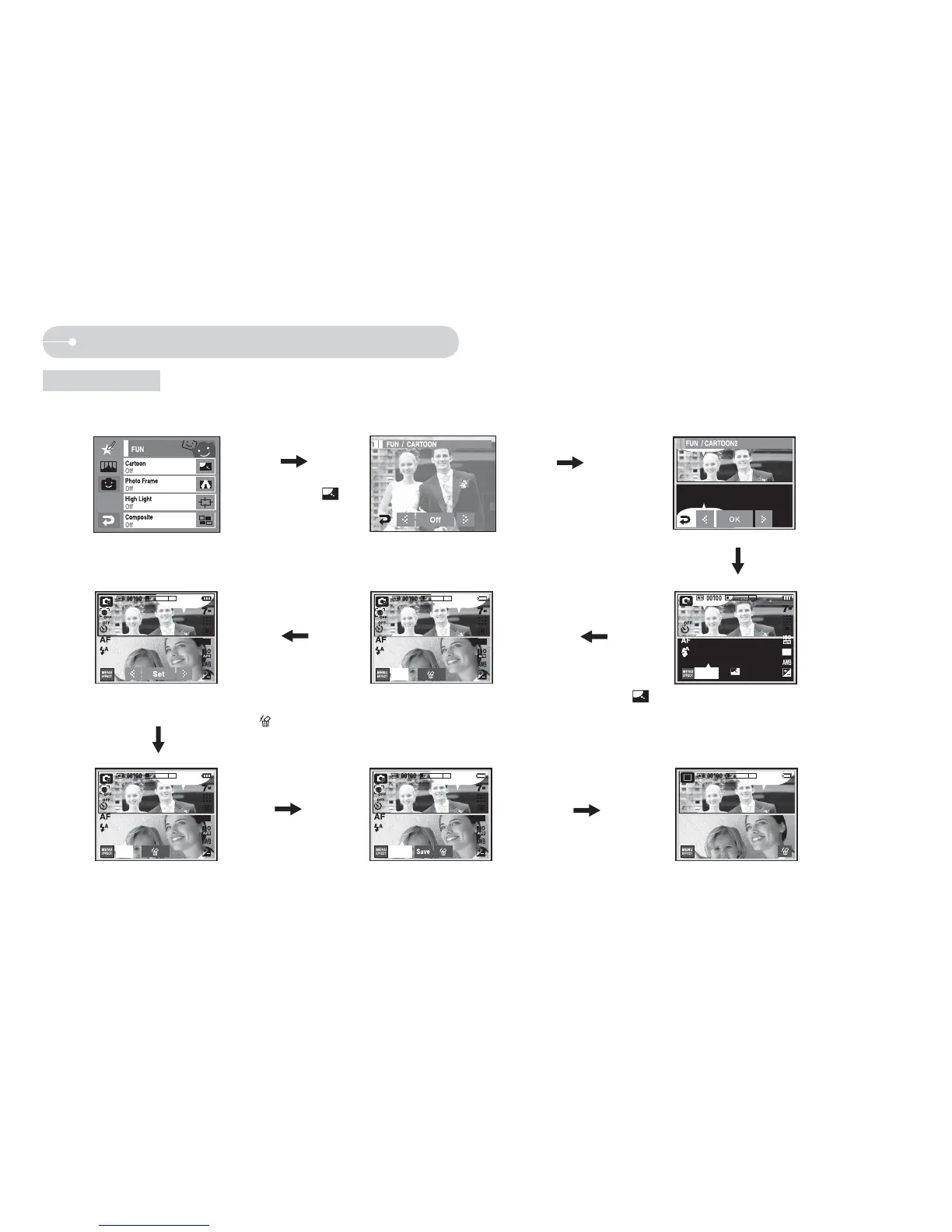
Select Cartoon (
)
Select the frame using WX icon
ඖ
Press the Shutter button
Ú
You can delete the
capture image and
take an image again.
Select a deleted
image and press the
icon.
Taking the first image
Ú You can change the
frame by pressing
icon.
Press the Set icon
Changing the text box location:
Pressing the WX icon
The final image
Taking the second image
Press the SAVE icon and the image
is saved.
Ú
Before saving the image, you can
change the position of the text box.
Pressing the OK icon
Press the Shutter button
Press the LCD monitor



 To Next Page