37
Effect : Color Effect
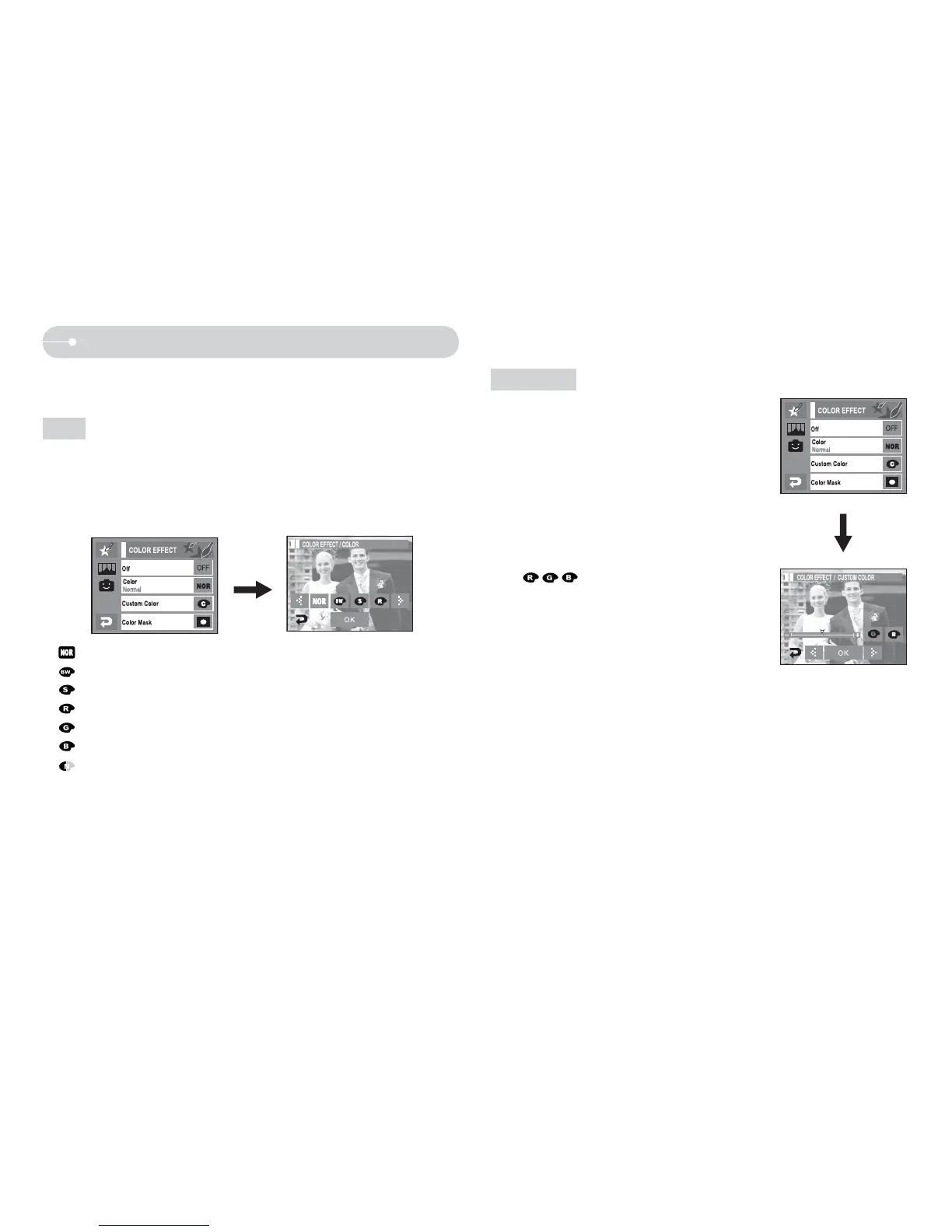
Q You can add a special effect to your picture.(p.36)
1. Press [Color Effect] menu.
2. Select [Color] menu.
3. Select a desired Color effect.
:
No effect is added to the image.
:
Save picture as B/W.
:
Save picture as sephia color.
:
Save picture as red.
:
Save picture as green.
:
Save picture as blue.
:
Save picture’s brightness in negative mode.
O By using the camera’s digital processor, it is possible to add special effects to
your images.
Color
Q You can change the R (Red), G (Green) and B
(Blue) values of the image.
Custom color
-
icon : Selects R, G, B
- WX icon : Changes the values


 To Next Page