66
Effect : Fun
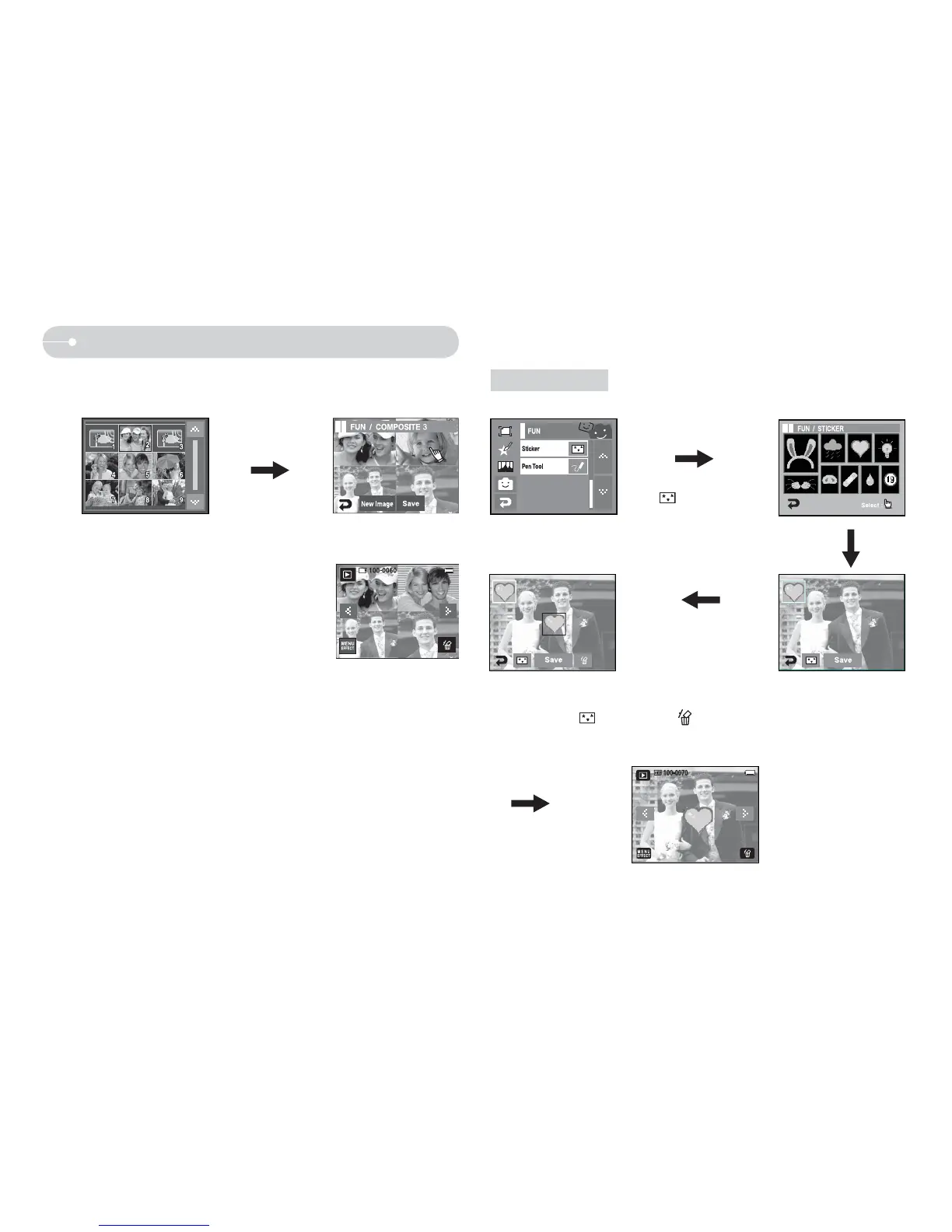
2. Press the New Image icon and a window for selecting the other image will
appear.
Selecting an image:
Press the screen
3. After pressing the Set icon, press the SAVE
icon. The image will be saved as a new file
name.
Sticker
Select [Sticker]
(
)
Touch the sticker to select.
Press the LCD monitor
and the selected sticker
is added.
Q You can add any one of 9 types of stickers on your picture.
Ú You can add the other stickers (Max. 2 stickers) by pressing
the ( ) icon. Press the ( ) icon to delete the sticker.
To save the image, press the SAVE icon.



 To Next Page