92
Digimax Master
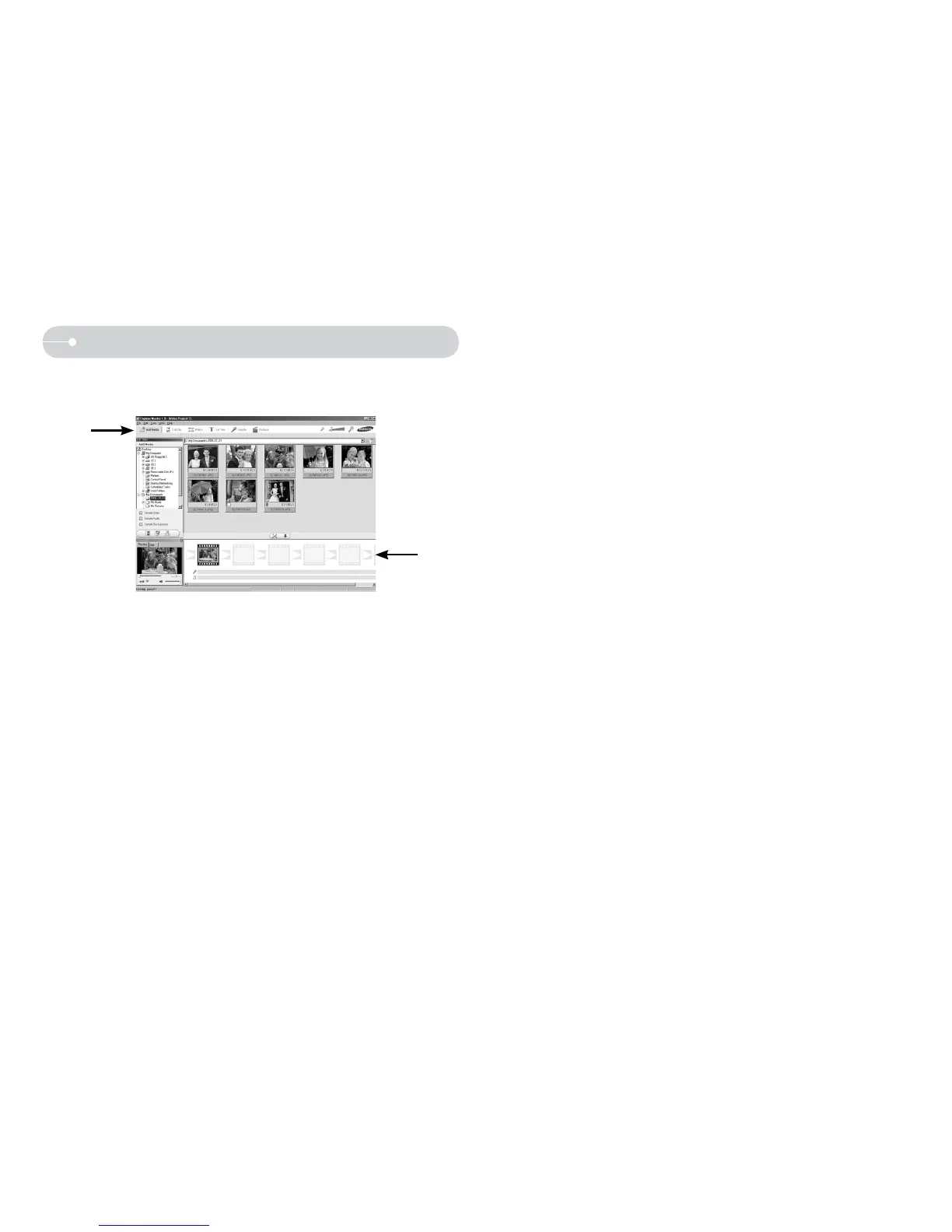
O Movie edit : You can get the still image, movie clip, narration, music files
together in a movie clip.
- Movie clip edit functions are listed below.
Edit menu : You can select the following menus.
[Add Media] : You can add other media elements to a movie.
[Edit Clip] : You can change the brightness, contrast, colour and
saturation.
[Effects] : You can insert an effect.
[Set Text] : You can insert texts.
[Narrate] : You can insert a narration.
[Produce] : You can save the edited multi media as a new file name.
You can select AVI, Windows media (wmv), Windows media (asf).
Frame display window : You can insert multi media in this window.
Ú Some movie clips that were compressed with a codec that is not
compatible with the Digimax Master can’t play back in the Digimax Master.
Ú Refer to the [Help] menu in Digimax Master for further information.



 To Next Page