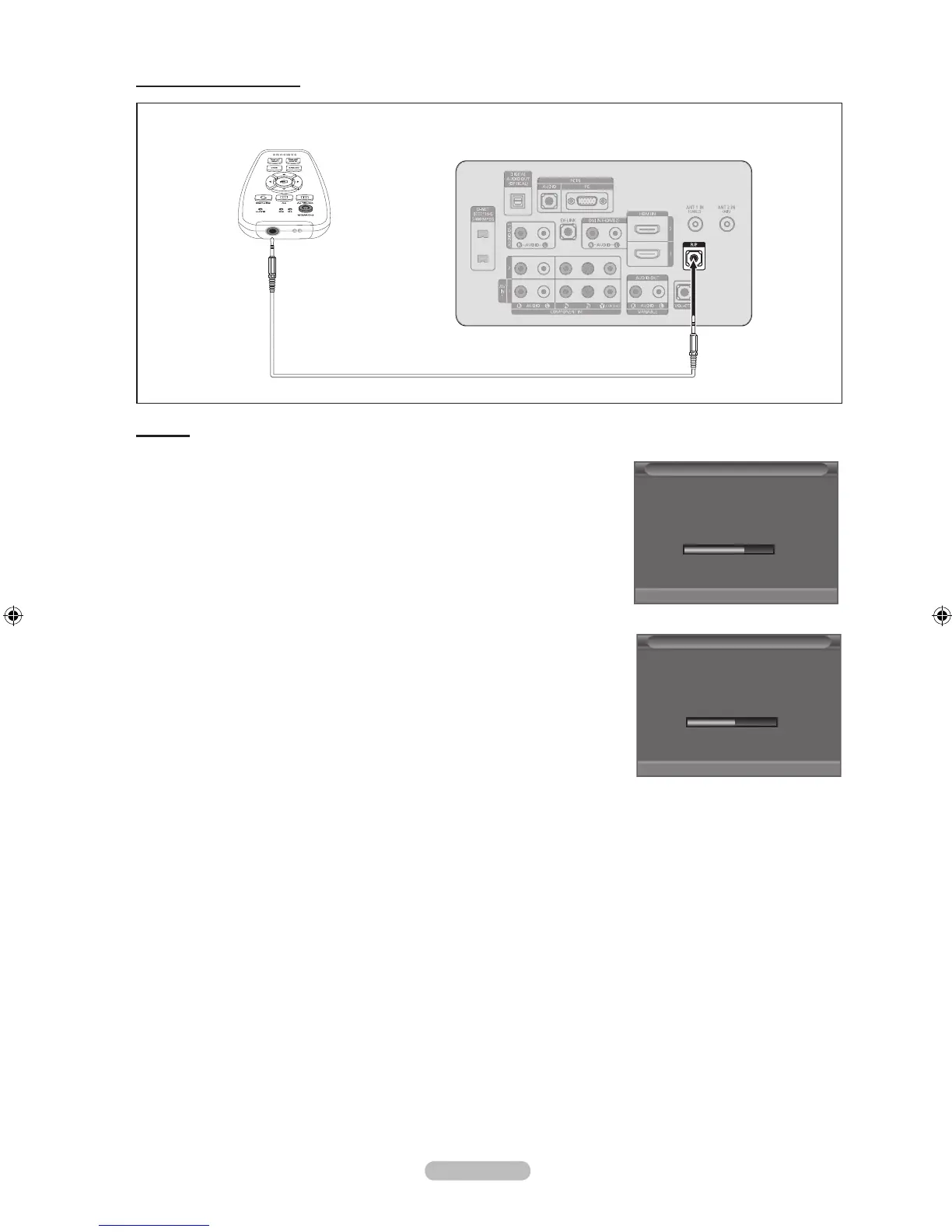
Connecting the Data Cable
Clone Remote Control
TV Rear Panel
Features
Copying the TV Data to the Clone remote
- Set up the TV Install Data.
- Connect the cable between the TV and the Clone remote as shown in the gure.
When using the Auto Wall-Mount: Use the Clone Remote Control only after
disconnecting the Auto Wall-Mount cable.
- If you press the Receive button of the Clone remote transmitter, the OSD shown in
the gure is displayed and the copy operation begins.
- Wait until the OSD progress bar reaches 100% and data transmission is complete.
Copying the Clone remote Data to the TV
(You can copy data through the cable.)
- Press the SEND button to start copying.
If there is a communication interruption during the processing download or
upload, press the same button(send or receive) to EXIT processing and try
again.
- Turn on the TV where the Clone remote Data will be copied to.
- The copy operation begins showing the OSD as shown in the gure to the right.
- Wait until the OSD progress bar reaches 100% and the data transmission is
complete.
Warning concerning Clone remote operation
- If an error occurs when transmitting data to the Clone remote, you should transmit it again.
Please turn the AC power off and on after copying data.
- During data transmission, be sure not to disconnect the Data cable.
- Data can only transmitted by the Clone remote when Hotel mode is on.
➣
➣
Processing .................... Please Wait !!!
TV ----------
>
CLONE
62%
Clone Remote
Processing .................... Please Wait !!!
CLONE ----------
>
TV
54%
Clone Remote



 To Next Page