Using the Energy Saving Feature
This feature adjusts the brightness of the TV in order to reduce power consumption. When watching TV at night, set the
"Energy Saving “ mode option to “High” to reduce eye fatigue as well as power consumption.
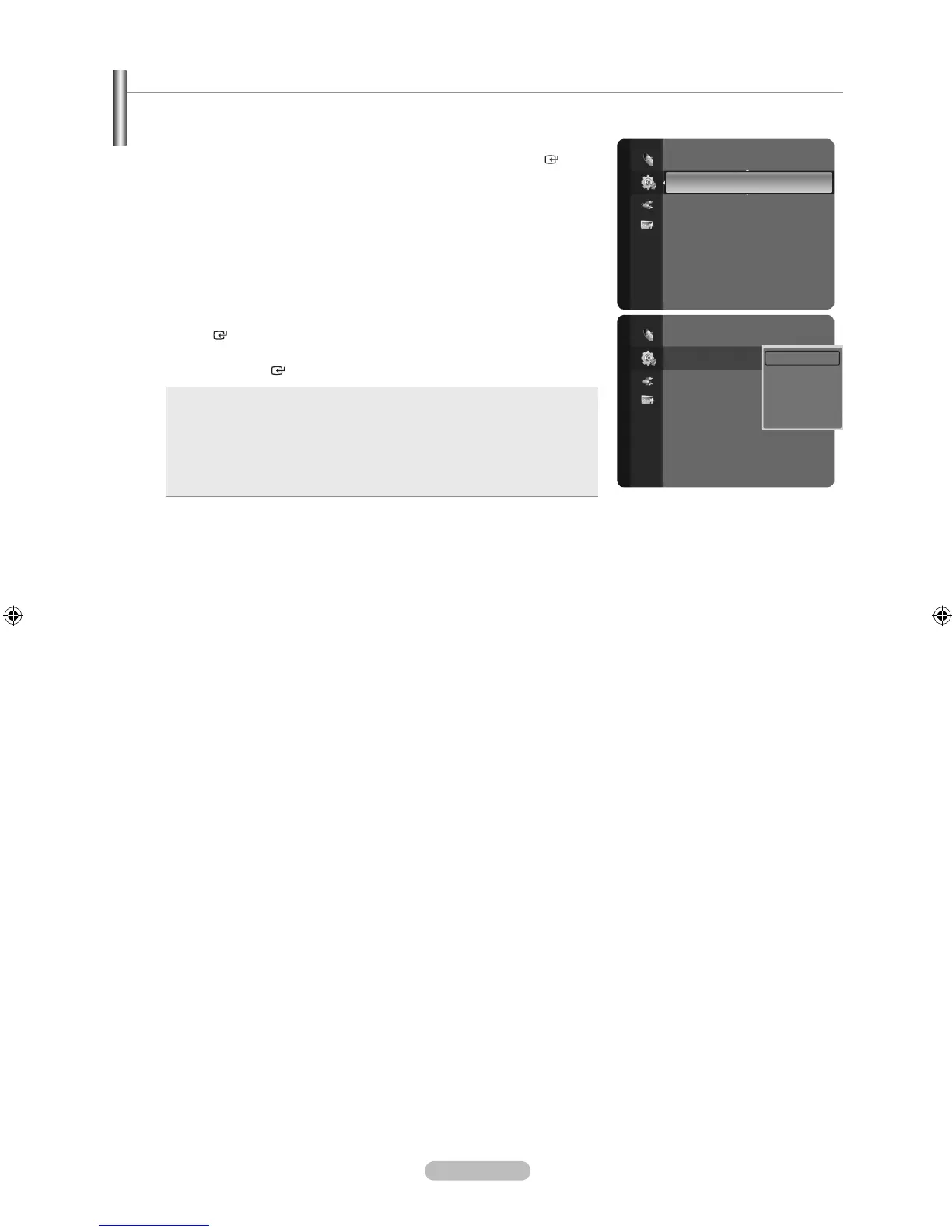
1. Press the MENU button to display the menu.
Press the ▲ or ▼ button to select “Setup”, then press the ENTER button.
2. Press the ▲ or ▼ button to select “Energy Saving”, then press the
ENTER button. Select the desired option (Off, Low, Medium, High, Auto)
by pressing the ▲ or ▼ button.
Press the
ENTER button.
Off: Turns off the energy saving function.
Low: Sets the TV to low energy saving mode.
Medium: Sets the TV to medium energy saving mode.
High: Sets the TV to high energy saving mode.
Auto: Automatically adjusts the brightness of the TV screen in
accordance with the scenes.
•
•
•
•
•
Press the EXIT button to exit.
Setup
External Settings
Entertainment : Off
Energy Saving : Off ►
PIP
CableCARD™
CableCARD Setup
Software Upgrade
Setup
External Settings
Entertainment : Off
Energy Saving : Off ►
PIP
CableCARD™
CableCARD Setup
Software Upgrade
Off
Low
Medium
High
Auto



 To Next Page