Viewing the Connection Panel
Use the connection panel jacks to connect A/V components that will be connected continuously, such as Blu-Ray/DVD
players or a VCR. For more information on connecting equipment, see pages 9~15.
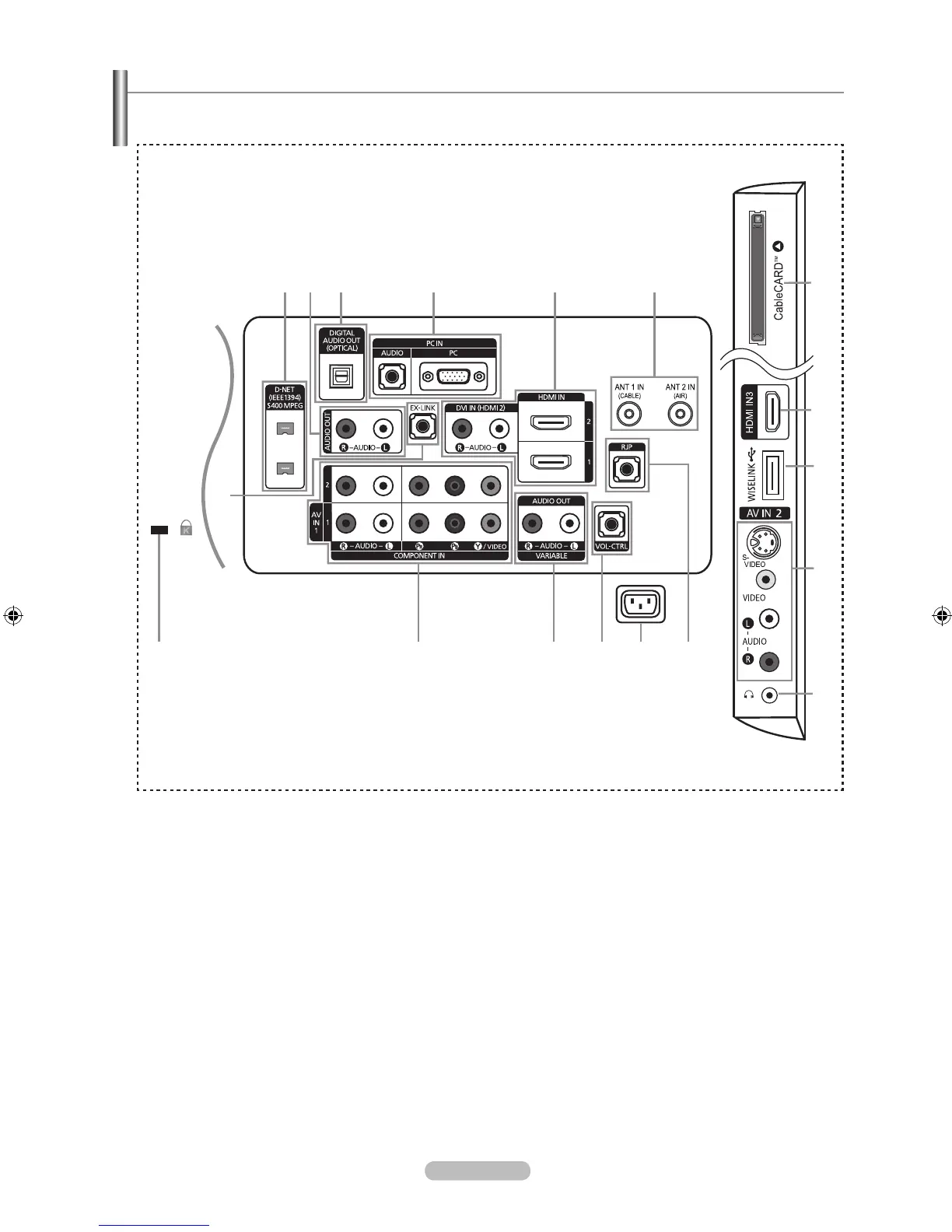
[TV Side Panel]
[TV Rear Panel]
The product color and shape may vary depending on the model.
➣
1
D-NET (IEEE1394) S400MPEG
Connect to external IEEE1394 digital products such as digital camcorders. Two jacks are provided for this purpose,
which allow for a high degree of exibility for connecting your D-Net controlled system. (Refer to page 72)
2
AUDIO OUT
Connects to the audio input jacks on your Amplier/Home theater.
3
DIGITAL AUDIO OUT (OPTICAL)
Connects to a Digital Audio component.
4
PC IN [PC] / [AUDIO]
Connects to the video and audio output jacks on your PC.
5
HDMI IN 1, 2, 3 / DVI IN(HDMI 2)[R-AUDIO-L]
Connects to the HDMI jack of a device with an HDMI output.
- No sound connection is needed for an HDMI to HDMI connection.
Use the HDMI IN 2 jack for DVI connection to an external device. Use a DVI to HDMI cable or DVI-HDMI adapter
(DVI to HDMI) for video connection and the DVI IN (HDMI2) [R-AUDIO-L] jacks for audio.
- When using an HDMI/DVI cable connection, you must use the HDMI IN 2 jack.
6
ANT 1 IN (CABLE) / ANT 2 IN (AIR)
Connects to an antenna or cable TV system.



 To Next Page