Listening to the Sound of the Sub (PIP) Picture
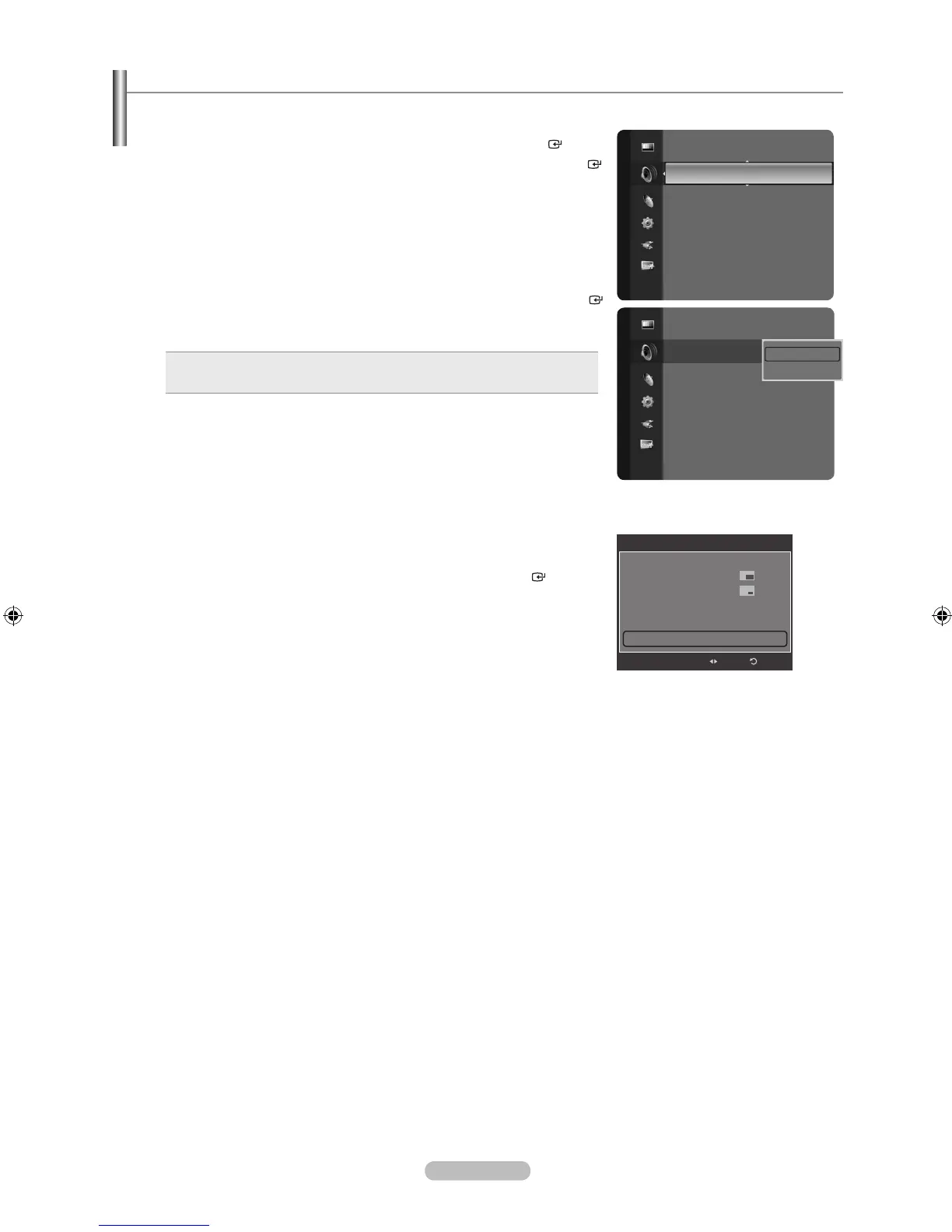
When the PIP feature is activated, you can listen to the sound of the sub (PIP) picture.
1. Press the MENU button to display the menu.
Press the ▲ or ▼ button to select “Sound”, then press the ENTER button.
2. Press the ▲ or ▼ button to select “Sound Select”, then press the ENTER
button.
3. Press the ▲ or ▼ button to select “Main” or “Sub”, then press the ENTER
button.
Press the
EXIT button to exit.
Main: Used to listen to the sound of the main picture.
Sub: Used to listen to the sound of the sub picture.
•
•
You can select this option when “PIP” is set to “On”. (See page 32)
Easy Setting
1. Press the TOOLS button on the remote control.
2. Press the ▲ or ▼ button to select “PIP”, then press the ENTER button.
3. Press the ◄ or ► button to select “On”.
4. Press the ▲ or ▼ button to select “Sound Select”.
5. Press the ◄ or ► button to select the desired option.
6. Press the EXIT or TOOLS button to exit.
➣
Sound
Auto Volume : Off
Select Speaker : TV Speaker
SoundSelect :Main ►
Sound Reset
Sound
Auto Volume : Off
Select Speaker : TV Speaker
SoundSelect :Main ►
Sound Reset
Main
Sub
PIP
PIP On
Size :
Posion :
Air/Cable : Air
Channel : Air 11
Sound Select : ◄ Main ►
Adjust
Return





 To Next Page