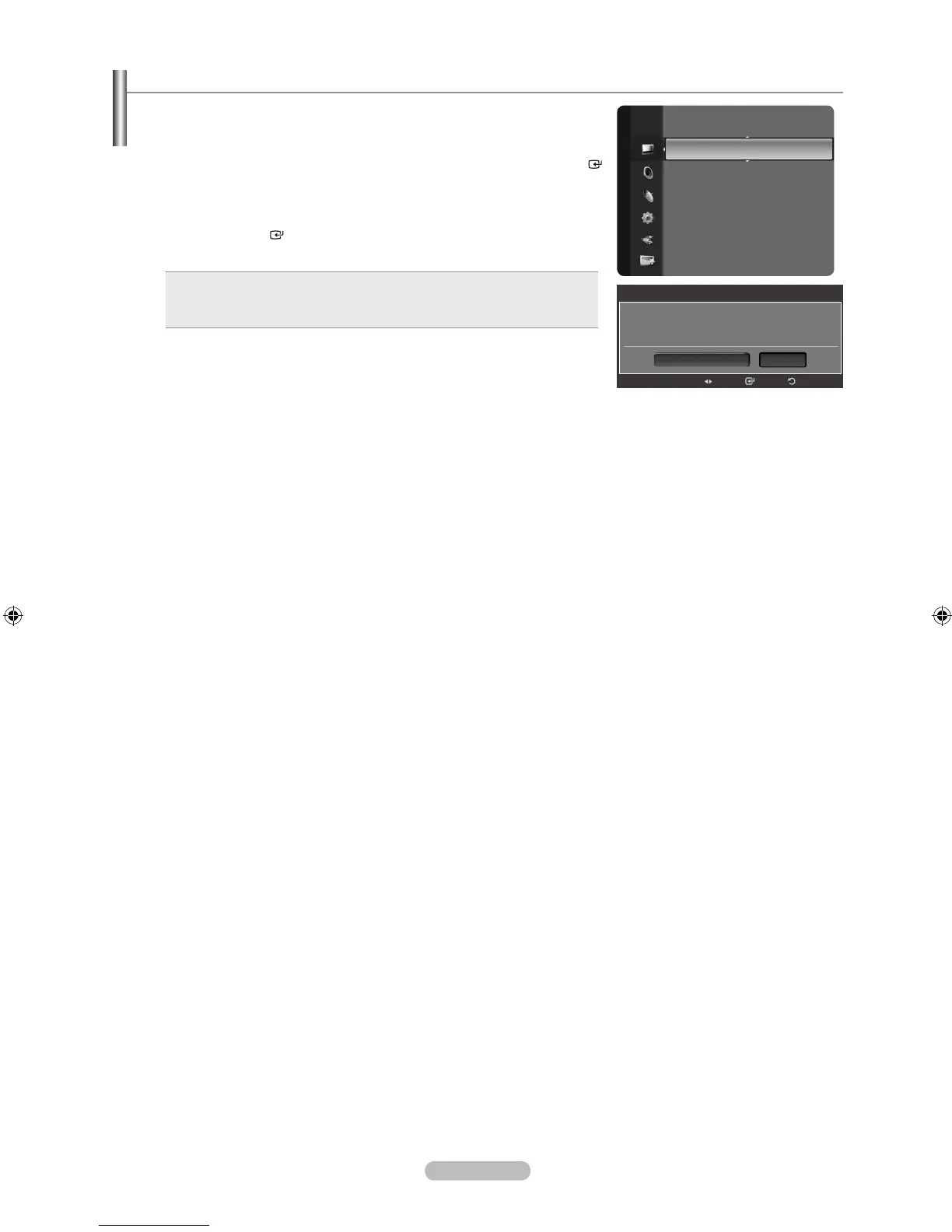
Resetting the Picture Settings to the Factory Defaults
1. To select the desired picture mode, follow the “Changing the Picture
Standard” instructions numbers 1 and 2. (see page 23)
2. Press the ▲ or ▼ button to select “Picture Reset”, then press the ENTER
button.
3. Press the ◄ or ► button to select “Reset Picture Mode” or “Cancel”, then
press the ENTER button.
Press the EXIT button to exit.
Reset Picture Mode: All picture values in the current picture mode
return to default settings.
Cancel: Does not perform a screen reset.
•
•
Each mode can be reset.
➣
Detailed Settings
Picture Options
PictureReset ►
Picture
Picture Reset
Does not perform a screen reset.
Cancel
Reset Picture Mode
Enter Return
Move



 To Next Page