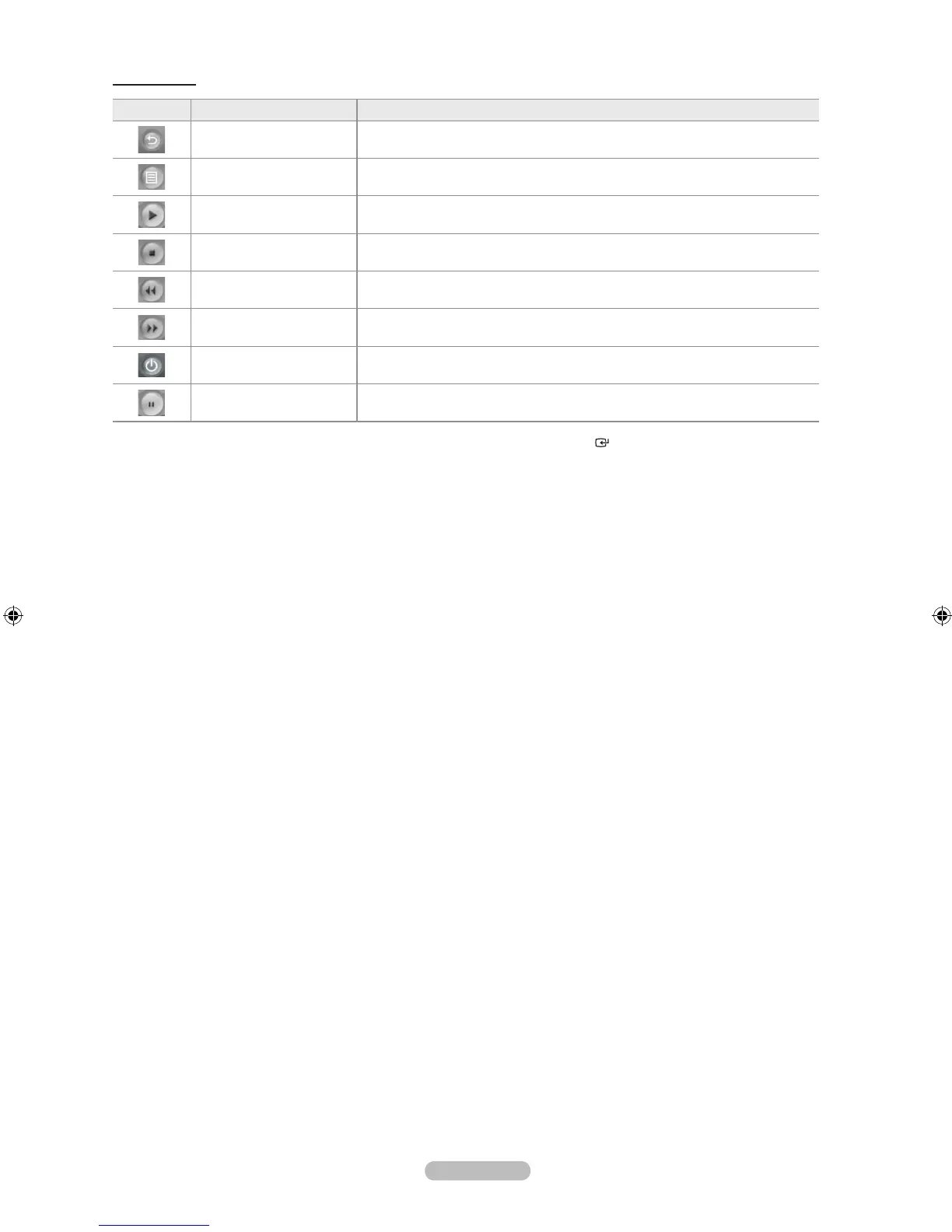
Control Panel
Button Name To do this
Return Move to the D-Net device list.
File List Display the AV-HDD le list.
Play Play the digital stream from the selected digital device.
Stop Stop the digital stream from the selected digital device.
Rewind Fast rewind a digital stream from the selected digital device.
Forward Fast forward a digital stream from the selected digital device.
Power Turn the Power of the selected device ON/OFF.
Pause Pause Play.
Press the ◄ or ► button to select a control panel button and press the ENTER button on the remote control.
Depending on the device being controlled, not all options on the D-Net control panel may be available.
Not all functions are supported for all IEEE1394 devices.
It is possible to use direct buttons on the remote control (rewind, stop, play/pause, fast forward) to control external devices.
➣
➣
➣
➣



 To Next Page