3-22
Manual
PHOTO
This section describes the procedures to view pictures (images), to view pictures
through a Slide Show, to edit a picture, to create an album, and to burn an album
onto a CD.
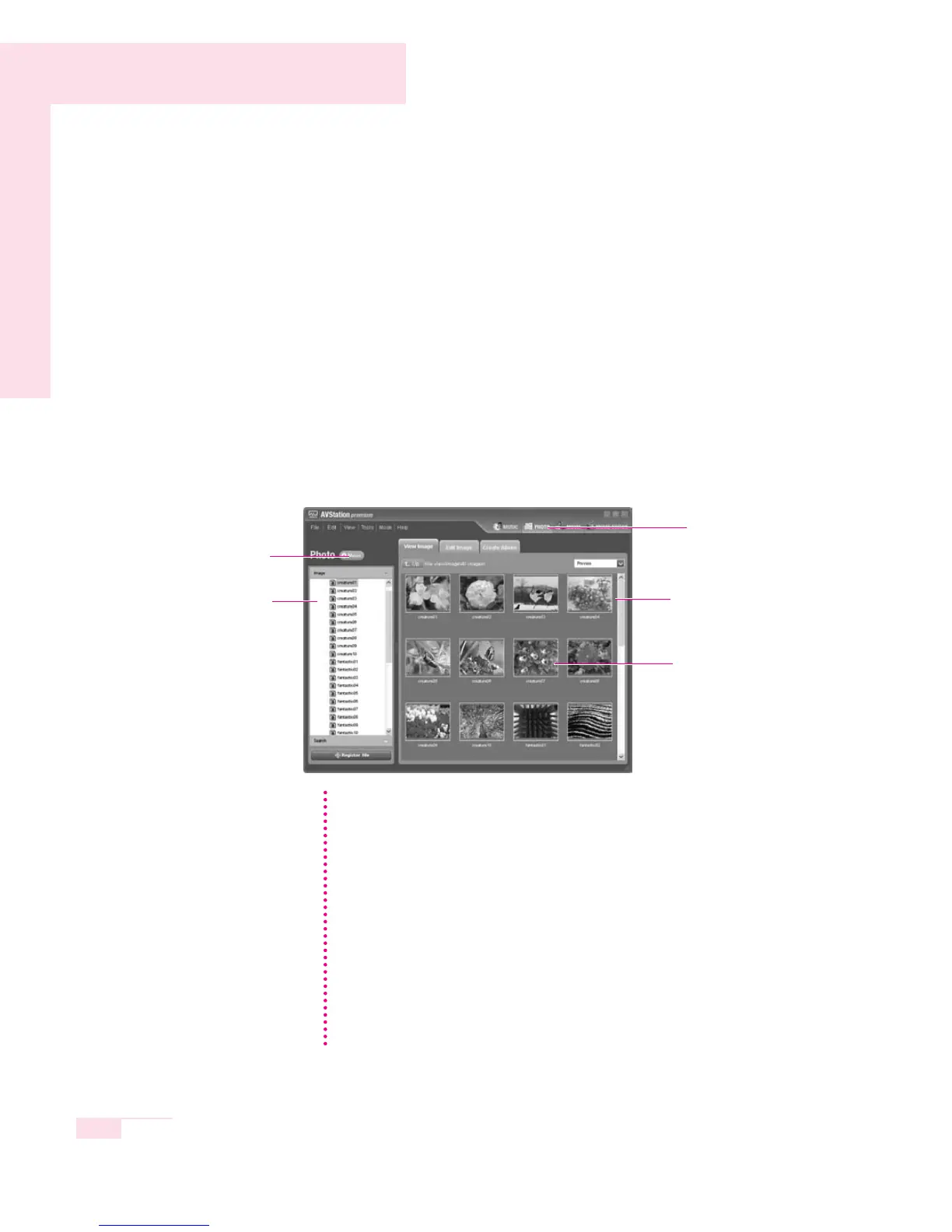
Click on PHOTO in the Menu Selection Bar.
■
Viewing and Editing a Picture
1. Double-click on Image in the left category pane and double-click on All
Images.
2. The image files are displayed in the right Image window. To zoom-in on an
image, double-click the image file.
PHOTO
Menu
Double-Click An Image File To
Zoom-In on The Image.
Image Window
Image Category
MUSIC
You can listen to the music files
in My Playlist or All musics
while editing an image.
Viewing the Image List
Select View Image List from the menu at the bottom of the zoomed image
screen.
Viewing an Image through the Slide Show or Full Screen
Select Slide Show or Full Screen from the menu at the bottom of the
zoomed-in on image screen.
To exit SlideShow or Full Screen, press the <Esc> key or right-click and then
select Exit SlideShow or Exit Full Screen.
Editing an Image
1. Select an image to edit and select the Edit Image tab.
2. Edit the image using the Shape/Edit/Effect tool and click on Save or
Save Copy.
NN
NN
oo
oo
tt
tt
ee
ee



 To Next Page