3-24
Manual
MOVIE
This section describes the procedures to play a movie file or a DVD/VCD title.
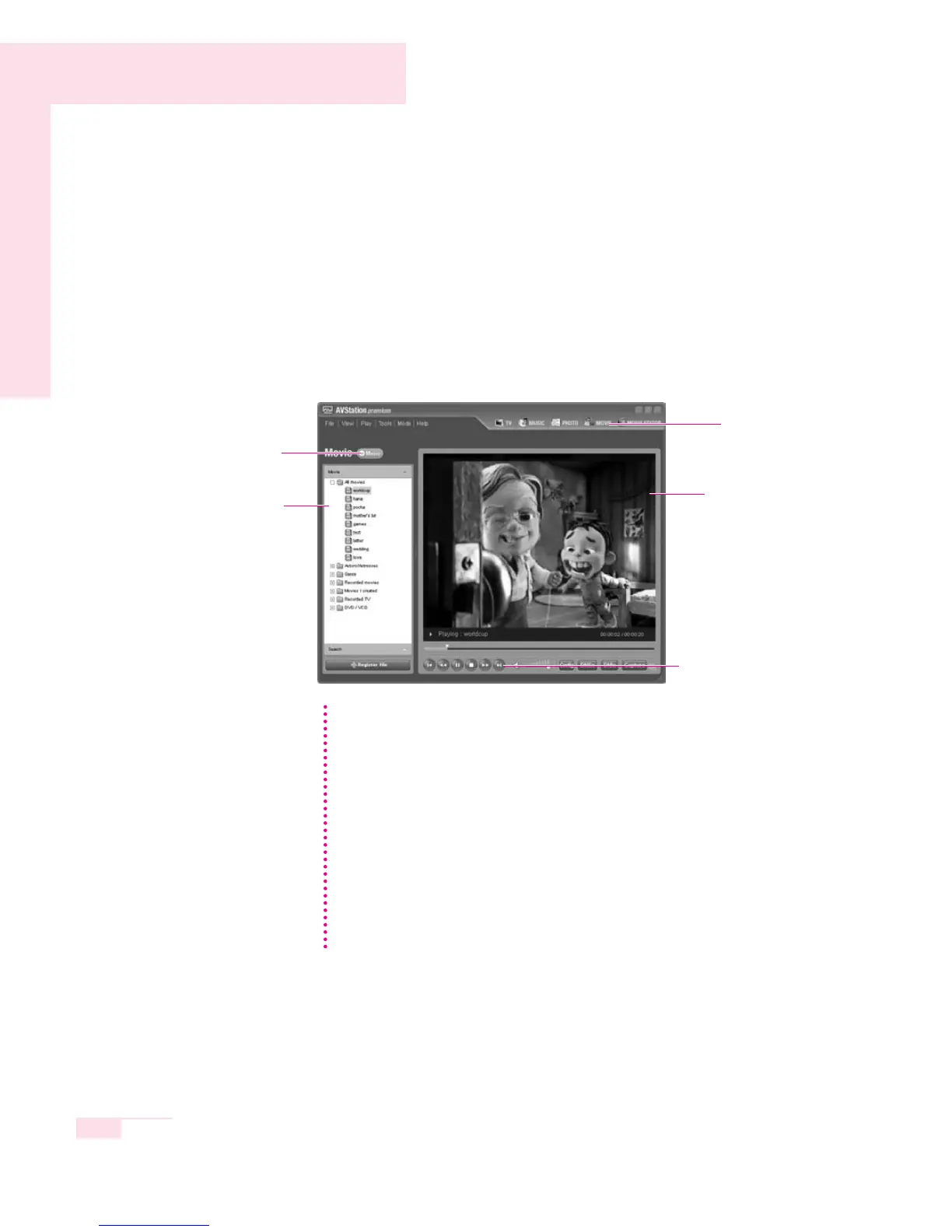
Click on MOVIE in the Menu Selection Bar
■ Playing a Movie
1. Double-click on Movie in the left category pane and double-click All movies.
2. Double-click a movie file to play it.
MOVIE
Menu
Media Play Control Button
Movie Window
Movie Category
MUSIC
You can listen to the music
files in My Playlist or All
musics while working.
You can adjust the screen size in the View menu.
Playing a DVD Title
To play a DVD title, first install the DVD Power DVD player software.
1. Insert a DVD title into the DVD drive.
2. When the Select Work window appears, select using Samsung
AVStation premium and click OK to play the DVD title.
If the DVD does not automatically play or the DVD title is in the DVD drive,
double-click the Title of the DVD in the DVD / VCD category.
Playing a VCD Title
1. Insert a VCD title into the CD drive.
2. Double-click the Title of the VCD in the DVD / VCD category.
NN
NN
oo
oo
tt
tt
ee
ee



 To Next Page