3-32
Manual
■
MUSIC
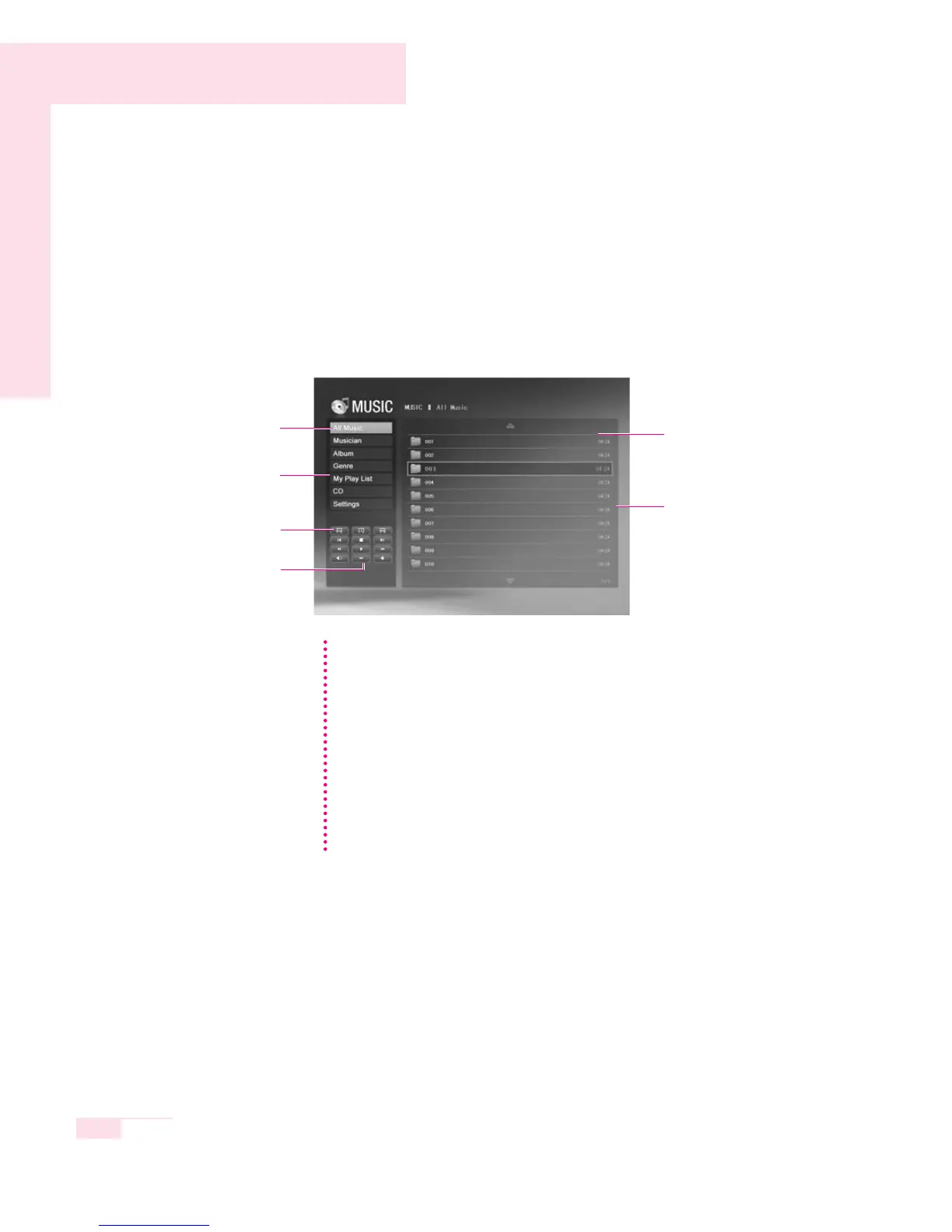
The procedures for playing a music file or an audio CD will be described
below.
1. Select the MUSIC menu and select Category. For example, move to
All Music.
2. In the Library window, select a music file to be played.
■
PHOTO
The procedures for viewing pictures (images) and for viewing pictures through
the Slide Show will be described below.
1. Select the PHOTO menu and move to the All Photo category.
2. In the Library window, select an image to view.
Library Pane
Music File
All Music
Category Pane
Repeat Button
Track, All Tracks,
Random
Media Play
Control Button
Media Play Control Button
You can only use the Media Play Control button when a music file is being
played.
Playing Multiple Tracks
1. Play a music file.
2. Move the focus to the left Category pane, and select the Play All button.
Playing an Audio CD
1. Insert an audio CD into the CD-ROM drive, and select CD from the
Category pane.
2. In the right Library window, select a track to be played.
NN
NN
oo
oo
tt
tt
ee
ee



 To Next Page