GB
13
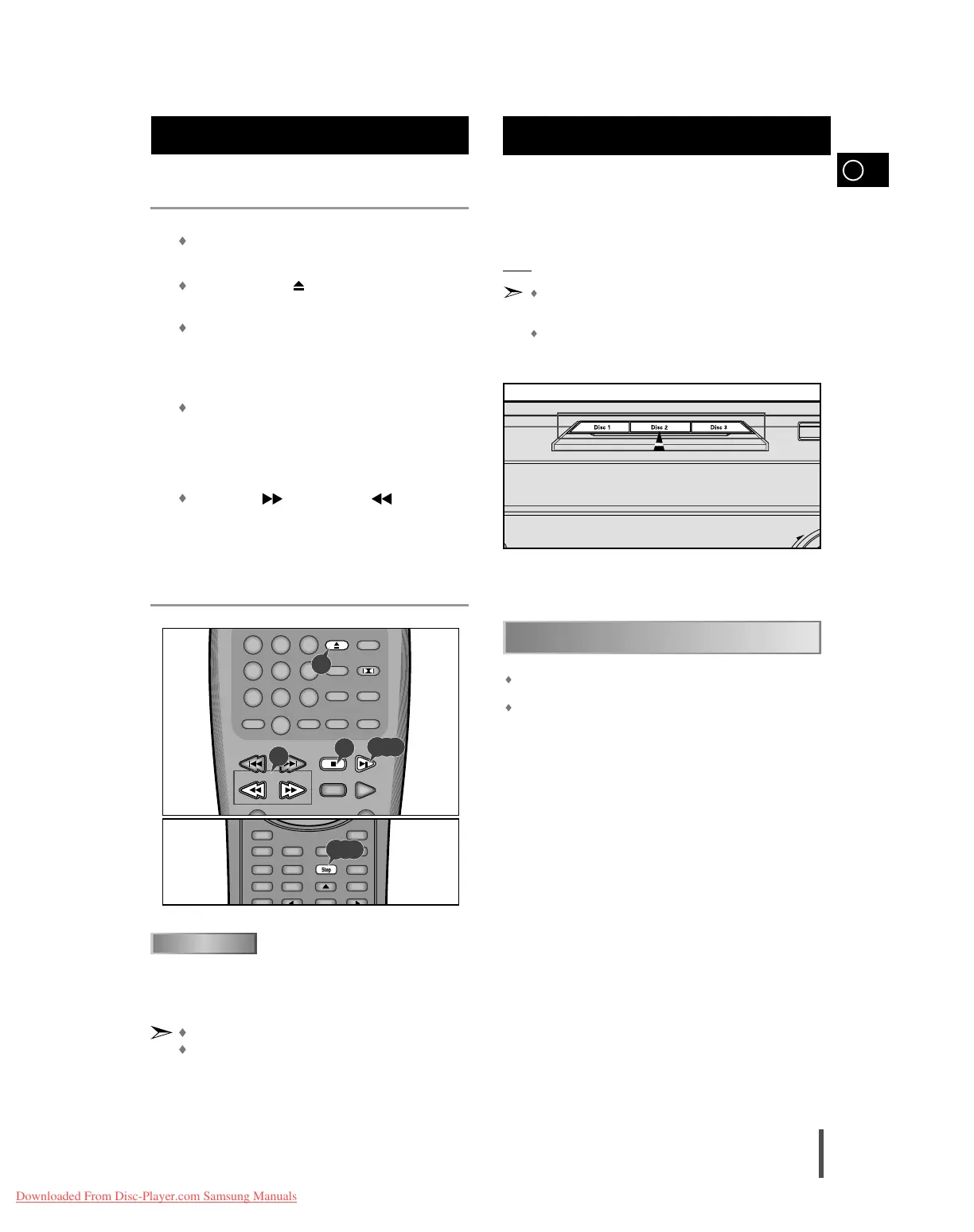
Several options are available during DVD playback.
Stopping Playback
Press the
Stop button in playback.
Removing Disc
Press the
Open/Close ( )button
Pausing Playback
Press the
Play/Pause or Step button on the remote during
playback.
– Screen stops, no sound.
– To resume again, press Play/Pause button once again.
Step Motion Playback (Except CD)
Press the
Step button on the remote during playback.
– Each time the button is pressed, a new frame will appear.
– No sound is heard during STEP mode.
– Press Play/Pause to resume normal playback.
(You can only perform step motion playback in the forward direction.)
Slow Motion Playback (Except CD)
Press the
FWD ( ) or REV SEARCH ( ) button on the
remote during PAUSE or STEP mode.
– By pressing or shuttling, you can select slow motion playback for
1/2, 1/4 or 1/8 of normal speed.
– No sound is heard during slow mode.
– Press
Play/Pause to resume normal playback.
–
When playing a VCD, the reverse slow motion playback will not work.
Playing a Disc (Cont'd)
The function is automatically selected when DISC SKIP is
pushed.
To select a specific disc, press the corresponding Disc (1, 2, 3) button
on the front panel or Disc Skip on the remote control, until the
required disc indicator flashes.
Result: All the discs will be played in turn, starting with the one selected.
If you use the Disc (1, 2, 3) function when listening to the
radio or to a tape, the system switches automatically to the
DVD/CD mode.
If the disc selected is not loaded, the next disc is played auto-
matically.
Making a sound with only Dolby Digital, the DOLBY DIGITAL LED at
the bottom of the display panel turns on red light.
DOLBY SURROUND, DSP/EQ, POWER SOUND and S.BASS functions
can not be operated.
Selecting a Disc in the Disc changer
1
2
3
4
5
1
3,4,5
3,4,5
2
5
When you stop disc play, the player remembers where you stopped,
so when you press Play again, it will pick up where you left off
(unless the disc is removed, the Stop button is pressed twice or the
player is unplugged.).
If the player is left for 5 minutes in pause mode, it will stop.
If the player is left in the stop mode for more than one minute
without any user interaction, a screensaver will be activated, and
the TV screen will fade in and fade out repeatedly. Press
Play but-
ton to resume normal play.
RESUME function



 To Next Page