GB
17
Program VCD or CD
Example:
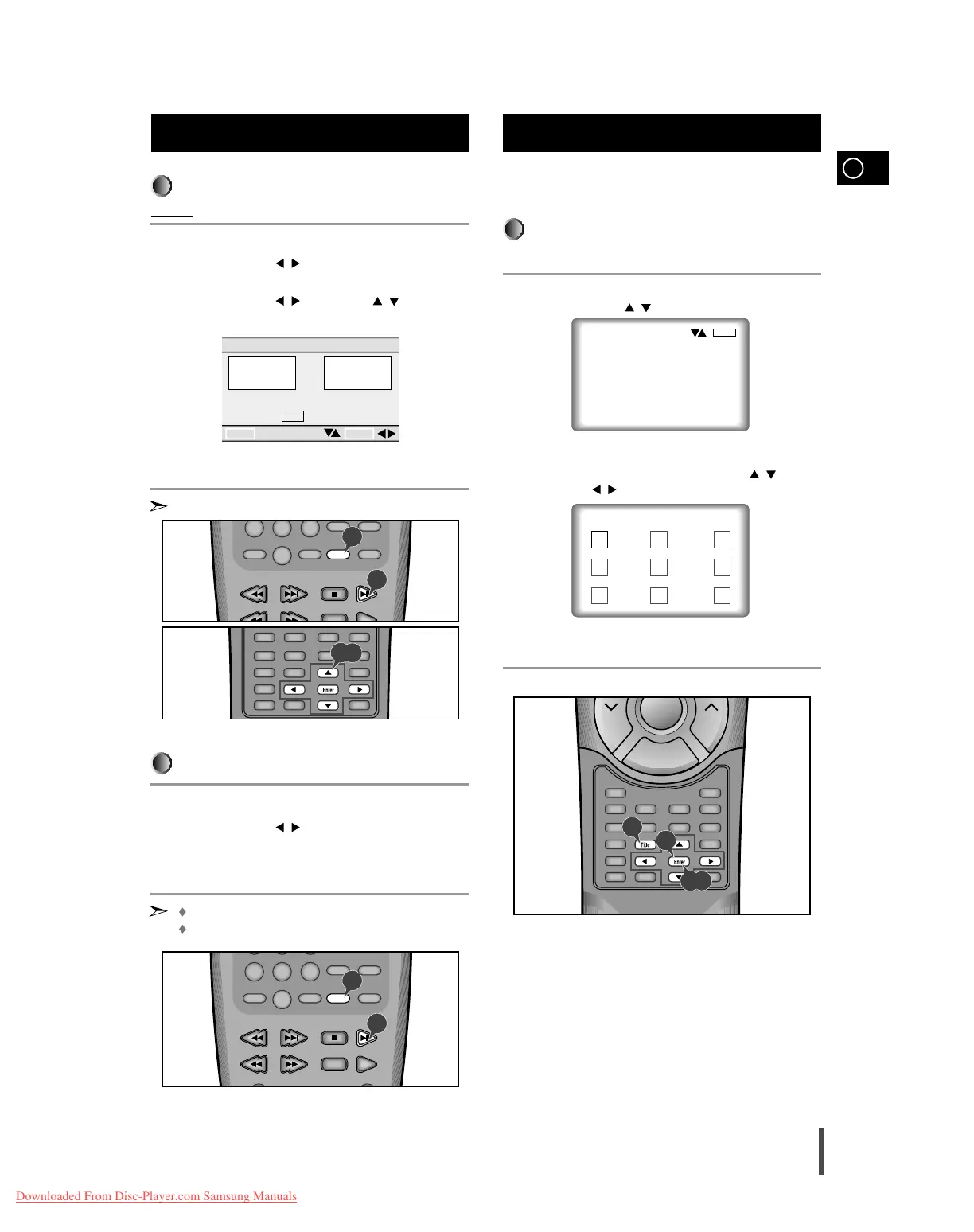
To program tracks 3 and 8 in order.
In stop mode, press the Program button.
Use the LEFT/RIGHT ( / ) button to select Program.
Press the Enter button.
Use the LEFT/RIGHT ( / ) or UP/DOWN ( / ) button to
select 03 and press Enter.
Then select 08 and press the Enter button.
Press the Play/Pause button. The disc will be played back in pro-
grammed order.
Press Clear button to resume normal Playback.
To start RANDOM playback.
Press the Program button while in stop mode.
Use the LEFT/RIGHT ( / ) button to select RANDOM and press
the Enter button.
Press Play/Pause button.
– The disc will be played back in random order.
The function of RANDOM is operated in only VCD/CD.
Press Clear button to resume normal Playback.
Program Playback in a specific
Order (Cont’d)
The desired music or video display can be accessed directly
without using the menu function.
Track View (VCD)
Displays the beginning view of each track and the track number
Press the Title button in playback
Press the UP/DOWN ( / ) button to select TRACK VIEW.
Press the Enter button.
Select the desired view by pressing the UP/DOWN ( / ) or
LEFT/RIGHT ( / ) buttons.
(An example of a Track View)
Press the Enter button.
Using the Disc View Function
1
2
4
1
2
3
TRACK PROGRAM ORDER
01
02 03 04
05 06 07 08
09 10 11 12
13 14 15 16
03 08 -- --
-- -- -- --
-- -- -- --
-- -- -- --
RETURN ENTER
CLEAR LAST TRACK
CLEAR ALL TRACKS
PRESS TO START
PLAY



 To Next Page