GB
18
Index View (VCD)
Displays the beginning view of each track and the track number
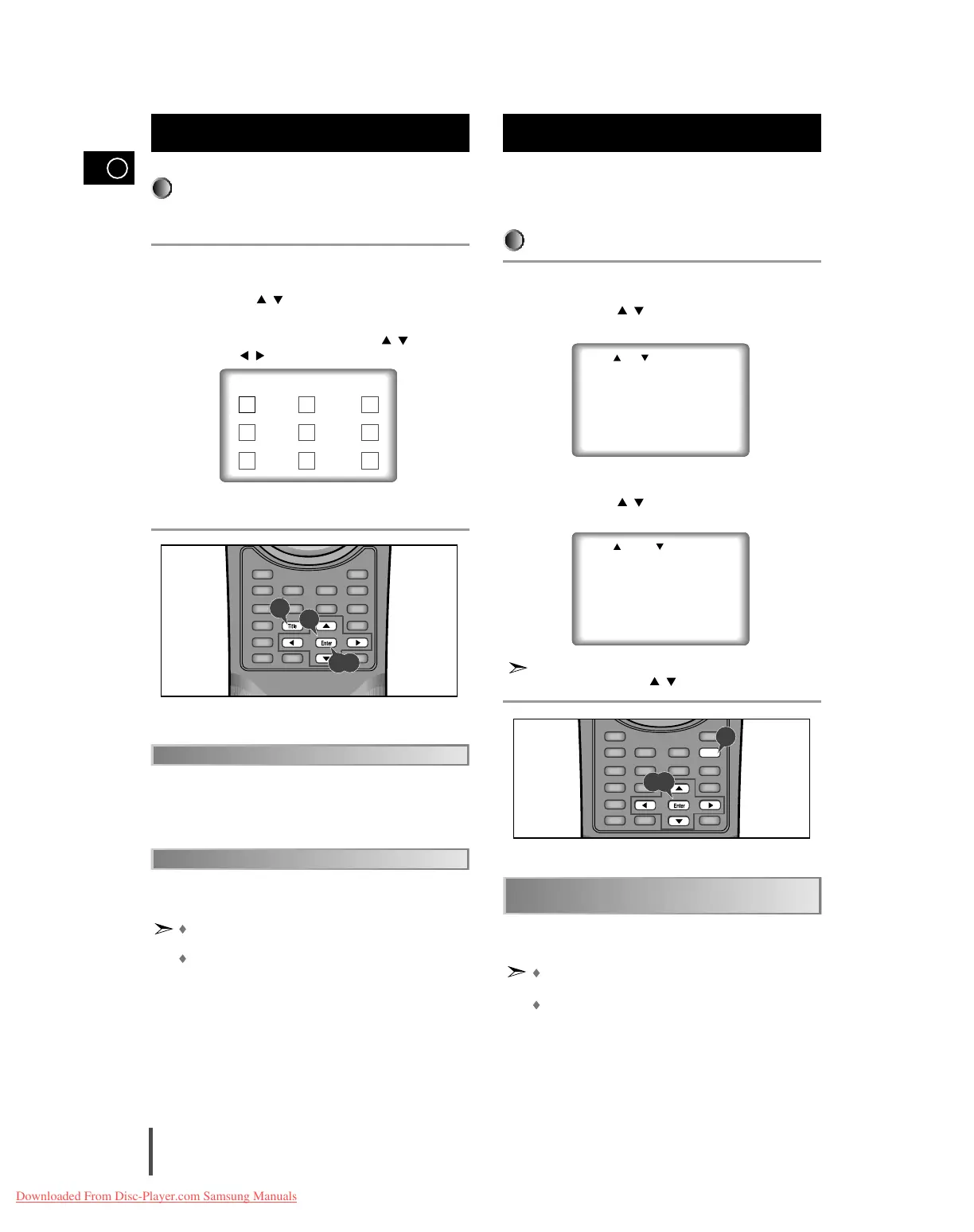
Press the Title button in playback.
Press UP/DOWN ( / ) button to select INDEX VIEW. Press the
Enter button.
Select the desired view by pressing UP/DOWN ( / ) or
LEFT/RIGHT ( / ) buttons.
Press the Enter button.
The unit enters the INTRO SCAN mode. INTRO SCAN lets you listen to
the beginning of each track for about 10 seconds.
When in VCD 1.1 & 2.0 mode (MENU OFF mode), this function
works.
In stop mode on VCD, press the TITLE button and the TRACK
VIEW will be displayed directly.
The disc's TITLE MENU function will come up. A disc must have at least
two titles for the TITLE MENU function to work.
Using the Disc View Function
(Cont’d)
You can select a desired language quickly and easily with the
Audio button. If a menu is encoded on the disc, you can also
select by using the Menu button.
Using the Audio Button
Press the Audio button.
Use the UP/DOWN ( / ) button to select the desired language on
a DVD.
- The audio and subtitle languages are represented by abbreviations.
Use the UP/DOWN ( / ) button to select STEREO, R CHANNEL
or L CHANNEL on a VCD/CD.
Even when the microphone has been connected, press the audio
button and the UP/DOWN ( / ) button to select a wanted action.
Selecting Audio
INDEX VIEW
01 02 03
04 05 06
07 08 09
1
2
3
4
1
2,3
Refer to "Setting Up the Language Features" on page 23.
This function depends on what languages are encoded
on the disc and may not work with all DVDs.
A DVD disc can contain up to 8 audio languages.
How to have the same audio language come up
whenever you play back a DVD.
1
2
3



 To Next Page