GB
28
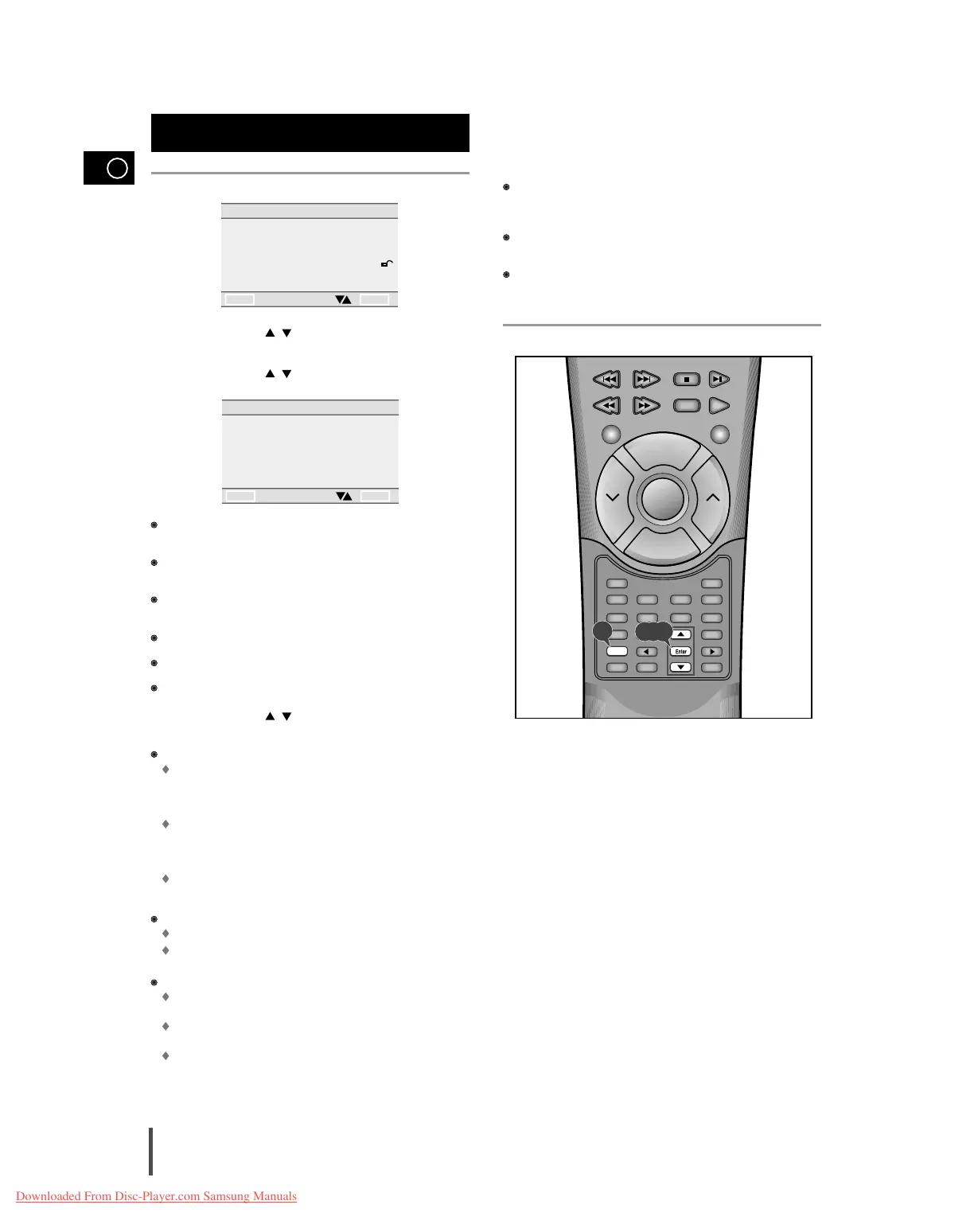
Press the Setup button in stop mode.
Use the UP/DOWN ( / ) button to select DISPLAY OPTIONS.
Then press the Enter button.
Use the UP/DOWN ( / ) button to select the desired item. Then
press the Enter button.
TV ASPECT : Depending on the type of television you have, you may
want to adjust the screen setting (aspect ratio).
ANGLE MARK : Use to turn on or off the on-screen displays when DVDs
plays multiple angles of a particular scene.
STILL MODE : Prevent picture shaking in still mode and display small
text clearer.
SCREEN MESSAGES : Use to turn on-screen messages on or off.
BLACK LEVEL
QUASI – PAL
Use the UP/DOWN ( / ) button to select the desired item.
Then press the Enter button
TV ASPECT
4:3 LETTER BOX :
Select when you want to see the total 16:9 ratio screen DVD supplies,
even though you have a TV with a 4:3 ratio screen. Black bars will
appear at the top and bottom of the screen.
4:3 PAN-SCAN :
Select this for conventional size TVs when you want to see the central
portion of the 16:9 screen.
(Extreme left and right sides of movie picture will be cut off.)
16:9 WIDE :
You can view the full 16:9 picture in your widescreen TV.
ANGLE MARK
ON :Displays ANGLE MARK in the upper right corner of screen.
OFF : Doesn’t display it.
STILL MODE
FIELD : Select this feature when the screen shakes in the AUTO
mode.
FRAME : Select this feature when you want to see small letters more
clearly in the AUTO mode.
AUTO : When selecting AUTO, FIELD/FRAME mode will be automati-
cally converted.
Setting up display options
SCREEN MESSAGES
Use this feature to turn the on-screen displays that appear in screen on
or off.
BLACK LEVEL
Adjust the brightness of screen.
QUASI – PAL
Depending on a disc, you can play a NTSC DVD disc by QUASI-PAL
mode.
Setting up display options
4



 To Next Page