GB
23
If you set the player menu, disc menu, audio and subtitle lan-
guage in advance, it will come up automatically every time
you watch a movie.
Using the Player Menu
Example:
Setting up in ENGLISH.
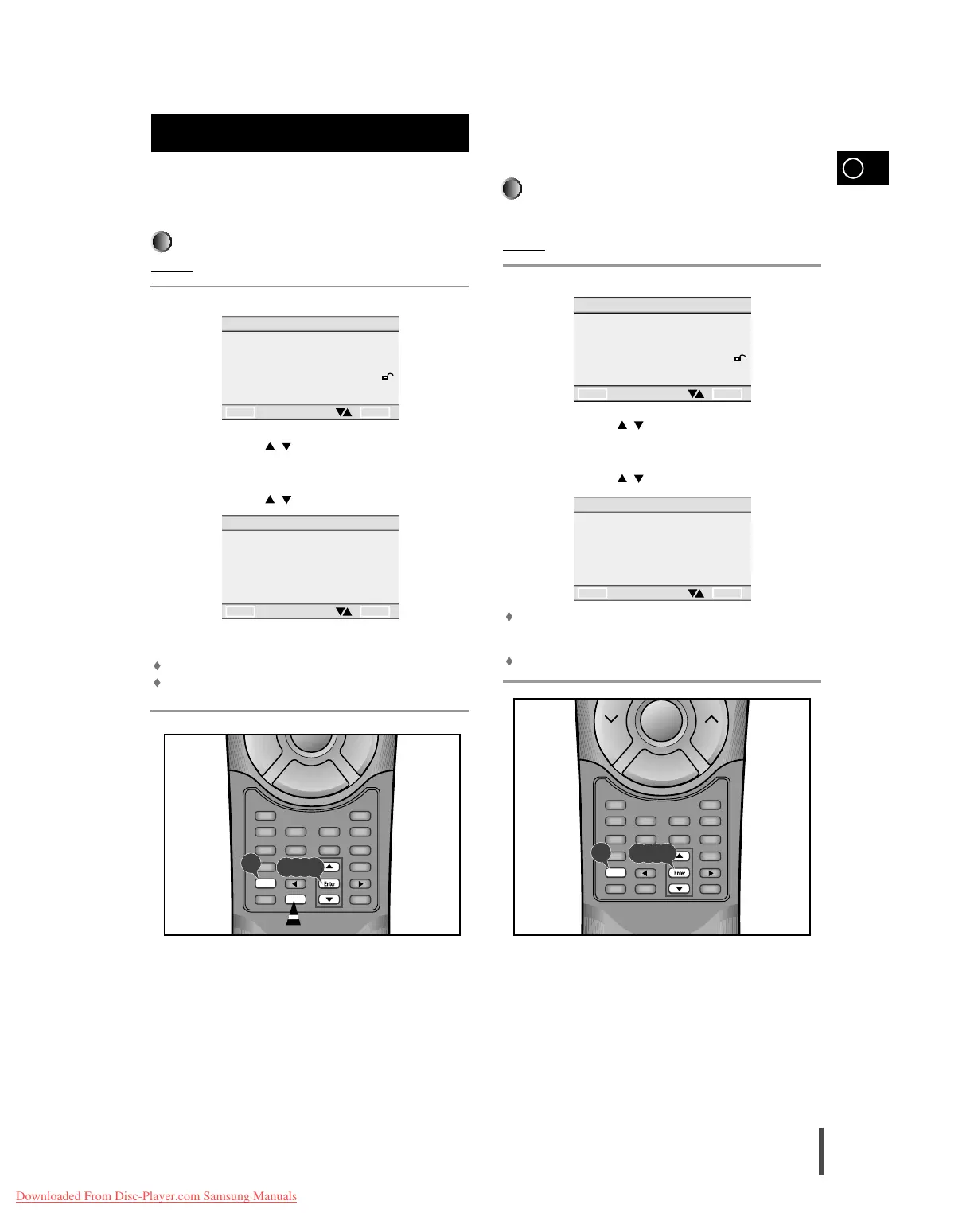
Press the Setup button when in stop mode.
Use the UP/DOWN ( / ) button to select the PLAYER MENU.
Press the Enter button.
Use the UP/DOWN ( / ) button to select 'ENGLISH'.
Press the Enter button.
ENGLISH is selected and the screen returns to SETUP MENU.
To make the SETUP MENU disappear, press the Return button.
Setting up the language features
Using the Disc Menu Language
This function changes the language only for the text on the disc menu
screens.
Example:
Setting up in ENGLISH
Press the Setup button when in stop mode.
Use the UP/DOWN ( / ) button to select DISC MENU.
Press the Enter button.
Use the UP/DOWN ( / ) button to select ' ENGLISH'.
Select "OTHERS" if the language you want is not listed.
Press the Enter button.
ENGLISH is selected and the screen returns to SETUP MENU.
Setting up the language features
SETUP MENU
1 PLAYER MENU ENGLISH
2 DISC MENU ENGLISH
3 AUDIO ENGLISH
4 SUBTITLE ENGLISH
5 PARENTAL UNLOCKED
6 AUDIO OPTIONS
7 DISPLAY OPTIONS
RETURN ENTER
PLAYER MENU LANGUAGE
1 ENGLISH
2 FRANCAIS
3 DEUTSCH
4 ESPAÑOL
5 ITALIANO
6 NEDERLANDS
RETURN ENTER
DISC MENU LANGUAGE
1 ENGLISH
2 FRANCAIS
3 DEUTSCH
4 ESPAÑOL
5 ITALIANO
6 NEDERLANDS
7 OTHERS
RETURN ENTER
1
2
3
4
5



 To Next Page