GB
36
The direct recording mode enables you to start recording with
any track on the compact disc.
You can only record on cassettes in Deck 2.
You do not need to adjust the volume, as it has no effect on
the recording.
The CD must be in stop mode. When Record button is pressed
on Deck 1, recording starts and the CD starts playing automat-
ically.
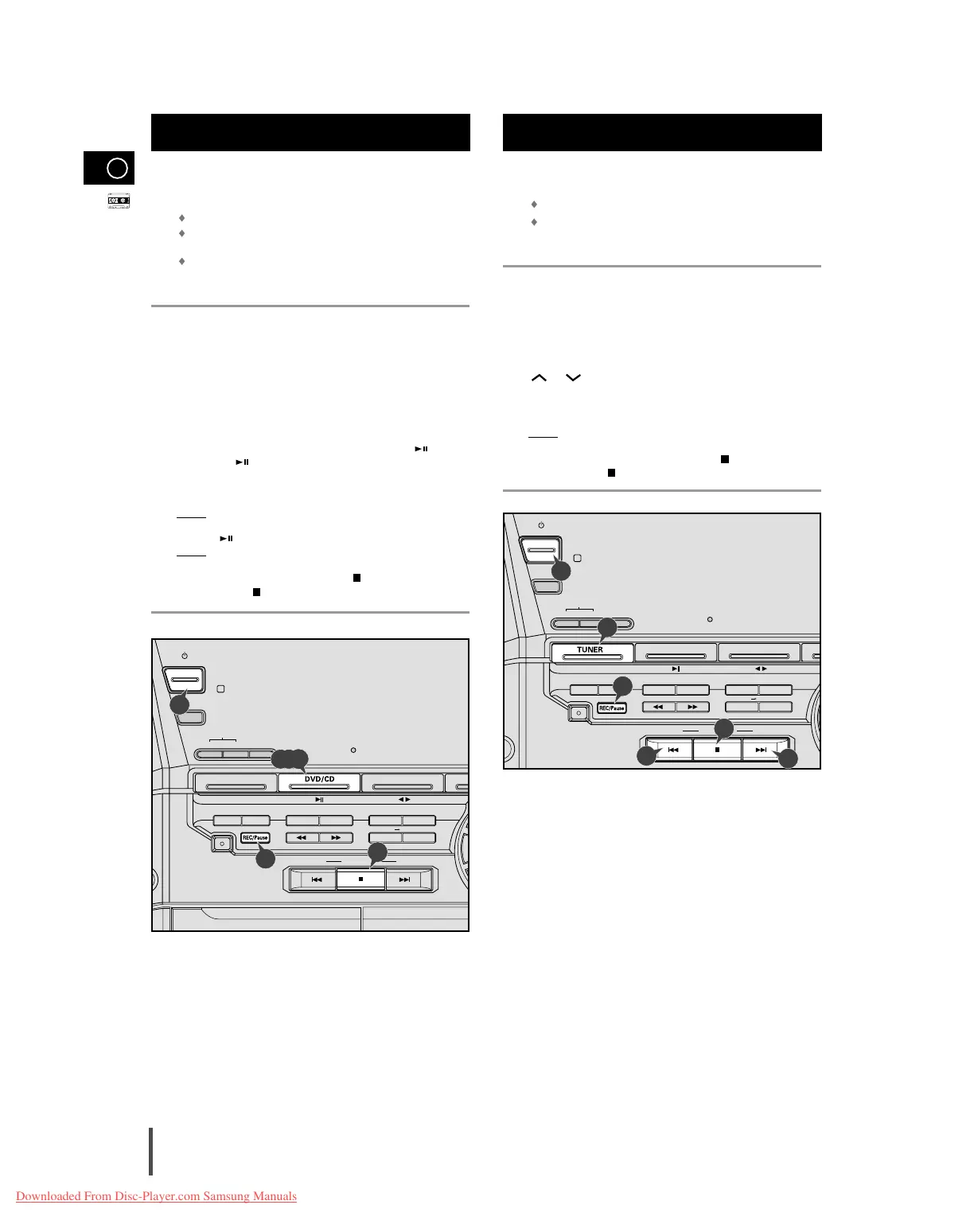
Switch your system on by pressing On/Standby.
Insert a blank cassette in Deck 2.
Select the DVD/CD function by pressing DVD/CD on the front panel.
Load the compact disc.
Select the required disc.
Select the required track on the compact disc and press on the
front panel or on the remote control to set the compact disc play-
er to Pause mode.
Press the REC/Pause.
Result:
REC flashes.
Press the to start playing the track.
Result:
The track is recorded on the cassette.
When you have finished recording, press for Deck 2 on the
remote control or on the front panel to stop recording.
Recording a Compact Disc
You can record a radio program of your choice.
You can only record on cassettes in Deck 2.
You do not need to adjust the volume, as it has no effect on
the recording.
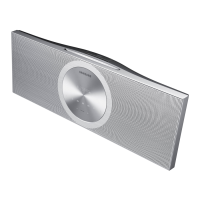
Switch the system on by pressing On/Standby.
Insert a blank cassette in Deck 2.
Select the TUNER function by pressing TUNER on the front panel.
Select the radio station that you wish to record by pressing Tuning
or on the remote control or by press the Tuning Mode
Down or Up on the front panel.
Press REC/Pause.
Result:
REC is displayed in red and recording starts.
When you have finished recording, press the for Deck 2 on the
remote control or on the front panel to stop recording.
Recording a Radio Program
1
2
3
4
5
6
7
8
9



 To Next Page