You can record a compact disc on a cassette in two different
ways:
Synchronised recording
Direct recording
This feature enables you to synchronize the start of the
recording with the start of the disc or track of your choice.
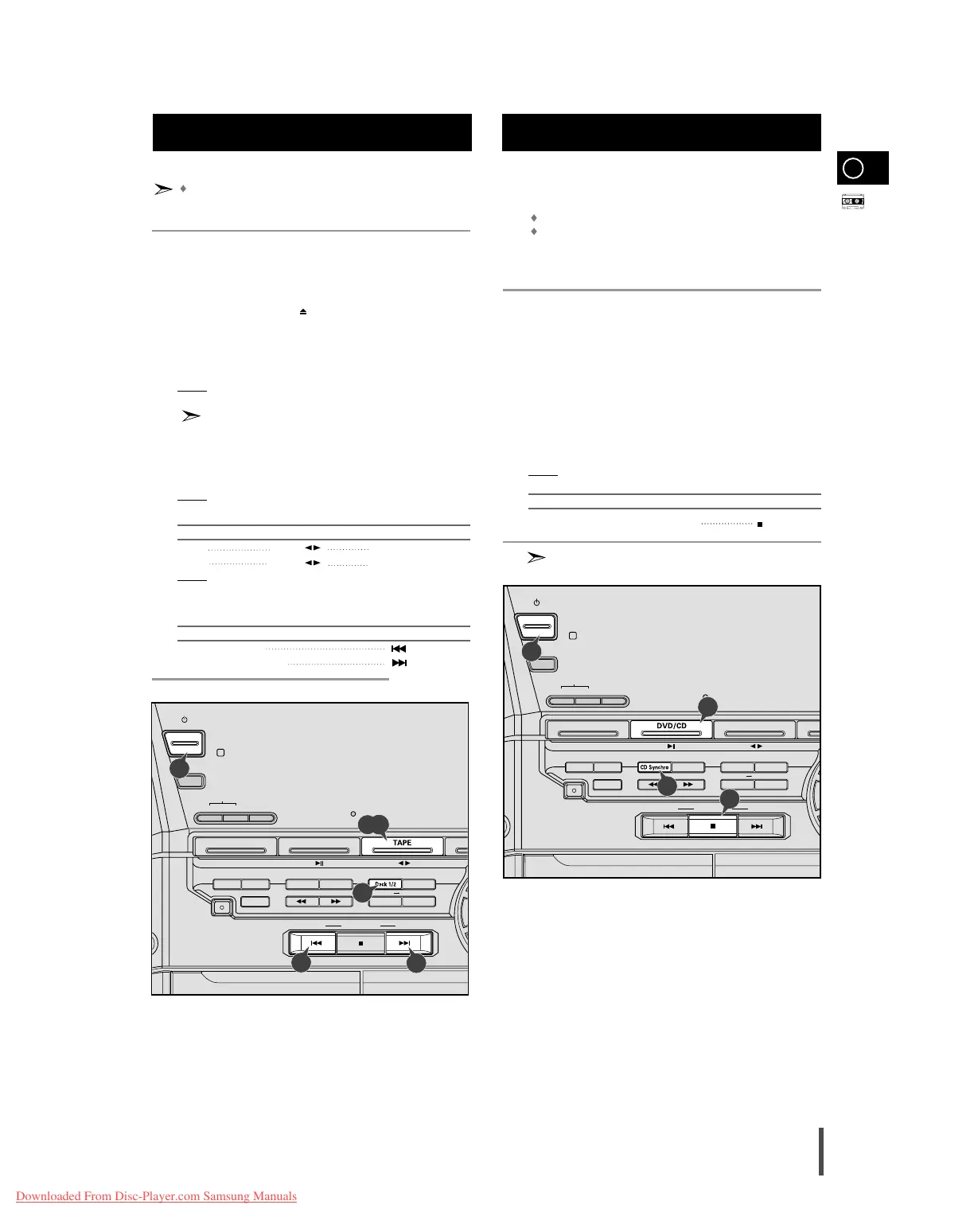
Switch the system on by pressing On/Standby.
Insert a blank cassette in Deck 2.
Select the DVD/CD function by pressing DVD/CD on the front panel.
Load a compact disc.
Select the required disc.
Select the required track and press CD Synchro or press CD
Synchro directly to start recording at the beginning of the disc.
Result:
REC is displayed and recording starts.
To stop... Press ...
Recording and playing the compact disc
The function of CD Synchro is operated in only CD.
GB
35
Always treat your cassettes with care; refer, if necessary, to
the section entitled “Precautions When Using Audio Cassettes”
on page 42.
Switch the system on by pressing the On/Standby button.
Select the TAPE function by pressing TAPE on the front panel.
Open either cassette deck 1 or 2 by pushing and releasing the deck
cover where PUSH EJECT ( ) is written.
Insert the pre-recorded cassette with the open edge of the tape fac-
ing downward.
Close the deck by pushing on it until it clicks into place.
Result: Depending on the deck selected, the 1 or 2 indication is
displayed in front of the counter number.
If you insert a cassette in both decks, the system selects the
deck in which you inserted the second cassette.
If you have inserted two cassettes, press Deck 1/2 on the front panel
or directly the Deck 1/2 button on the remote control to select the
cassette to be played.
Result: Depending on the deck selected, the TAPE 1 or TAPE 2 indi-
cation is displayed.
To listen to... Press ...
Side A TAPE ( ) DECK 1 and DECK 2
Side B TAPE ( ) DECK 2 only
Result: The cassette starts playing.
When the cassette is stopped, select one of the following functions
as required.
To... Press ...
Rewind the cassette
Fast-forward the cassette
CD Synchro Record FeatureListening to a Cassette
1
2
3
4
5
6
7
8



 To Next Page