GB
26
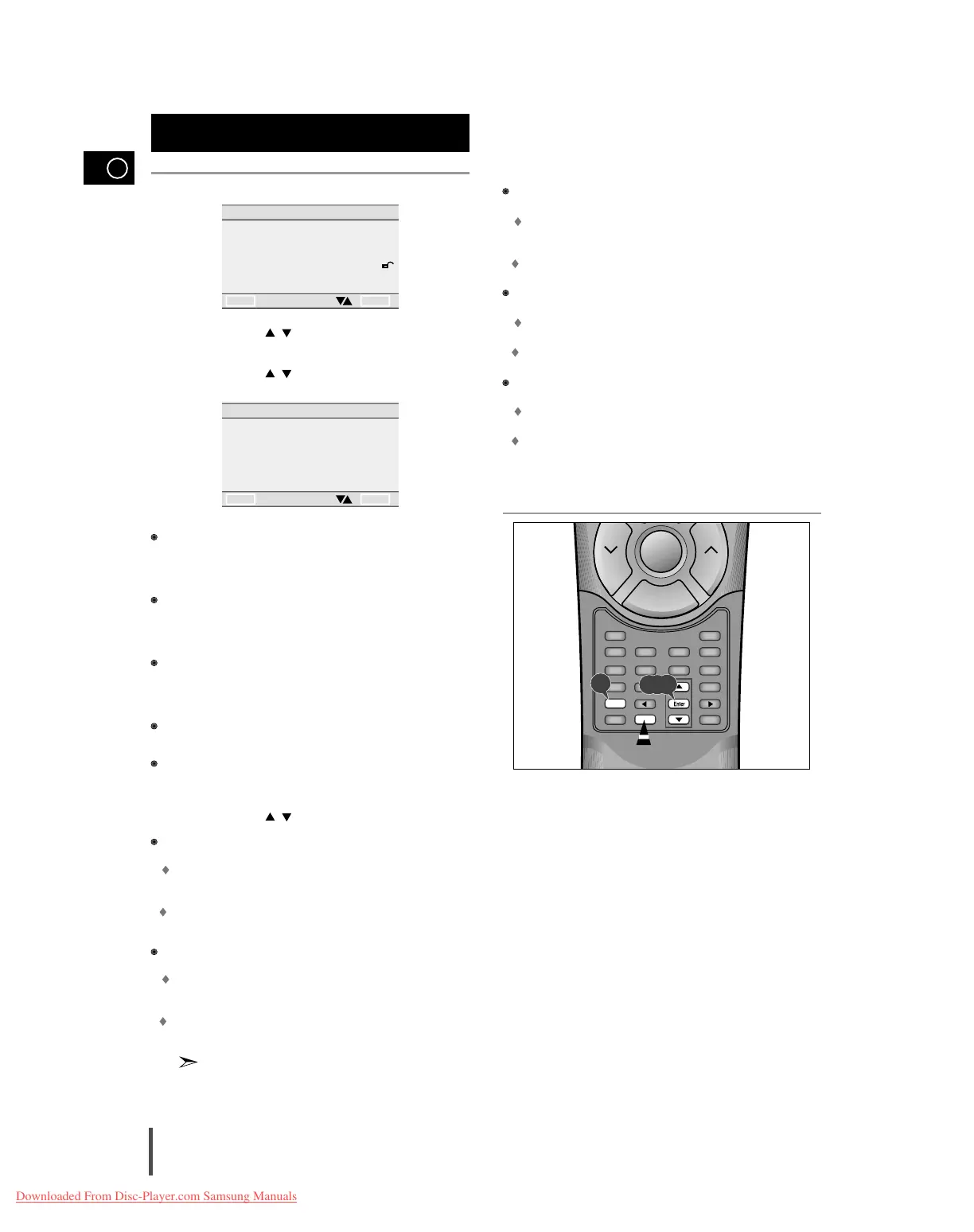
Press the Setup button when in stop mode.
Use the UP/DOWN ( / ) button to select AUDIO OPTIONS. Then
press the Enter button.
Use the UP/DOWN ( / ) button to select the desired item. Then
press the Enter button.
DOLBY DIGITAL OUT/MPEG-2 DIGITAL OUT
A digital surround sound format that is recorded by Dolby Digital/MPEG-2
Audio. Select the suitable output signal type of DIGITAL AUDIO OUT-
PUT/MPET-2 DIGITAL OUT (Bitstream/PCM) during playback.
DTS
This program features discrete 5.1 channel sound-track and must be
played though DTS-capable equipment. When played through DTS
equipment, sound will be heard from all five system speakers and a sub-
woofer.
DYNAMIC COMPRESSION
Compresses the dynamic range (quietest to loudest sound) of a disc's
soundtrack. This function is disc-dependent, and may not work with all
DVDs.
2 x SCAN AUDIO
Turns audio off or on when a disc is in 2 x playback mode.
SPEAKER SETUP
Adjusts the speaker size, the sound balance between speakers, etc.
Use the UP/DOWN ( / ) button to select the desired item. Then
press the Enter button.
DOLBY DIGITAL OUTPUT
PCM
Converts to PCM(2CH) of 48kHz/16Bit. Select PCM when using the
Analog Audio Outputs.
BITSTREAM
Convert to Dolby Digital BITSTREAM (5.1CH). Select BITSTEREAM
when using the Digital Audio Output.
MPEG-2 DIGITAL OUT
PCM
Converts to PCM (2CH) of 48KHz/16Bit. Select PCM when using the
Analog Audio Outputs.
BITSTREAM
Convert to MPEG-2 Audio BITSTREAM. Select BITSTEREAM when
using the Digital Audio Output.
Be sure to select the correct Digital Output or no audio will be
heard.
DTS
ON
Outputs DTS BITSTREAM via only digital output. Select DTS when
connecting to a DTS DECODER.
OFF
Doesn't output digital signal.
DYNAMIC COMPRESSION
ON
To select dynamic compression.
OFF
To select the standard range.
2X SCAN AUDIO
ON
Turn 2 x audio on.
OFF
Turn 2 x audio off.
Though 2 x SCAN AUDIO is ON in SETUP MENU, no sound will be heard
on discs which are recorded with LPCM or DTS.
Setting up audio options
AUDIO OPTIONS
1 DOLBY DIGITAL OUT BITSTREAM
2 MPEG-2 DIGITAL OUT BITSTREAM
3 DTS OFF
4 DYNAMIC COMPRESSION ON
5 2X SCAN AUDIO OFF
6 SPEAKER SETUP
RETURN ENTER
4



 To Next Page