18
connections
CONNECTING AUDIO FROM EXTERNAL COMPONENTS
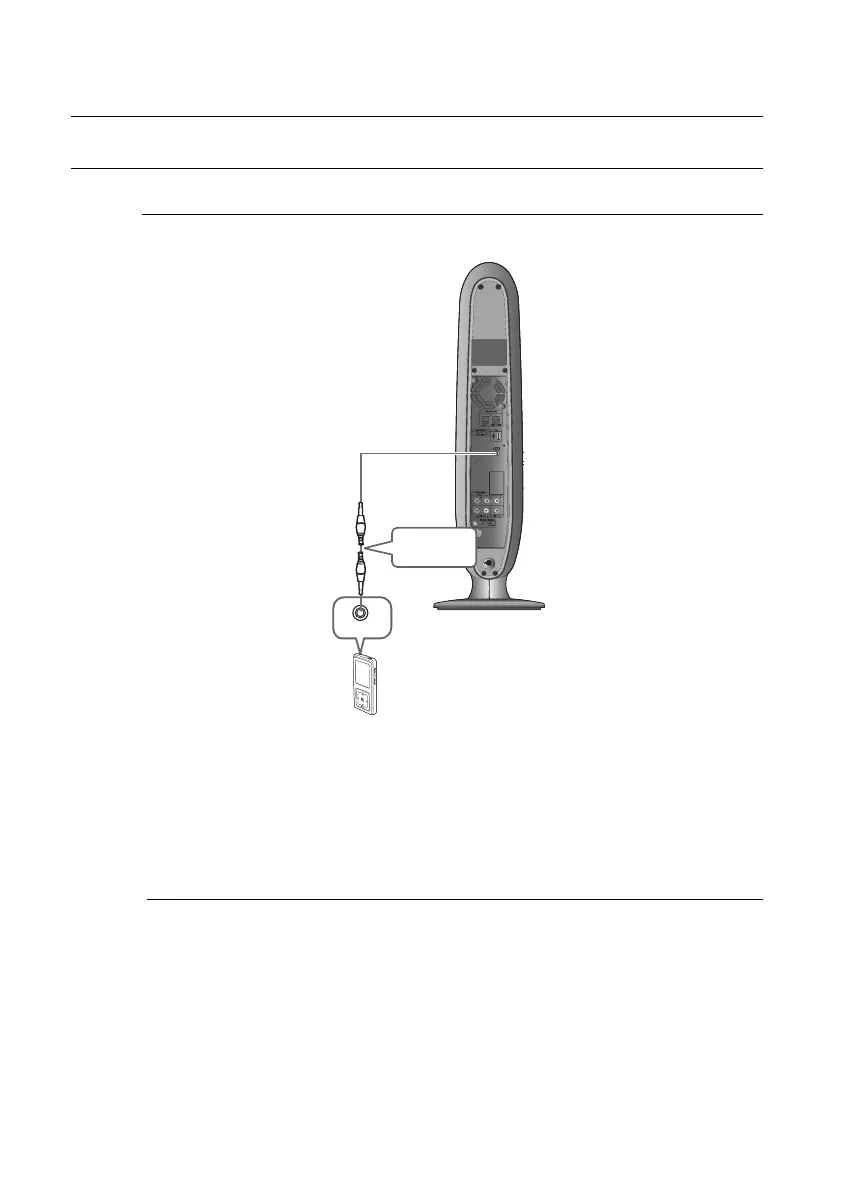
AUX : Connecting an External Component/MP3 player
Components such as an MP3 Player
Connect AUX IN (Audio) on the Room Cinema to the Audio Out of the external component/MP3
player.
Press the AUX button on the remote control to select AUX input.
When the unit is powered on and you connect an iPod MP3 player, the unit will charge
your iPod's battery.
1.
2.
M
Audio Cable
(not supplied)
Audio OUT
02107H-RTSE10-XME.indd 1802107H-RTSE10-XME.indd 18 6/20/08 11:04:59 AM6/20/08 11:04:59 AM






 To Next Page