23
GB
● PLAYBACK
JPEG File Playback
Images captured with a digital camera or camcorder, or JPEG fi les on a PC can be stored on a CD and then played
back with this Room Cinema.
Picture CD Playback
G
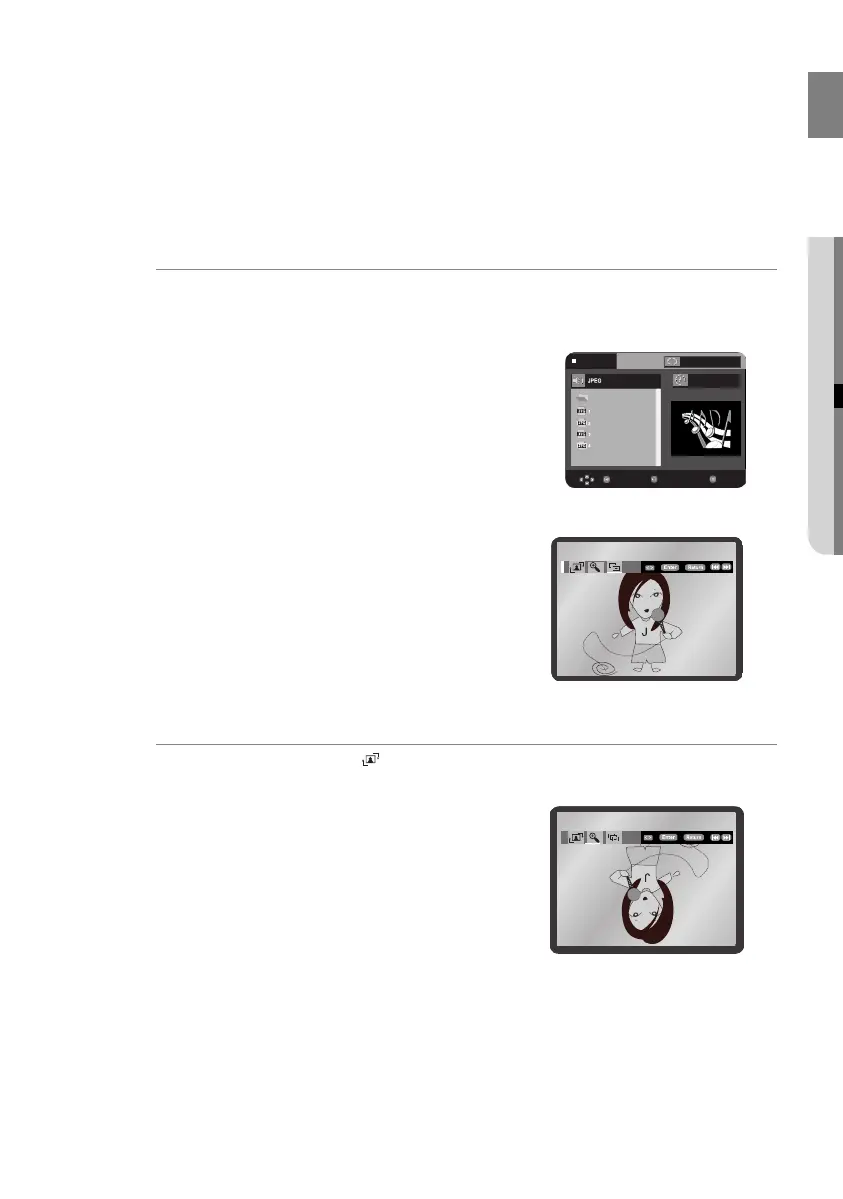
If you insert a Picture (JPEG) CD Disc into the Room Cinema System, you can see the folder directory.
1 Press the π or † button to select the picture you want to view, then press the ENTER button. The
selected picture is displayed.
2 Press the
l√√ or ®®l button to display the previous or next picture.
Rotation
G
Press the √ or ® button to select . Each time the ENTER button is pressed, the picture rotates 90
degrees clockwise.
Off
Stop
...
00:00:00
Enter Return
T
T
Menu
02107H-RTSE10-XME.indd 2302107H-RTSE10-XME.indd 23 6/20/08 11:05:02 AM6/20/08 11:05:02 AM






 To Next Page