36
system setup
SETTING THE AUDIO
OSD(On-Screen Display) language is set to English by default.
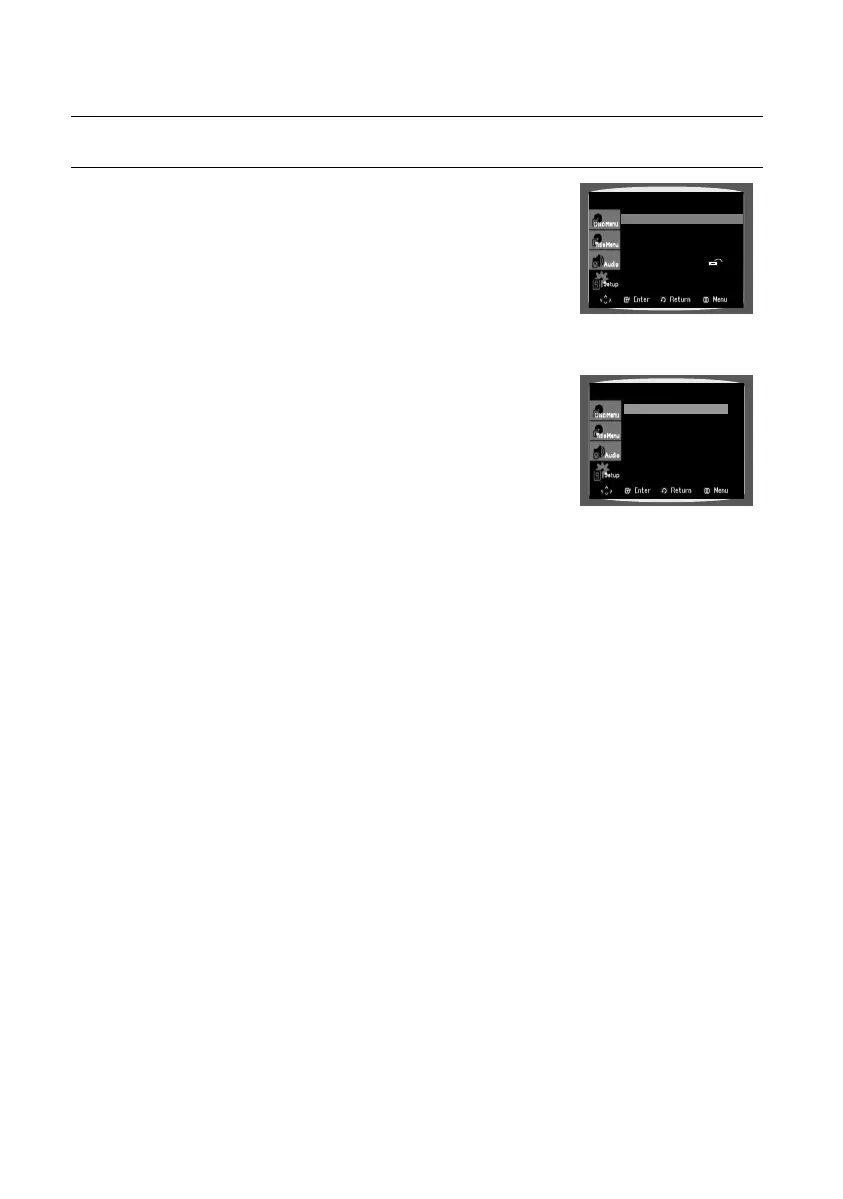
In Stop mode, press the MENU button.
Press the Cursor
▼
button to move to Setup and then press the
ENTER or ► button.
Select Audio Setup and then press the ENTER or ► button.
Press the Cursor
▲
,
▼
button to select the required item.
Press the Cursor
▲
,
▼
button to select the desired option and then
press the ENTER button.
The option is selected and the screen returns to Audio Setup Menu.
d Press the RETURN button to return to the previous level.
d Press the EXIT button to exit the setup screen.
Dynamic Compression :
d On: To select dynamic compression.
d
Off: To select the standard range.
PCM Down Sampling:
d On: Select this when the amplifi er connected to the player is not 96KHz compatible. In this
case, the 96KHz signals will be down converted to 48KHZ.
d
Off: Select this when the amplifier connected to the player is 96KHz compatible. In this case, all
signals will be output with out any changes.
1.
2.
3.
4.
5.
•
•
•
Dynamic Compression : On
PCM Down Sampling : On
AUDIO SETUP
Language Setup
®
Audio Setup
®
Display Setup
®
Parental Setup :
®
DivX(R) Registration
®
02107H-RTSE10-XME.indd 3602107H-RTSE10-XME.indd 36 7/23/08 4:12:42 PM7/23/08 4:12:42 PM






 To Next Page