24
playback
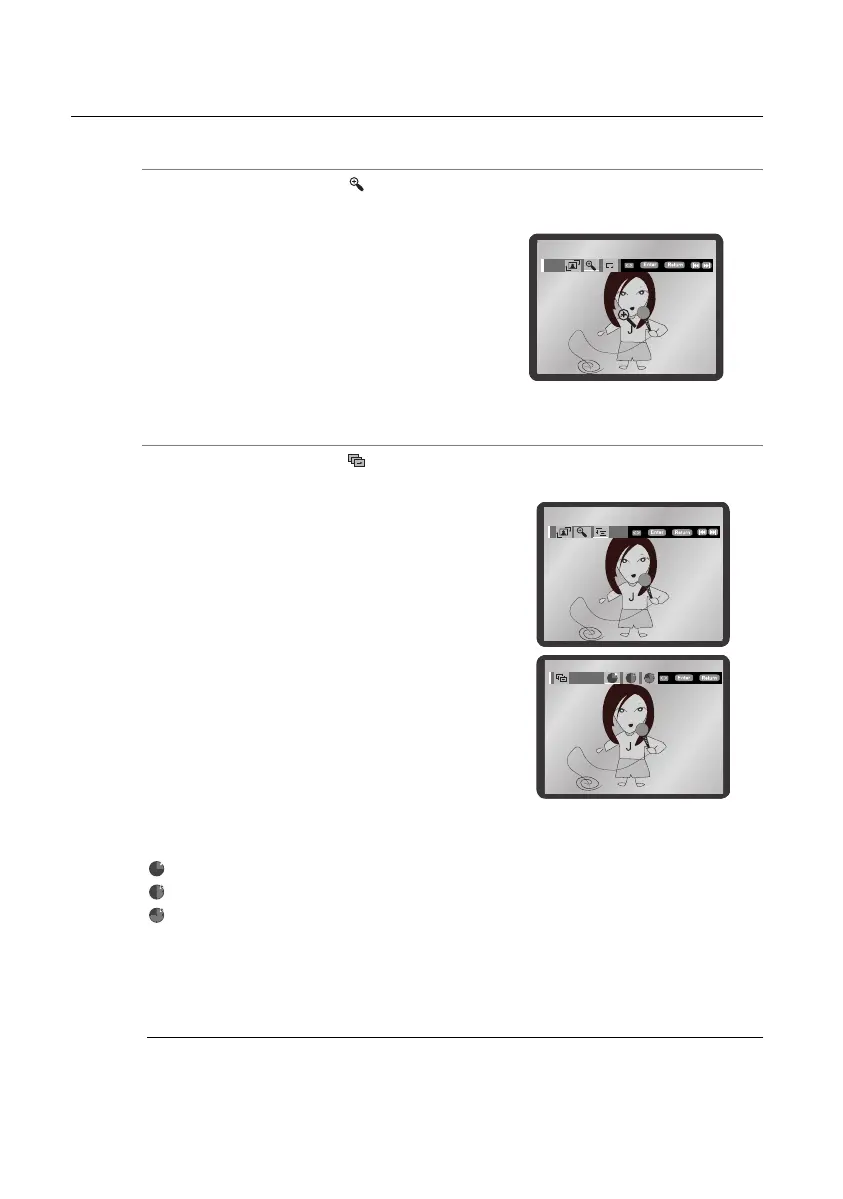
Zoom
G
Press the √ or ® button to select . Each time the ENTER button is pressed, the picture is enlarged
up to 4X. (Normal ➝ 2X ➝ 4X ➝ 2X ➝ Normal)
Slideshow
G
Press the √ or ® button to select . Press the ENTER button. The 3 icons are displayed for time
interval.
The maximum resolutions supported by this product are 5120 x 3480 (or 19.0 MPixel)
for standard JPEG fi les and 2048 x 1536 (or 3.0 MPixel) for progressive image fi les.
M
Press the √ or ® button to select one of these. Press the ENTER button.
The pictures change automatically with about an 6 second interval.
The pictures change automatically with about an 12 second interval.
The pictures change automatically with about an 18 second interval.
• Depending on the file size, each interval --between images may take longer or shorter --than the
manual suggests.
Timer:
02107H-RTSE10-XME.indd 2402107H-RTSE10-XME.indd 24 6/20/08 11:05:02 AM6/20/08 11:05:02 AM






 To Next Page