64_
setup
setup
Group SEQ
Selecting Group SEQ recalls a group of multiple preset locations in a
consecutive manner. Up to 6 groups can be defined and up to 128
presets can be memorized for each group.
Setting :
Using the joystick,enter desired preset numbers into the PSET
section. DWT indicates the camera’s duration of stay at a preset
location.
The speed is adjusted in 64 levels.
Group SEQ 1
NO PSET DWT(s) SPD
001: *** : 003 : 64
002: *** : 003 : 64
003: *** : 003 : 64
004: *** : 003 : 64
005: *** : 003 : 64
006: *** : 003 : 64
007: *** : 003 : 64
Execute :
Executes the group operation.
Clear :
Deletes the selected group.
About 8 seconds of recognition time is required if [Intelligence] of the preset
is activated from the Group menu.
For a proper operation of [Intelligence], set [Time (sec)] of the Group menu
to more than 8 seconds.
z
z
z
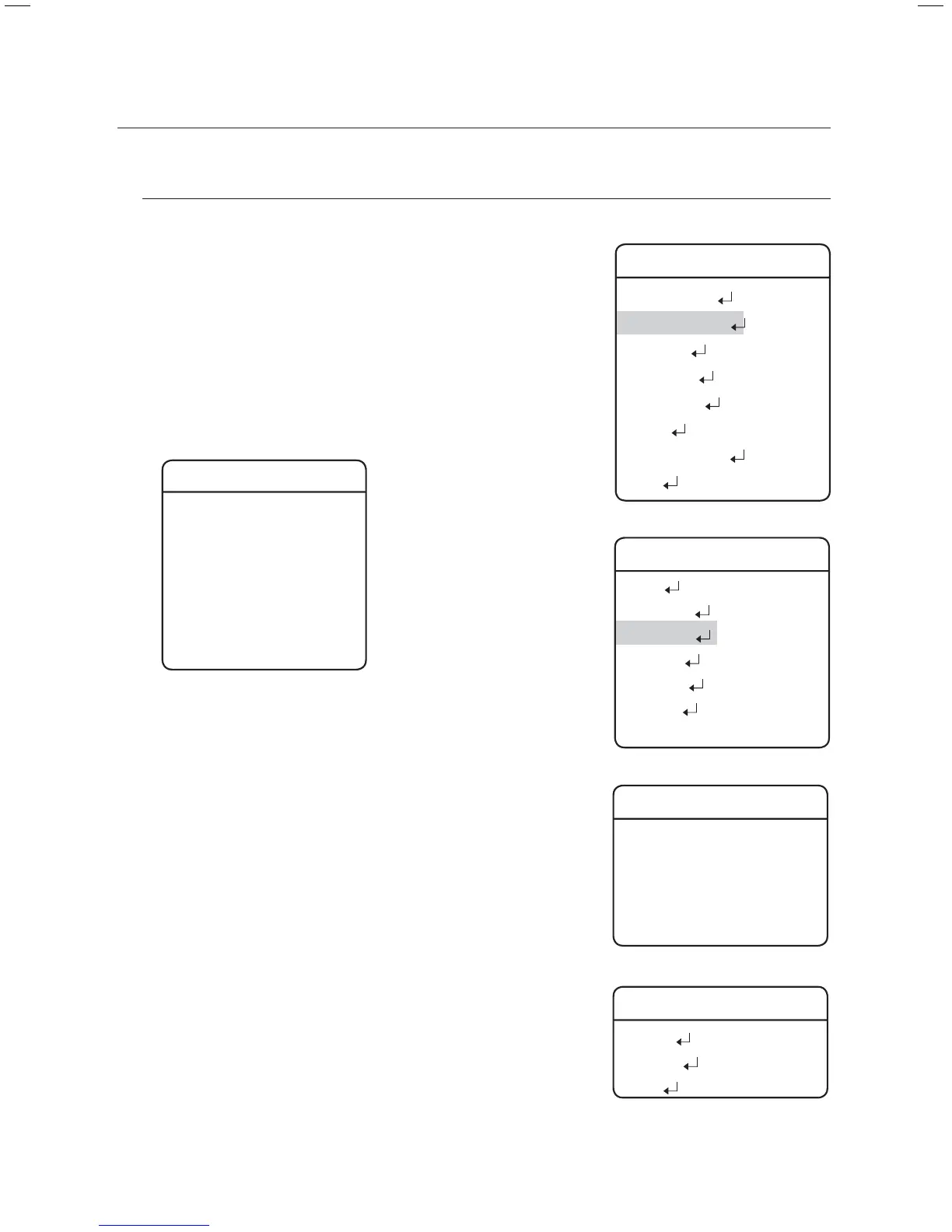
M
Main Menu
Camera Setting
Sequence Setting
P/T Setting
OSD Setting
Alarm Setting
Initialize
Password Setting
Status
Æ
Sequence Setting
Preset
Swing SEQ
Group SEQ
Tour SEQ
PTZ Trace
Auto Run
Power On Resume ON
Æ
Group SEQ
Group 1
Group 2
Group 3
Group 4
....
Group SEQ 1
Setting
Execute
Clear
Æ



 To Next Page