84_
setup
setup
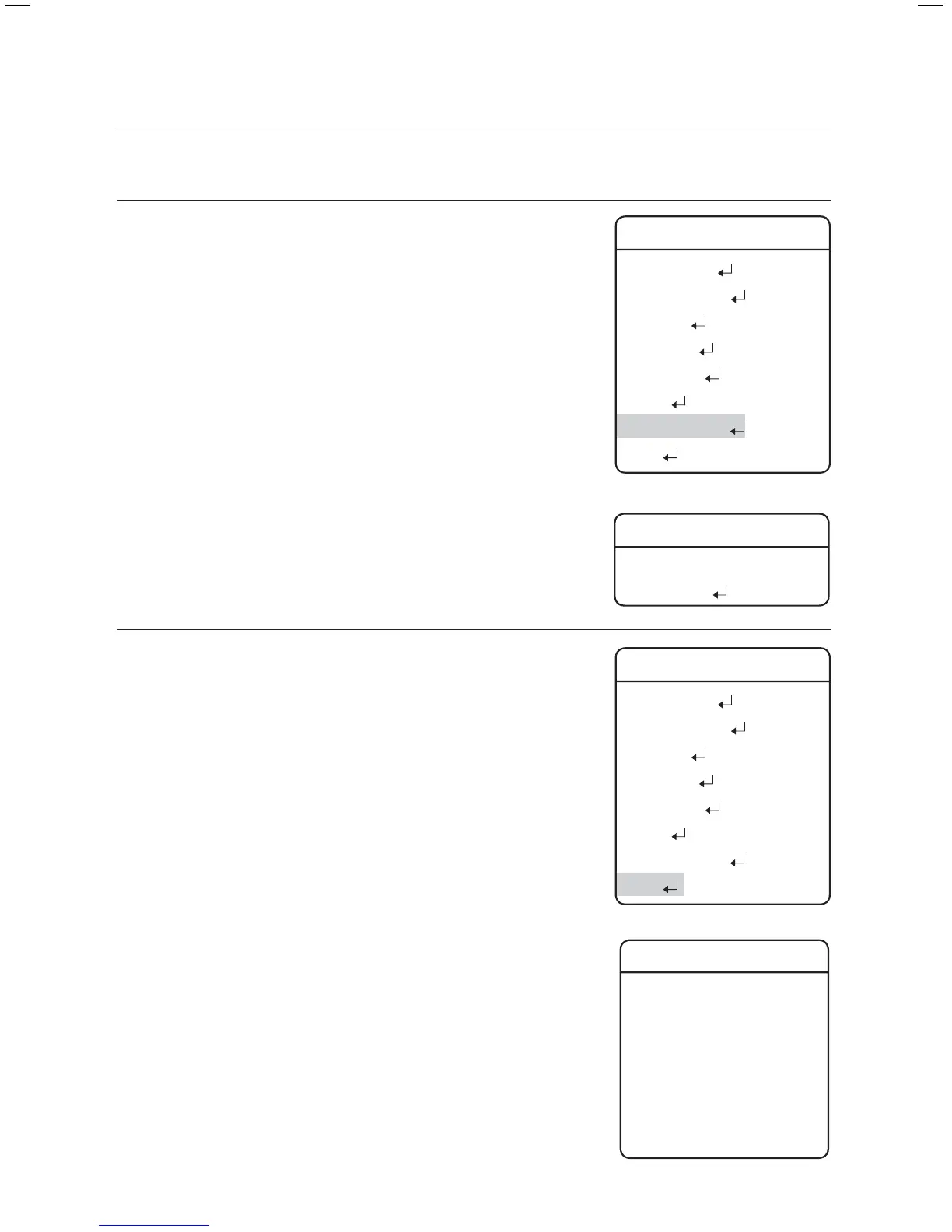
PASSWORD SETTING
The Password feature enables you to confi gure a password for
rebooting the camera and accessing the OSD and preventing
unauthorized modifi cation of existing camera settings.
On/Off :
Enables or disables Password protection.
Edit Password
Change the password; enter the current password and then a
new one, consisting of 4 hexadecimal characters (0~F).
Â
The default password is "0000".
STATUS
Displays the settings and version of the camera.
CAM MODEL :
Indicates the model name of the camera.
CAM VER. :
Indicates the software version of the camera.
DOME VER. :
Indicates the version of the camera control board.
COAX VER. :
Indicates the software version of the Coax communication
TRACK VER. (Applied only to Auto Tracking models):
Indicates the Auto Track software version of the camera.
PROTOCOL :
Indicates the status of the current protocol.
DOME ID :
Dome Camera ID
CONTROLLER :
Indicates the settings of the current communications mode.
z
z
z
z
z
z
z
z
z
z
Password Setting
On/Off OFF
Edit Password
Main Menu
Camera Setting
Sequence Setting
P/T Setting
OSD Setting
Alarm Setting
Initialize
Password Setting
Status
Æ
Camera Status
CAM MODEL = SCM2370/PAL
CAM VER. = V2. 02-101024
DOME VER. = V0. 08-101023
COAX VER. = V0. 02-101207
TRACK VER. = V1. 14-101206
PROTOCOL = SAMSUNG-T
DOME ID = 001
CONTROLLER = Simplex
Main Menu
Camera Setting
Sequence Setting
P/T Setting
OSD Setting
Alarm Setting
Initialize
Password Setting
Status
Æ



 To Next Page