68_
setup
setup
Schedule
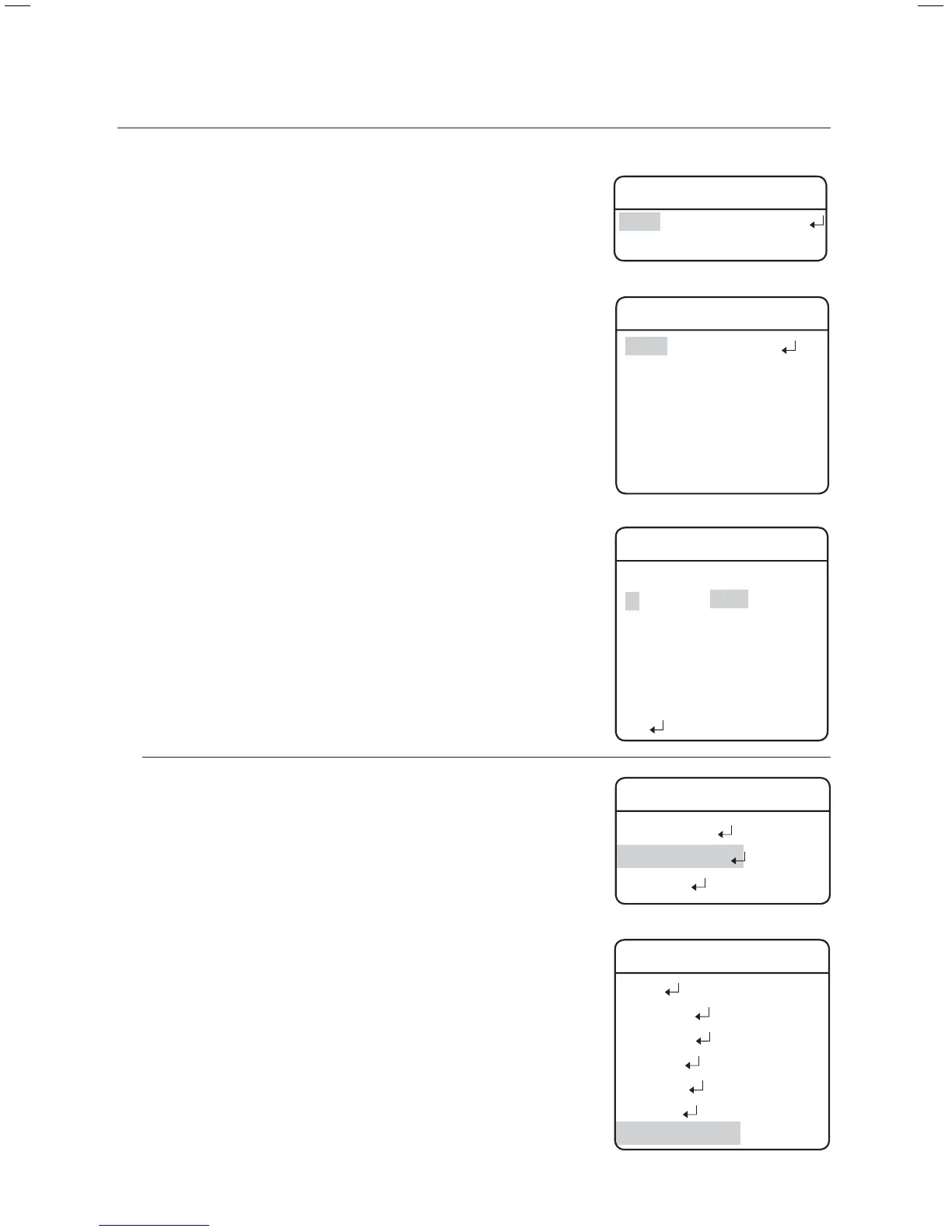
Schedule enables you to schedule a sequencing action by day and time.
Select Day :
At Auto Run, select SCHEDULE to set up each day of the week,
as shown on the side picture. Select a day, change to ON, and
then press Enter.
Select Time :
When turning ON a day, a timetable appears as shown on the
side picture. (Up to 6 timelines can be selected for a day.) Select
the beginning time and sequencing action to schedule the action.
Power On Resume
Power On Resume :
This is useful when the power is disconnected and reconnected
due to power failures or other power interruptions.
If the camera was performing a sequence action prior to a power
disconnection, the camera automatically resumes the action
when the power is reconnected.
z
z
z
Main Menu
Camera Setting
Sequence Setting
P/T Setting
Æ
Sequence Setting
Preset
Swing SEQ
Group SEQ
Tour SEQ
PTZ Trace
Auto Run
Power On Resume ON
Schedule Set
No START SEQ No
1 09:00 HOME
2 00:00 OFF
3 00:00 OFF
4 00:00 OFF
5 00:00 OFF
6 00:00 OFF
Clear
Æ
Æ
Auto Run
Mode
SCHEDULE
Time 20SEC
Schedule Set
Sunday ON
Monday OFF
Tuesday OFF
Wednesday OFF
Thursday OFF
Friday OFF
Saturday OFF








 To Next Page