English - 67
● SETUP
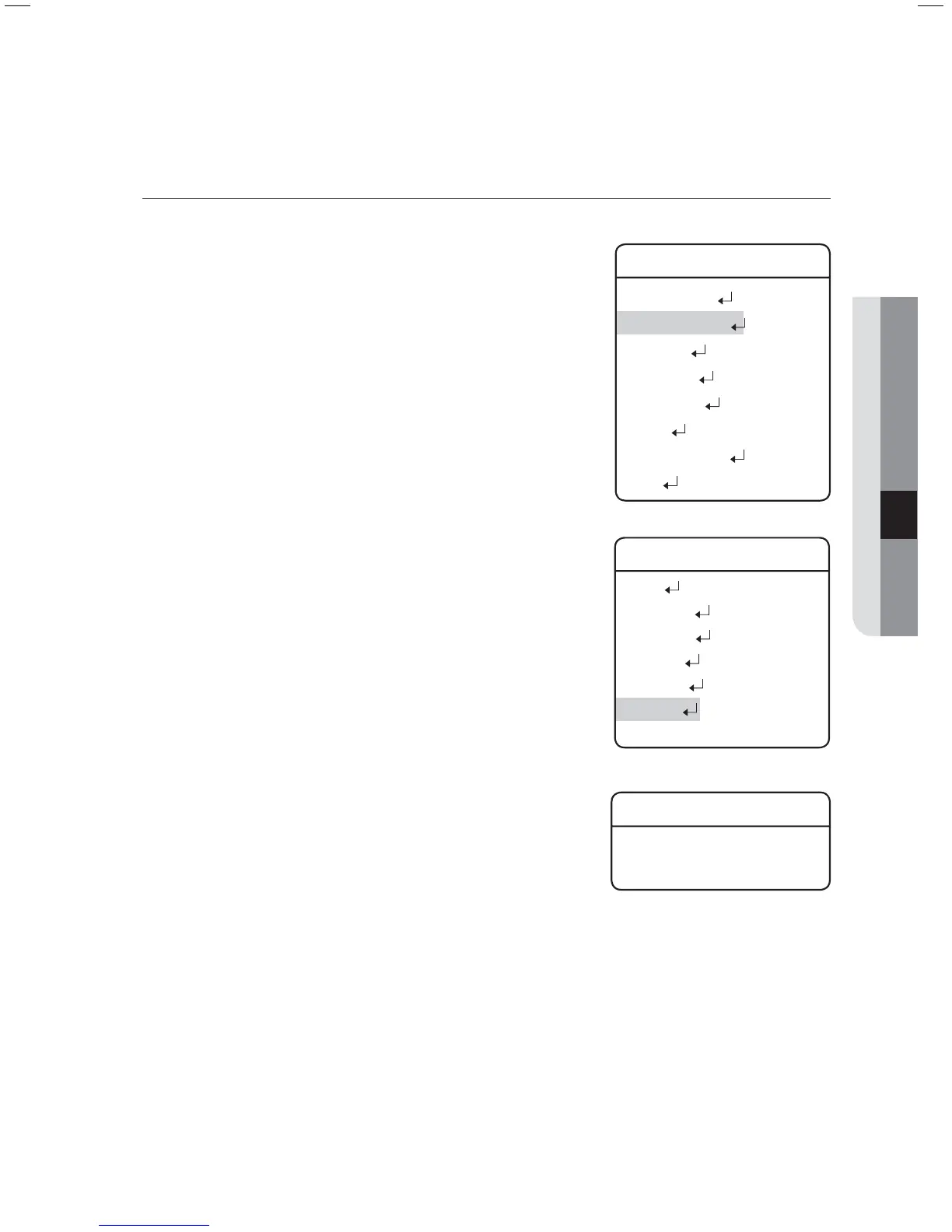
Auto Run
If there is no controller operation by the user for a certain time, the
sequence operation designated by the user will be executed.
Mode :
HOME : Auto run Home Position (Refet to the Preset Menu.)
PRESET : Auto run a selected preset number.
SWING : Auto run a selected Swing mode.
GROUP : Auto run a selected Group mode.
TOUR : Auto run a selected Tour mode.
TRACE : Auto run a selected trace mode.
A.PAN : Auto run a 360-degree pan. To activate the
panning command, you need to set up the
camera’s tilt angle and auto pan speed manually.
SCHEDULE : Execute Auto Run on the selected day of the
week.
Time :
Enables setting up an Auto Run duration. (The duration can be 5~30
seconds, or 1~5 minutes.)
z
-
-
-
-
-
-
-
-
z
Main Menu
Camera Setting
Sequence Setting
P/T Setting
OSD Setting
Alarm Setting
Initialize
Password Setting
Status
Æ
Sequence Setting
Preset
Swing SEQ
Group SEQ
Tour SEQ
PTZ Trace
Auto Run
Power On Resume ON
Æ
Auto Run
Mode OFF
Time 20 SEC



 To Next Page