English - 71
● SETUP
Area Masking
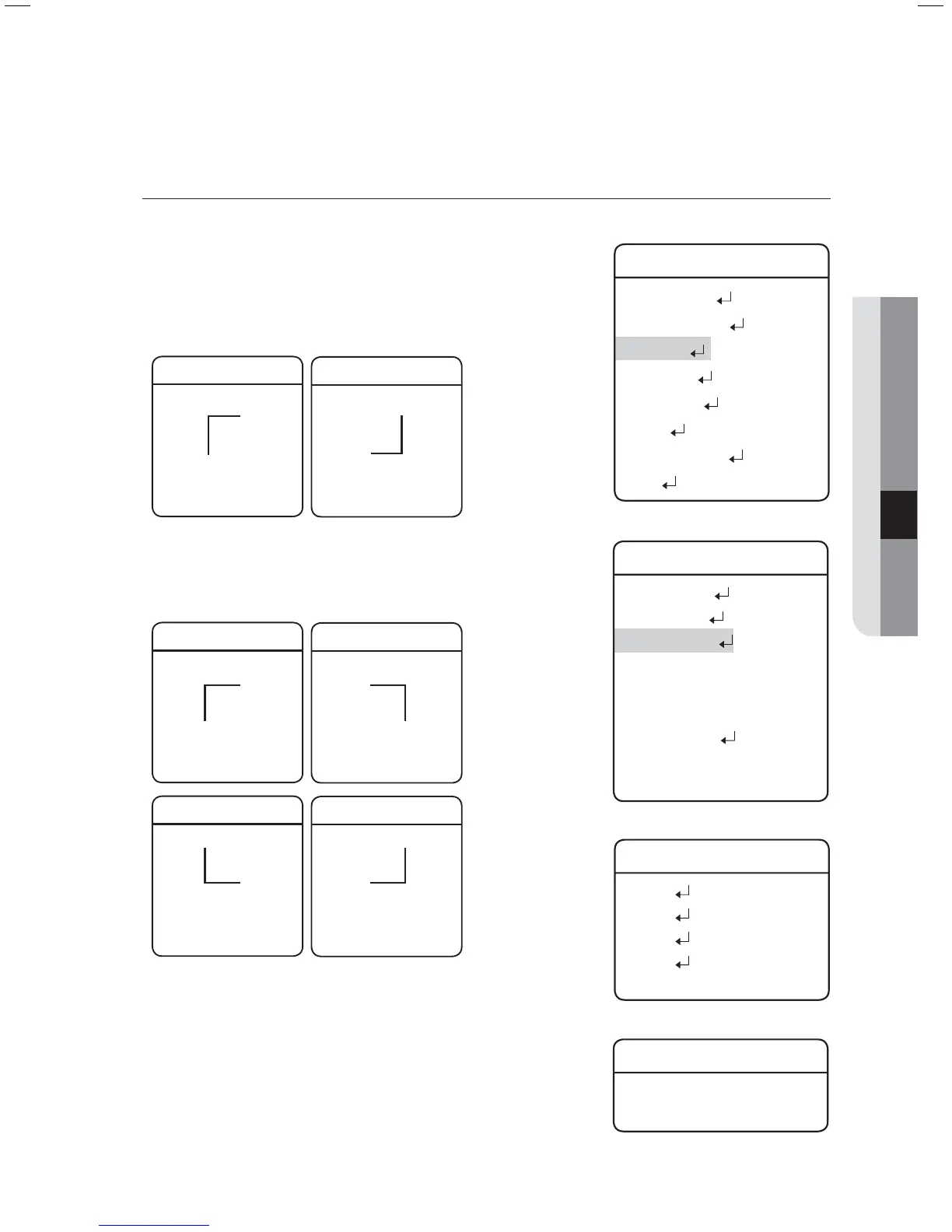
If a monitoring location includes a highly private area, the area can be selectively excluded from monitoring.
Position :
SCP-2XXX Series
As shown in the picture below, move the joystick to select the upper
left corner and lower right corner of an area.
Area Masking
Enter: Set ESC: Exit
Area Masking
Enter: Set ESC: Exit
SCP-3370 Series
As shown, specify the masks in the order of: top left
p
top right
p
bottom right
p
bottom left.
Area Masking
Enter: Set ESC: Exit
Area Masking
Enter: Set ESC: Exit
Area Masking
Enter: Set ESC: Exit
Area Masking
Enter: Set ESC: Exit
Use the joystick in four directions to specify the masks that you want
to exclude from the area masking.
Â
However, SCP-3370TH operates the same as SCP-2XXX series.
Activation :
Activate or deactivate the display of specifi ed masks.
For a product model supporting Auto Track (SCP-XXXXTH), the PIP feature
will be disabled if using Area Masking.
z
-
-
z
M
Main Menu
Camera Setting
Sequence Setting
P/T Setting
OSD Setting
Alarm Setting
Initialize
Password Setting
Status
Æ
P/T Setting
Pan/Tilt Limit
Area Setting
Area Masking
Prop. P/T ON
Digital Flip ON
Image Hold OFF
Auto Tracking
Jog Speed
MANUAL
Max Speed Level
6
Æ
Area Masking
Mask 1
Mask 2
Mask 3
Mask 4
....
Mask 1
Position
Activation OFF
Æ



 To Next Page