Applications
103
S Planner
Introduction
Manage your schedule by entering upcoming events or tasks in your planner.
Creating events
1
Tap
S Planner
on the Apps screen.
2
Tap or double-tap a date.
If the date already has saved events or tasks in it, tap the date and tap
.
3
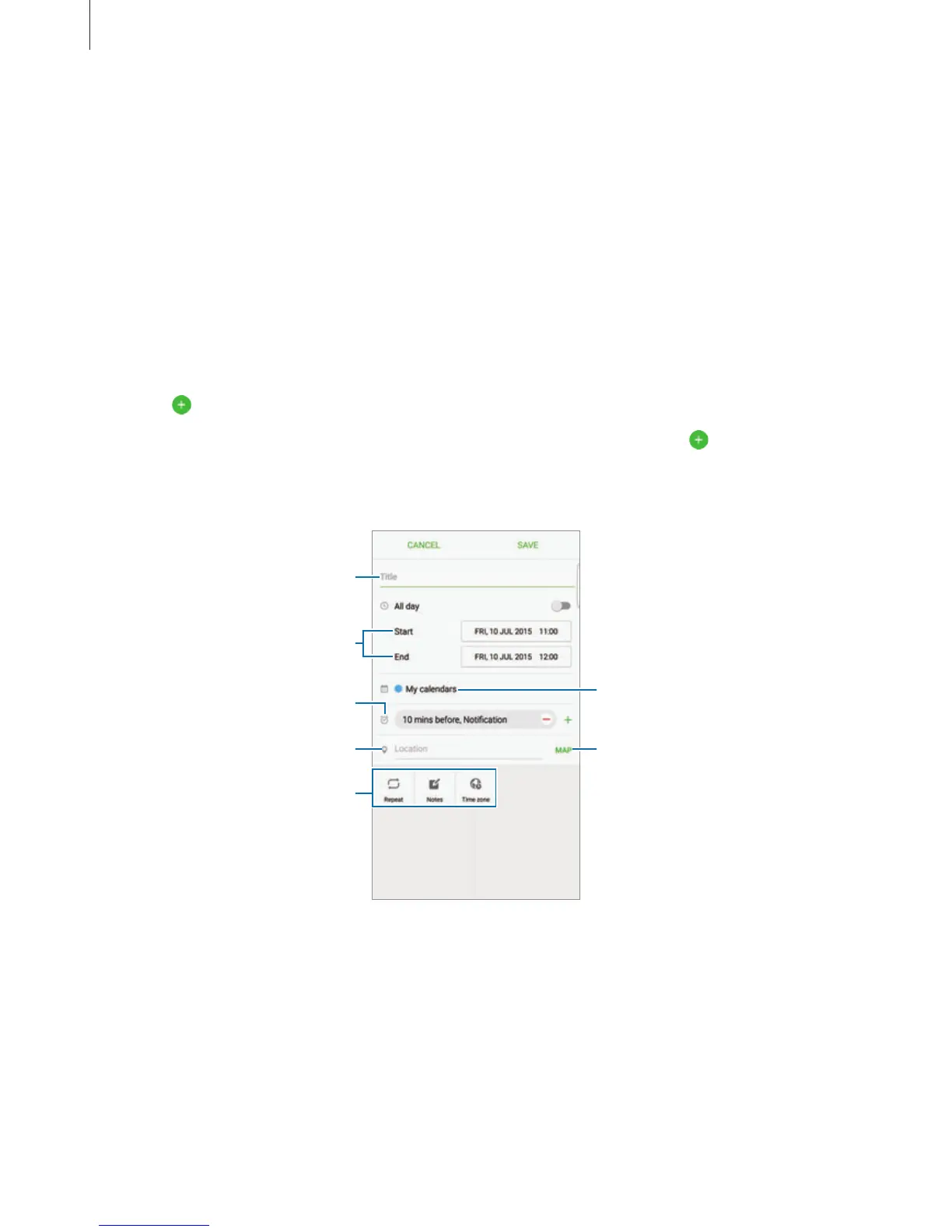
Enter event details.
Select a calendar to use or sync
with.
Attach a map showing the
location of the event.
Enter the location of the event.
Enter a title.
Set a start and end date for the
event.
Add more details.
Set an alarm.
4
Tap
SAVE
to save the event.














 To Next Page