Basics
14
SIM or USIM card
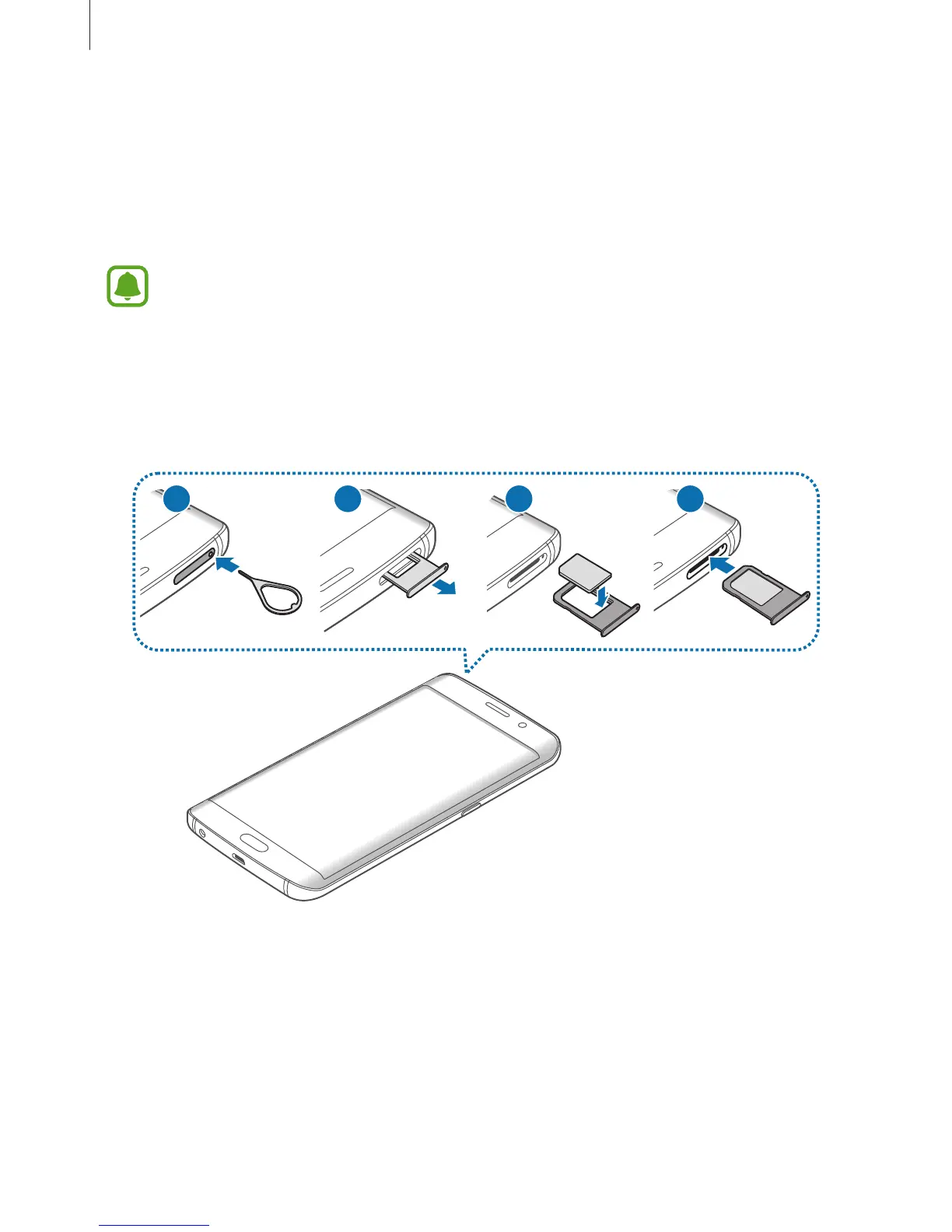
Installing the SIM or USIM card
Insert the SIM or USIM card provided by the mobile telephone service provider.
•
Only nano-SIM cards work with the device.
•
Dual SIM models: In some areas, data transfer speeds may be slower if two SIM
cards are inserted in the device than when one SIM card is inserted.
•
Some LTE services may not be available depending on the service provider. For
more information about service availability, contact your service provider.
►
Single SIM models:
1
3
42














 To Next Page