28_ web viewer
web viewer
CONNECTING TO THE NETWORK VIDEO ENCODER
Normally, you would
1. Launch the Internet browser.
2.
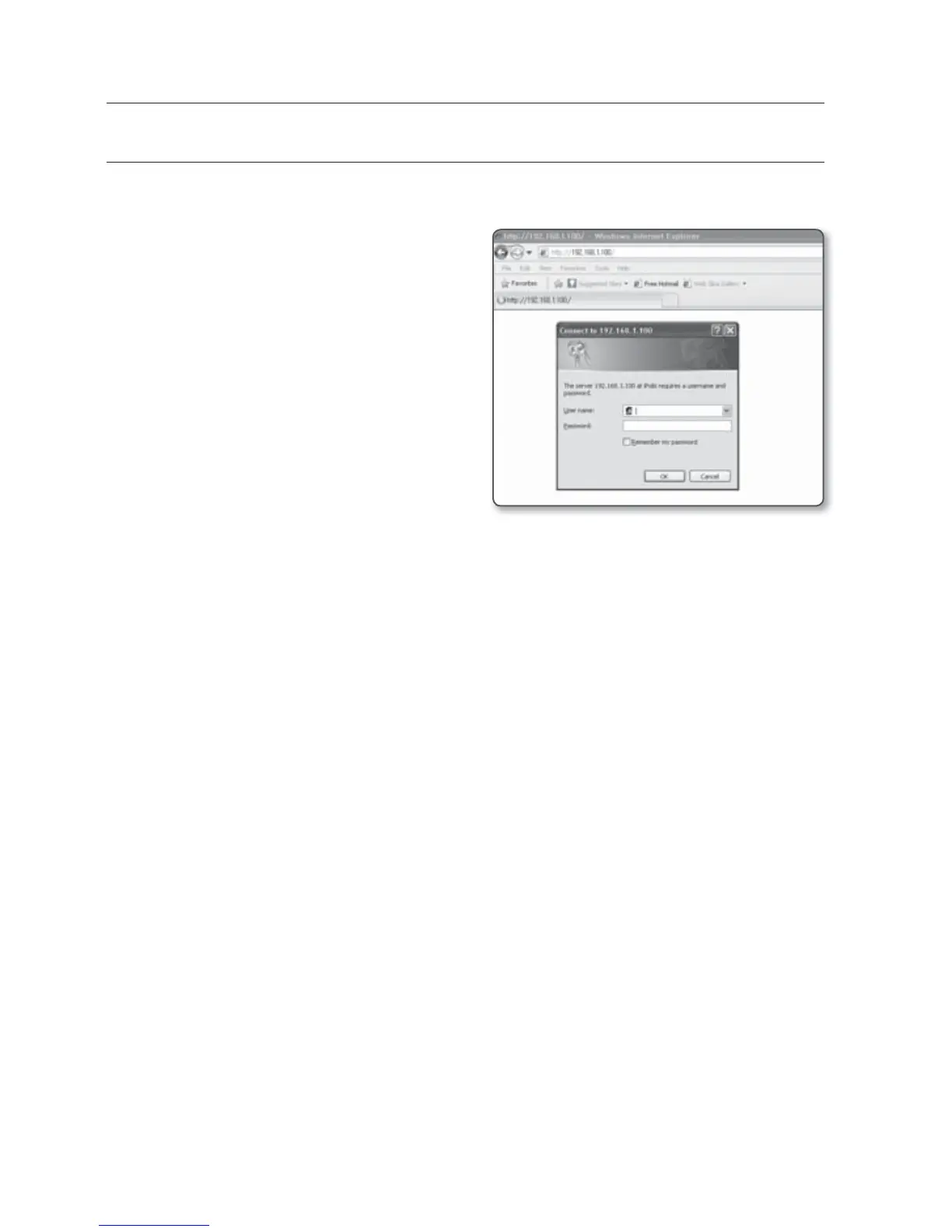
Type the IP address of the network
video encoder in the address bar.
ex)
•
IP address (IPv4) : 192.168.1.100
http://192.168.1.100
- the Login dialog should appear.
•
IP address (IPv6) : 2001:230:abcd:
ffff:0000:0000:ffff:1111
http://[2001:230:abcd:ffff:::ffff:1111]
- the Login dialog should appear.
If the HTTP port is other than 80
1. Launch the Internet browser.
2. Type the IP address and HTTP port number of the network video encoder in the
address bar.
ex) IP address : 192.168.1.100:HTTP Port number(8080)
http://192.168.1.100:8080 - the Login dialog should appear.
Using URL
1. Launch the Internet browser.
2. Type the DDNS URL of the
network video encoder in the address bar.
ex) URL address : http://www.samsungipolis.com/[Product Domain]
- the Login dialog should appear.



 To Next Page