32_ web viewer
web viewer
USING THE LIVE SCREEN
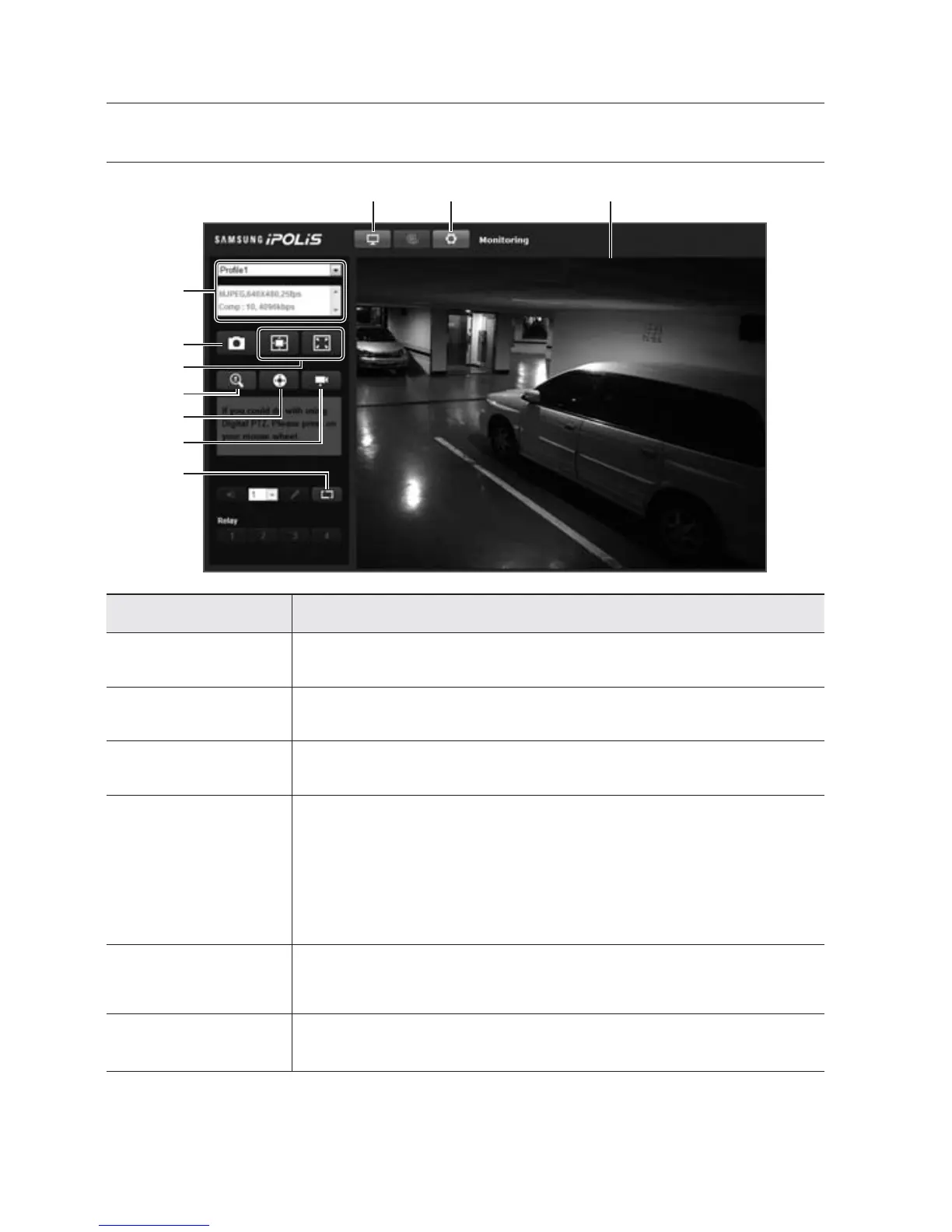
Item Description
Monitoring Move to the monitoring screen.
b
Setup Move to the Setup screen.
c
Viewer Screen Displays the Live video on the screen.
Hide the alarm
indicator
Hides the alarm indicator near the border of the viewer screen.
In the following cases, the alarm message will pop up on the border of the viewer.
- If an event (motion detection) occurs
- If the network video encoder is turned off
- If the network is disconnected
Camera Menu
Used to retrieve and customize connected camera's Setup menu.
For selecting and saving each menu item, refer to “Using the Camera Menu”.
(page 33)
PTZ
You can control Pan/Tilt/Zoom/Focus of the cameras that are connected to the network
video encoder
.
b c



 To Next Page