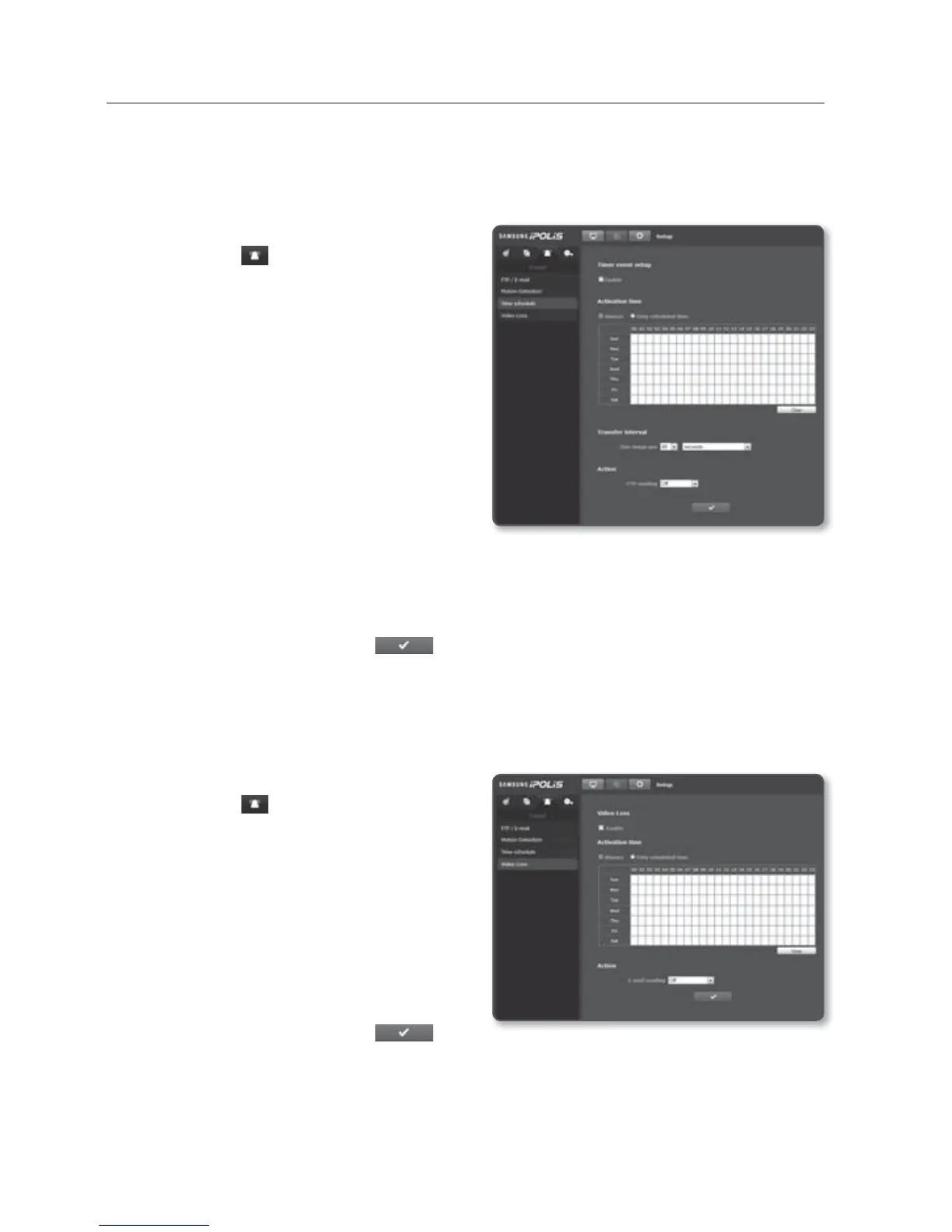
setup screen
48_ setup screen
Time schedule
You can configure so that an event will occur at a scheduled time regardless of the actual
occurrence of the event.
1. From the Setup menu, select the
<Event (
)> tab.
2. Click <Time schedule>.
To set the time schedule
1.
Set <Timer event setup> to <Enable>.
2. Specify the <Activation time>.
Always : Always activates in operated
mode at the set interval.
Only scheduled time : Periodically
activates in operated mode at a
specified time and date.
3. Specify the <Transfer interval>.
4. Specify the activation conditions.
FTP sending : Specify the use of the FTP transfer if an event occurs.
5. When done, click [Apply (
)].
Video Loss
You can set the alarm to be generated on a camera disconnection, which causes a video
loss.
1. From the Setup menu, select the
<Event (
)> tab.
2. Click <Video
Loss>.
To set the video loss
1.
Set <Video Loss> to <Enable>.
2. Set the activation time and condition.
E-mail sending : Specify the use of
the email transfer if a video loss.
3. When done, click [Apply ( )].



 To Next Page