English _37
● SETUP SCREEN
What is GOP size?
GOP (Group of Pictures) is a set of video frames for MPEG-4 and H.264 format
compression, indicating a collection of frames from the initial I-Frame (key frame) to the
next I-Frame. GOP consists of 2 kinds of frames: I-Frame and P-Frame.
I-Frame is the basic frame for the compression, also known as Key Frame, which
contains one complete image data. P-Frame contains only the data that has changed
from the preceding I-Frame.
You can set between 1 and 15 for the MPEG-4 and H.264 CODEC.
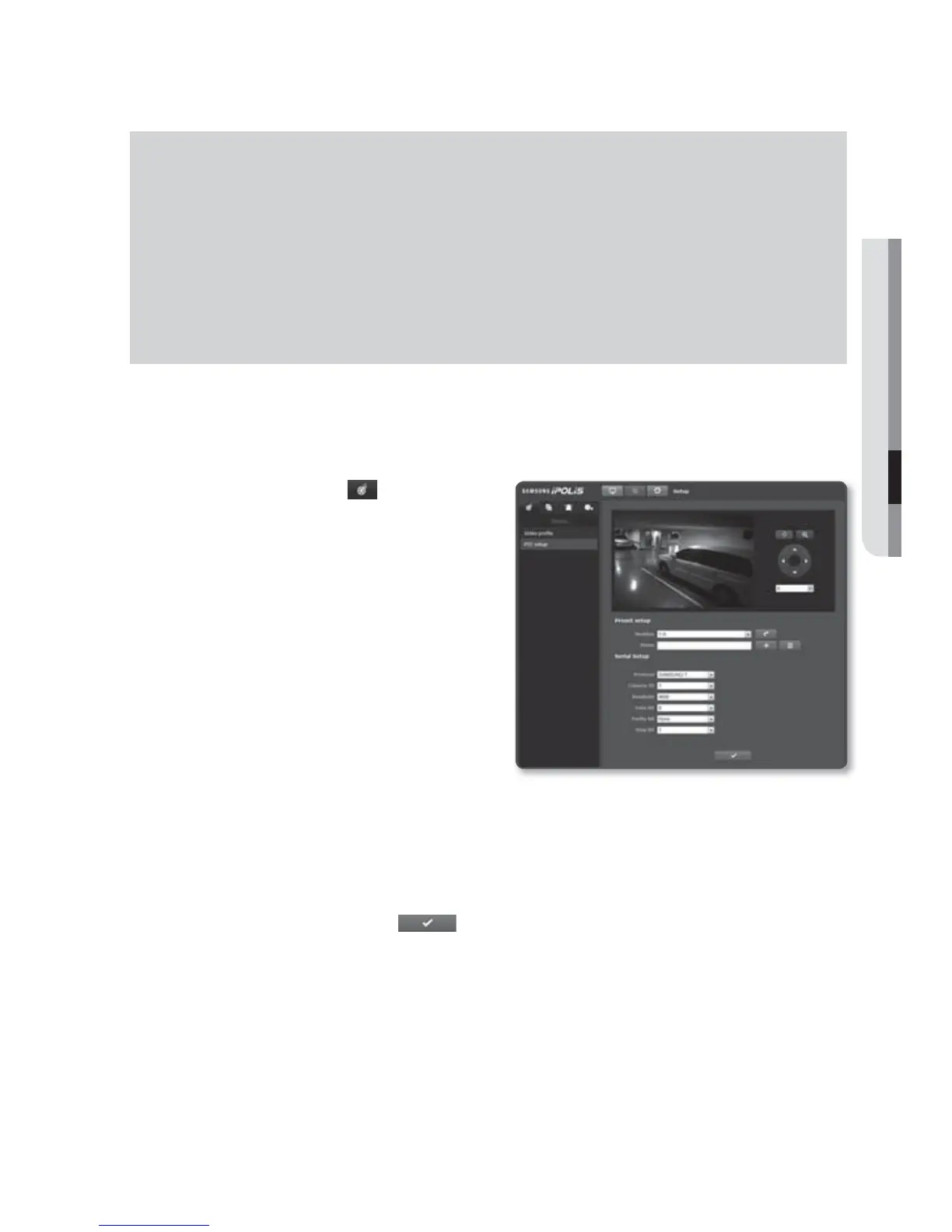
PTZ setup
You can move the camera lens and control the zooming operation.
1. Select the <Video ( )> tab from
Setup menu.
2. Click the <PTZ setup>.
3. Set the preset and serial port.
Preset setup :
Select a number
between 1 and 255, and press Move.
The camera angle will be adjusted as
specified in the preset.
The connected camera should be
configured to allow serial port
communication.
Serial Setup : You can set the
RS-
422/485
communication mode of the connected camera.
The camera and device are connected via RS-422/485 communication ports.
The camera will not perform properly if communication related settings of the connected camera
are incorrect.
4. When done, click [Apply (
)].



 To Next Page