English _25
●
NETWORK CONNECTION AND SETUP
PORT RANGE FORWARD (PORT MAPPING) SETUP
If you have installed a broadband router with a network video encoder connected, you must set
the port range forwarding on the Broadband router so that a remote PC can access the
network
video encoder
in it.
Manual Port Range Forwarding
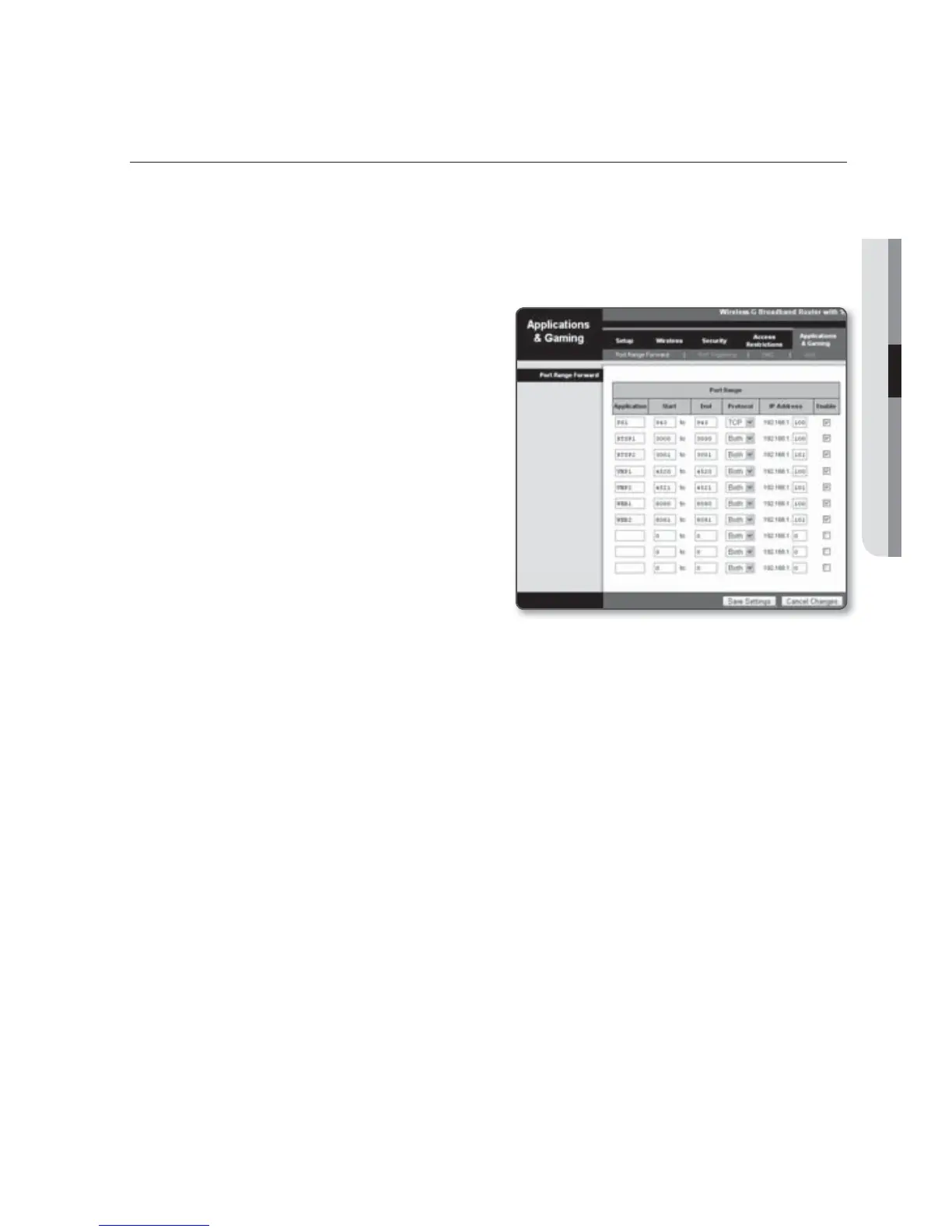
1. From the Setup menu of the Broadband
router, select <Applications &
Gaming> - <Port Range Forward>.
For setting the port range forward for
a third-party Broadband router, refer
to the user guide of that Broadband
router.
2. Select <TCP> and <UDP Port> for
each connected
network video encoder
to the Broadband router.
Each port number for the Broadband
router should match that specified in
<Network> - <Port> from the
network
video encoder
's Setup menu.
3.
When done, click [Save Settings].
Your settings will be saved.
M
Above sample instructions are based on the CISCO’s Broadband router (Model: LINKSYS).
The settings may differ depending on the connected Broadband router model.
For more information, refer to the user manual of the applicable router.



 To Next Page