30_ web viewer
web viewer
This network video encoder uses Microsoft Silverlight for displaying the video.
INSTALLING SILVERLIGHT RUNTIME
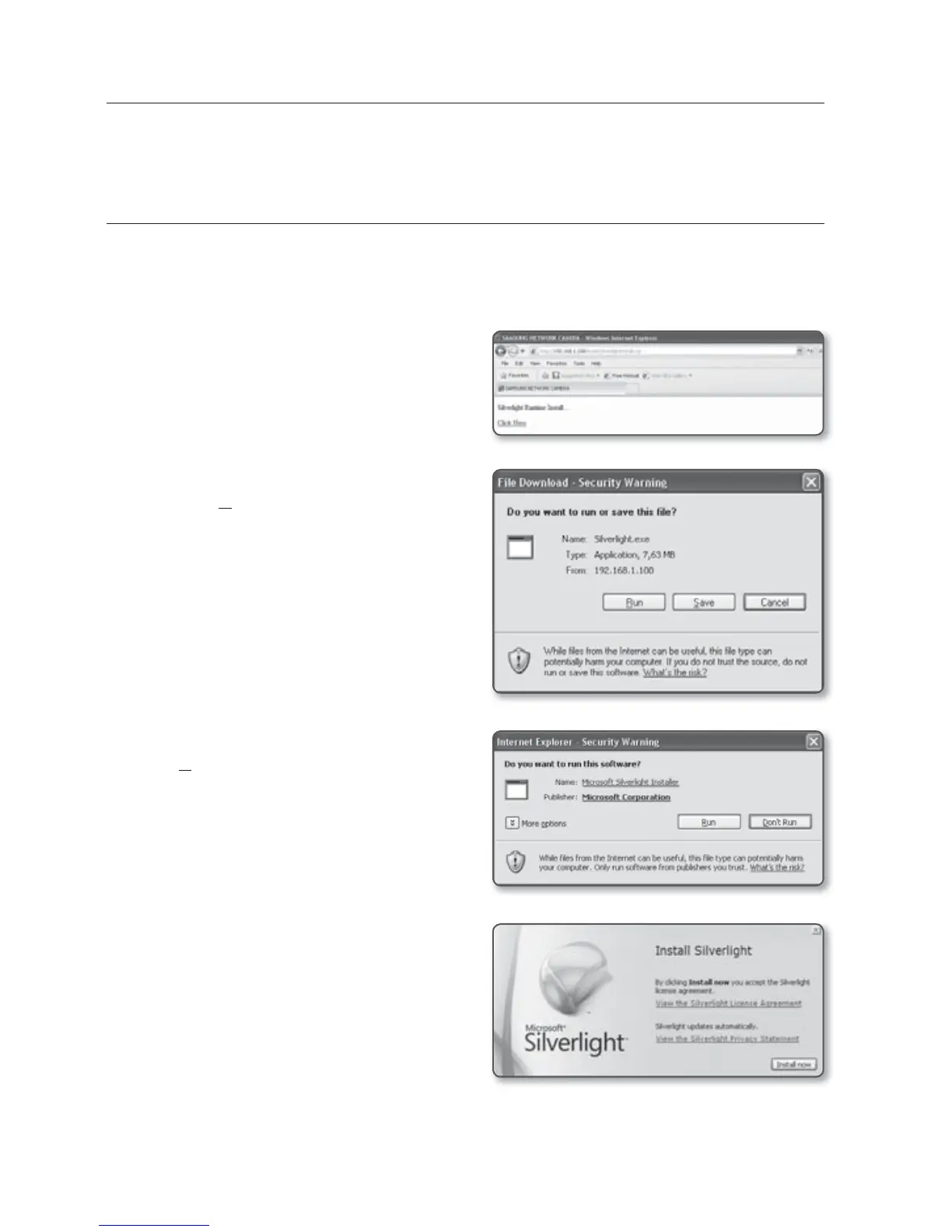
If your PC has not installed Silverlight Runtime or has just installed an old runtime version, you will
be redirected to the Silverlight Runtime installation page automatically when accessing the web
viewer.
1. Click <Click Here>.
2. When the file download dialog pops up,
click <Run>.
3. When the download is completed, click
<Run>.
4. The Silverlight Runtime installation page
will be displayed. <Install now> to
proceed with the installation.



 To Next Page