English _39
● SETUP SCREEN
NETWORK SETUP
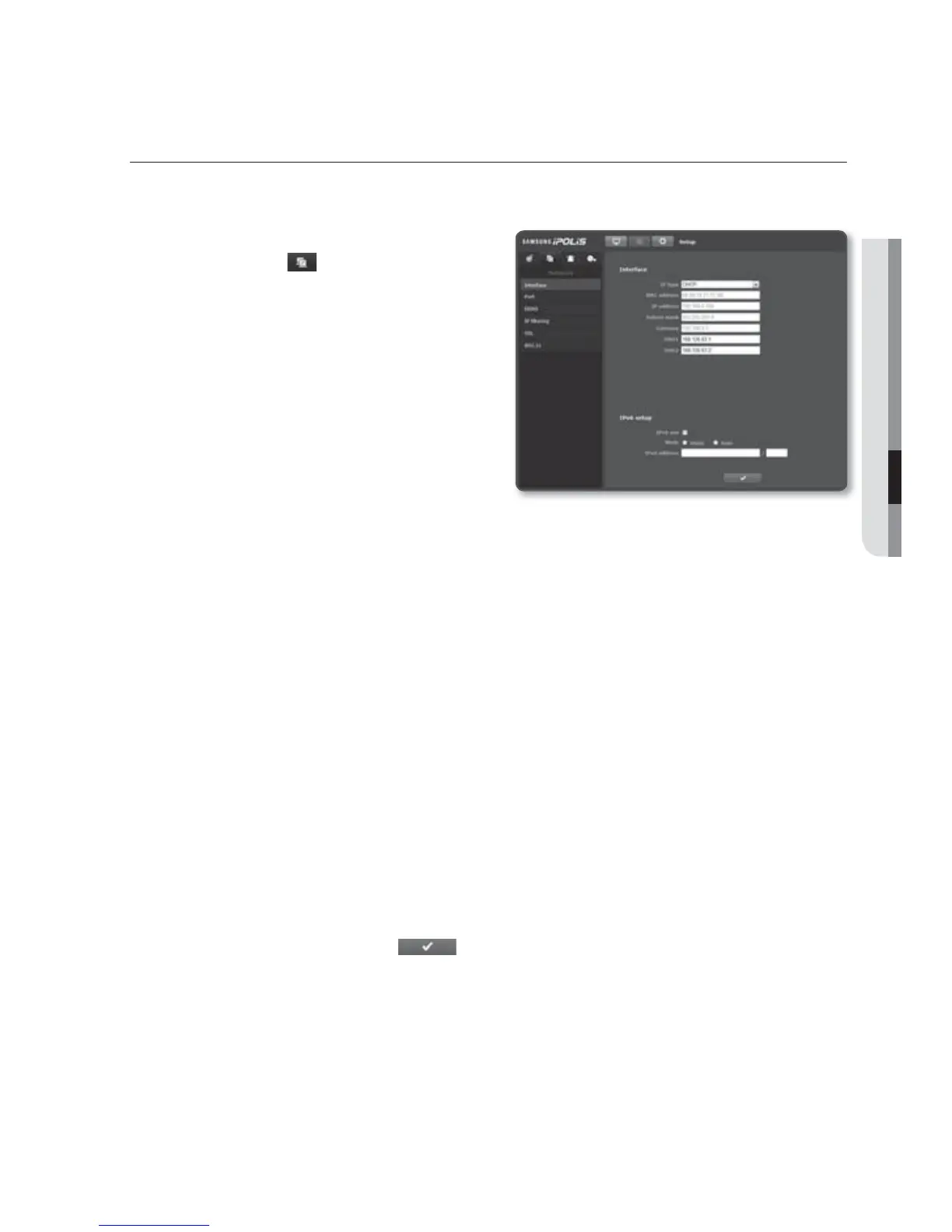
Interface
1. From the Setup menu, select the
<Network ( )> tab.
2. Click <Interface>.
3. Set the <Interface> and <IPv6 setup>
as necessary.
IP type : Select an IP connection
type.
- Manual : Specify the IP address,
Subnet Mask, Gateway, DNS1,
and DNS2.
- DHCP : Specify the DNS1 and
DNS2.
- PPPoE : Specify the DNS1, DNS2, ID and password.
If you set it to <Manual>, you should specify the IP, Subnet mask, Gateway, DNS 1 & 2 manually.
MAC address : Shows the MAC address.
IP address : Displays the current IP address.
Subnet mask : Displays the <Subnet Mask> for the set IP.
Gateway : Displays the <Gateway> for the set IP.
DNS1/DNS2 : Displays the DNS(Domain Name Service) server address.
IPv6 use : Specify the use of IPv6.
Mode
- Static : Selecting “Static” will activate the <IPv6 address>.
Enter the IPv6 address in a specified format.
- Auto : Automatically obtain the IPv6 address to access the IPv6 network.
IPv6 address : Enter the address in a total of 8 parts in hexadecimal notation.
ex) 2001:230:abcd:ffff:0000:0000:ffff:1111
4. When done, click [Apply ( )].
J
The IP addressing system will be defaulted to DHCP. If no DHCP server is found, the previous
settings will be restored automatically.



 To Next Page